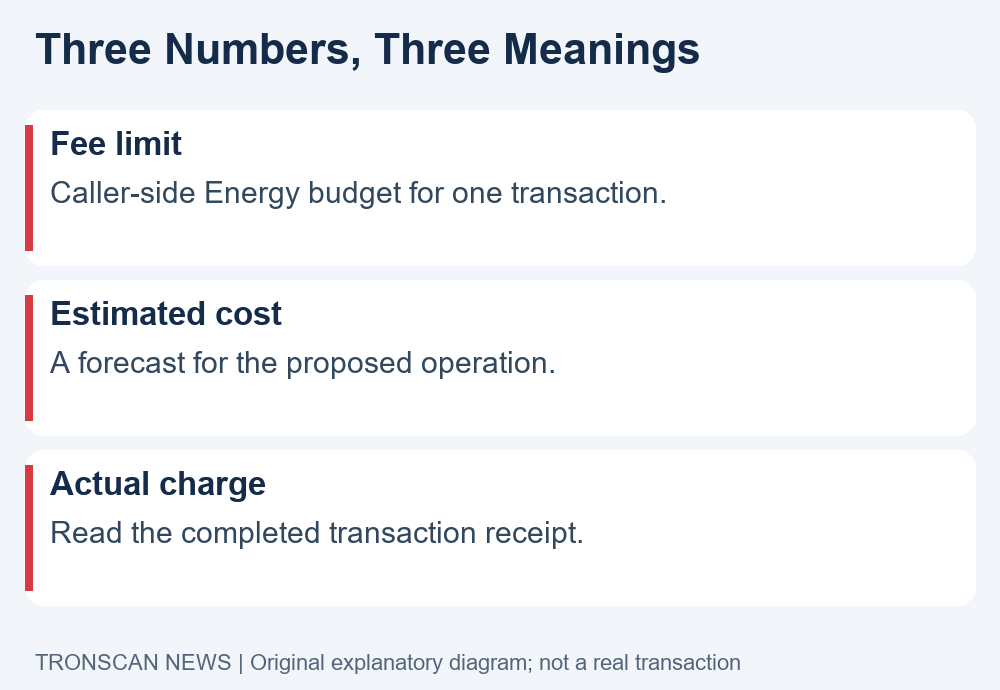
TRON fee limit is a caller-side Energy budget for one smart contract transaction. It is not automatically the amount charged, and it does not represent every possible cost of using a wallet or exchange. Before changing a displayed limit, identify the exact operation, read its units and compare the estimate with your available resources.
This mobile guide explains how to distinguish a cap from an estimate and a receipt. It also shows which evidence to collect after an OUT_OF_ENERGY result. Official documentation was checked on 23 October 2026. We have not performed a transaction or independently tested a wallet interface for this article.
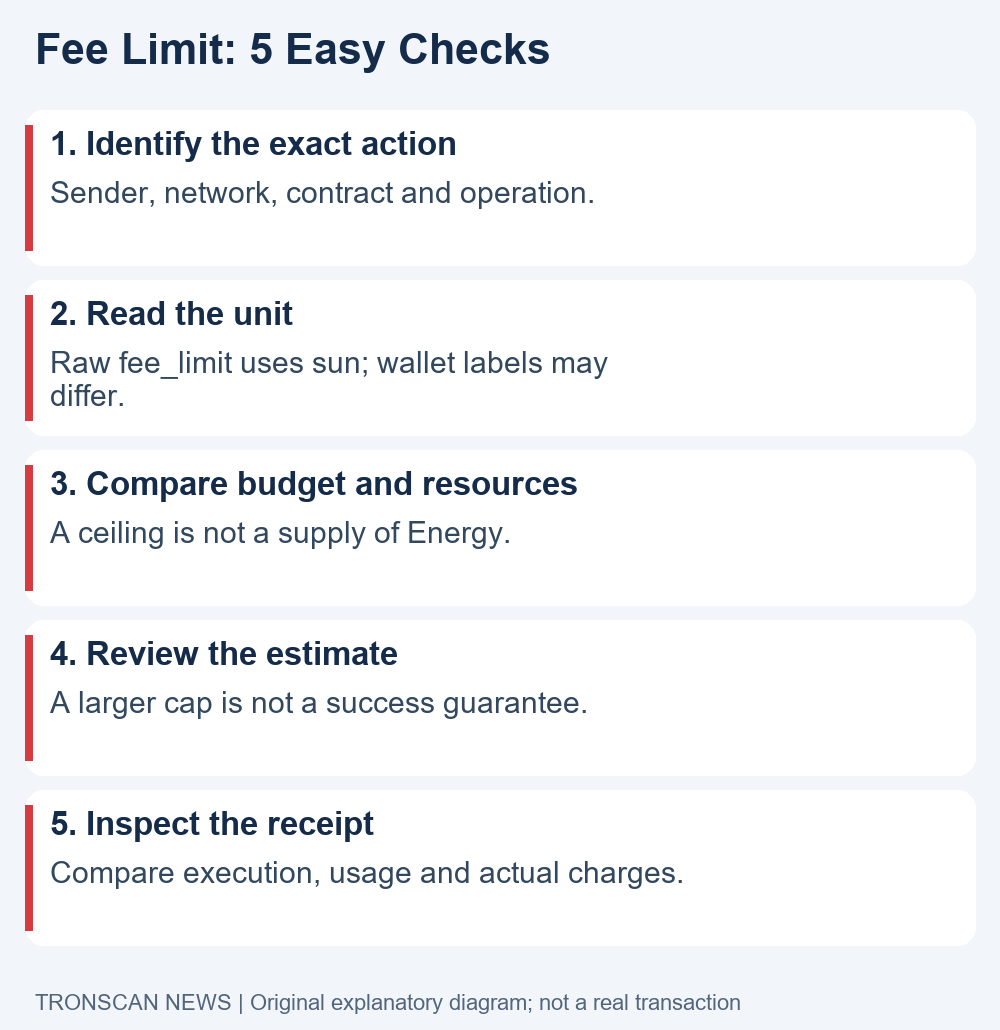
Table of Contents
What the TRON fee limit controls
The official FeeLimit and Energy cost documentation describes fee_limit as a per-transaction caller Energy budget expressed in sun. The available budget depends on both the limit and what the caller can actually cover. A low cap can restrict execution even when the account has substantial staked Energy.
Read that definition before interpreting a wallet’s maximum-fee label. An estimate forecasts an operation; a cap sets a boundary; a receipt records what happened. Treating those three numbers as interchangeable can make an ordinary difference look like an unexplained charge.
This guide focuses on reading those distinctions. It does not provide a universal recommended cap or tell you to approve the largest value available. The right question is what the proposed operation requires and what exposure you are willing to authorize.
5 easy checks before changing a TRON fee limit
- Identify the action. Match the network, sending account, contract and operation.
- Read the unit. Confirm whether a screen shows TRX, sun or Energy.
- Separate budget from resources. A higher ceiling does not supply additional Energy or funds.
- Review the current estimate. Check its scope and age before signing.
- Inspect the final receipt. Compare the result, resource consumption and actual fees.
Complete these checks using the product’s own confirmation screen and an explorer. Reading public transaction data does not require sharing a recovery phrase. Do not sign an unrelated approval merely because another webpage calls it a fee adjustment.
Check 1: identify the exact smart contract action
Start a TRON fee limit review by naming the operation. A token transfer, approval and another contract call should not be treated as identical simply because they appear in the same wallet. Record the account and intended contract before comparing costs.
Confirm the network and full address. On a phone, expand shortened text and open the details panel if necessary. A familiar ticker or app icon is not enough to identify the actual contract involved in a signing request.
If you are comparing with a past transaction, choose a record with the same operation and explain any remaining differences. A previous successful send is useful evidence, but it does not establish the requirements of every future call.
Keep the recipient amount separate from transaction expenses. A wallet can show the value being transferred beside a maximum cost or an estimate. Write down the labels with the numbers so that a later comparison does not mix them.
Before investigating a failure, establish whether there is a blockchain transaction hash. A provider order number, a locally rejected request and a broadcast transaction represent different stages. Use the exact evidence available rather than describing all three as an on-chain failure.
Check 2: read TRON fee limit units carefully
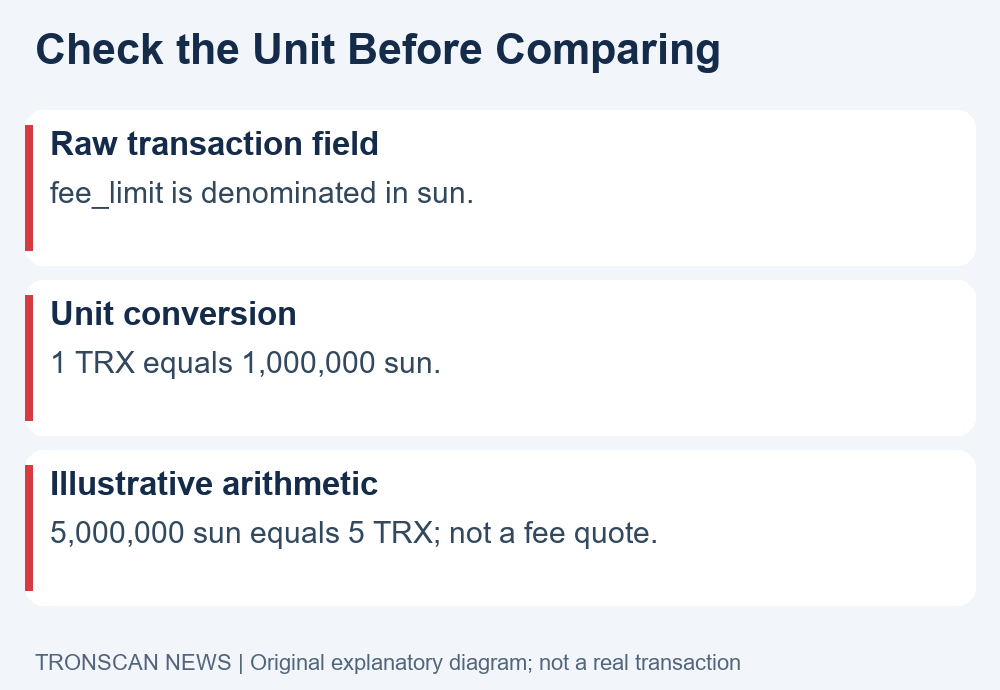
The raw fee_limit field uses sun. One TRX equals 1,000,000 sun. A wallet may present a converted value, so read its unit label rather than copying a number from a developer example into an unrelated screen.
For arithmetic only, 5,000,000 sun equals 5 TRX. This is a unit-conversion example, not a recommended limit, a current transfer quote or a receipt from a real transaction. It says nothing about whether a particular operation needs that budget.
Energy is a different unit again. An Energy estimate cannot be compared directly with a number in sun without understanding the current conversion and charging rules. Record both the quantity and its unit whenever you copy a figure into your note.
When the app displays multiple fee labels, open its help text to learn which one is a cap and which is a predicted cost. If the interface does not explain this, ask the wallet publisher through its official support route before approving a larger amount.
Do not assume a network maximum is a sensible personal setting. Network parameters may change, and an allowed value is not an estimate for your transaction. This article deliberately avoids presenting the current protocol maximum as a default for mobile readers.
Check 3: compare the cap with available resources
The official resource-payment documentation explains how fee_limit interacts with the caller’s Energy budget and the deployer’s contribution. Available account resources and a transaction ceiling are separate constraints. Increasing a ceiling does not create the resources needed to execute an operation.
Our TRON Energy guide explains the account resource view. Use the resources of the actual sending account, not another account selected in the same app. Keep observation times if you compare the estimate with a later balance.
TRON fee limit is relevant to the caller’s contract-execution budget. It should not be read as a promise that an unrelated exchange withdrawal charge or a provider service fee is included. Read those service terms separately.
Bandwidth covers transaction data and Energy covers contract computation. The official Bandwidth and Energy overview describes those different roles. A statement about the Energy cap should therefore not be expanded into a total-cost quote without checking the other components.
When a maximum setting or unit price needs source verification, use our dated Mainnet parameter audit and unit worksheet. It distinguishes the network ceiling from a transaction budget and an actual charge. Keep a separate line for each resource and fee category. Combining every field into one unlabeled number makes a discrepancy harder to explain.
Check 4: review the TRON fee limit estimate before signing
A useful TRON fee limit review starts with an estimate for the exact proposed operation. Check when it was produced and whether the sender, contract, recipient and parameters still match. An old estimate should not be assumed valid after the operation changes.
Read the wallet’s own explanation of the estimate. Does it show expected resource consumption, expected TRX burn or a maximum authorization? Preserve that wording in your note rather than changing the label to whichever term sounds most familiar.
The official documentation explains that execution paths and contract state can affect an estimate’s usefulness. A forecast is evidence to review, not a guarantee that the transaction will succeed or settle at precisely the displayed amount.
If a product lets you edit the cap, treat the change as a new decision about that operation’s budget. Compare the revised confirmation with the original one. Do not adopt a value from a social-media comment without knowing its units, contract and assumptions.
If you cannot understand the request, stop before signing. A displayed warning deserves a specific explanation. Raising a number until a warning disappears does not establish that the destination or contract is the one you intended to authorize.
Check 5: compare TRON fee limit with the receipt
After a transaction has been broadcast, open its complete hash on the correct network. Check the result before comparing costs. Then read the receipt’s resource and fee fields with their units, keeping the caller budget separate from the amount actually charged.
Our mobile transaction lookup guide explains how to match a receipt to the original sending record. Compare the sender and operation as well as the hash. A receipt for another action cannot explain your current wallet confirmation.
The TRON fee limit is a cap, not a fixed invoice. The official documentation distinguishes normal settlement from exceptional failures that can exhaust the execution allowance. Do not assume every failed transaction is free or that every successful transaction burns the full cap.
If a displayed charge looks unexpected, record each field exactly as shown. Separate the Energy quantity from the TRX burned and keep any platform service charge outside the chain-receipt comparison. This produces a concrete question for support instead of an ambiguous claim that the limit was charged twice.
What to check after OUT_OF_ENERGY
The official developer FAQ explains that the caller budget and any deployer contribution form the execution budget. OUT_OF_ENERGY indicates that execution could not continue within the available Energy budget. It does not identify one universal fix for every wallet and contract.
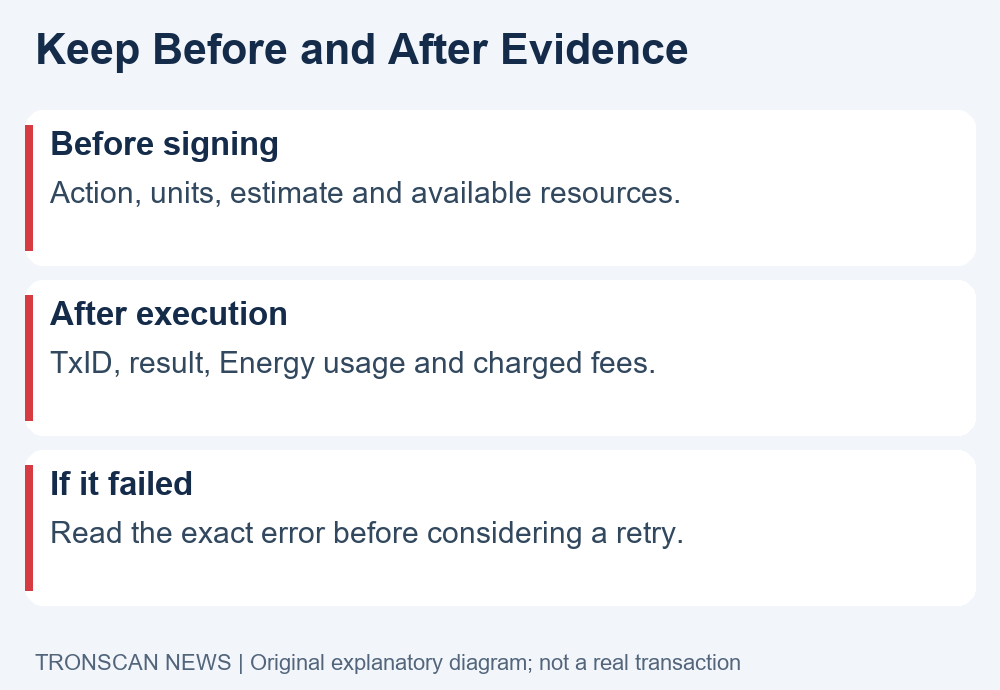
Check three things before considering a retry: the estimate for the exact call, the sending account’s resources and the actual transaction cap. Read the error from the receipt rather than relying only on an app’s shortened notification.
OUT_OF_TIME and a contract rejection are different results. Do not rename them OUT_OF_ENERGY simply because the wallet displayed a cost. If the exact result is unclear, preserve it and ask the product’s official support to explain the operation.
A retry is a separate transaction with its own consequences. First establish what happened to the earlier action and whether the intended state change occurred. Repeatedly submitting a request can add costs without resolving the original uncertainty.
A useful TRON fee limit comparison note
Save the sender, network, contract, action, displayed units and estimate time before signing. After execution, add the full hash, result and the receipt fields you actually inspected. Leave unavailable information marked unknown. This is a comparison template, not a reason to expose wallet secrets in a public document.
When asking support about a TRON fee limit discrepancy, state which figure came from the confirmation and which came from the receipt. Include their labels and units. A question such as why a forecast differs from a particular receipt field is easier to investigate than a screenshot containing several unlabeled numbers.
Keep a later TRON fee limit adjustment as a separate entry, linked to its own transaction if broadcast. This preserves the earlier result and makes repeated attempts visible instead of replacing the first record with the latest screenshot.
Three illustrative comparisons
High cap, insufficient resources: A hypothetical reader selects a large budget while the sending account cannot cover the call. The useful next step is to inspect the resource and balance evidence. The larger number is not itself a supply of Energy.
Available Energy, low transaction budget: Another hypothetical reader sees account Energy and assumes any contract call must succeed. Compare the per-transaction cap and current estimate too. The account resource view answers a different question from the transaction’s authorized budget.
Estimate differs from actual charge: In this example, the reader compares a pre-signing forecast with the final receipt. First check whether both figures represent the same component and use the same unit. A difference needs explanation, but does not by itself prove that the cap was burned in full.
These examples illustrate a reading method. They are not transactions we performed or predictions of a particular wallet’s behavior. Keep the actual error and receipt as the evidence for your own operation.
Frequently asked questions
1. Is TRON fee limit the actual transaction fee?
No. It is the caller-side Energy budget for a contract transaction. Read the final receipt to establish actual resource consumption and charges, and distinguish those from a wallet estimate or provider fee.
2. Which unit does the raw fee_limit field use?
It uses sun, with 1 TRX equal to 1,000,000 sun. A wallet may display a converted number. Always read the unit label before comparing or editing a value.
3. Does a higher TRON fee limit guarantee success?
No. A larger cap does not create resources, validate a contract or resolve every execution error. Review the exact operation, estimate, account resources and any earlier receipt before considering another transaction.
4. Can a failed transaction still consume resources?
Yes. Read the actual execution result and settlement fields. Failure does not automatically mean zero cost, and different failure types have different charging implications. Avoid assuming that every failure burns precisely the full cap.
5. Does the cap include every wallet or exchange charge?
Do not assume so. The protocol field concerns the caller’s Energy budget. Provider service fees and other cost components need their own labels and supporting records.
Sources and editorial note
This TRON fee limit guide uses the official documentation linked above, checked on 23 October 2026. The comparison method and hypothetical situations are original explanatory guidance, not an independent protocol audit or a promise about transfer cost.
Visit the Tronscan News homepage for related English guides. Tronscan News is independent of TRON, TRONSCAN and wallet providers. This article and its original diagrams were prepared with AI assistance and source checks. Illustrations are not screenshots of actual wallets or transaction records.
Leave a Reply