TRON payments received another infrastructure announcement this month: Polygon Open Money Stack added support for the network. For someone holding USDT on a phone, the useful question is what a particular payment service actually offers, and how to check the records when money moves between a wallet and a bank.
This independent news explainer separates the announcement from our practical verification checklist. The announcement was issued on October 7, 2026; Polygon published its product explanation on October 8. Sources were checked on October 23, 2026. We have not opened an OMS account or tested a payment through the service.
Quick answer: the update concerns infrastructure businesses can integrate. It does not automatically enable a bank withdrawal in every TRON wallet, establish eligibility in every country, or make an explorer receipt proof that a recipient’s bank has paid out.
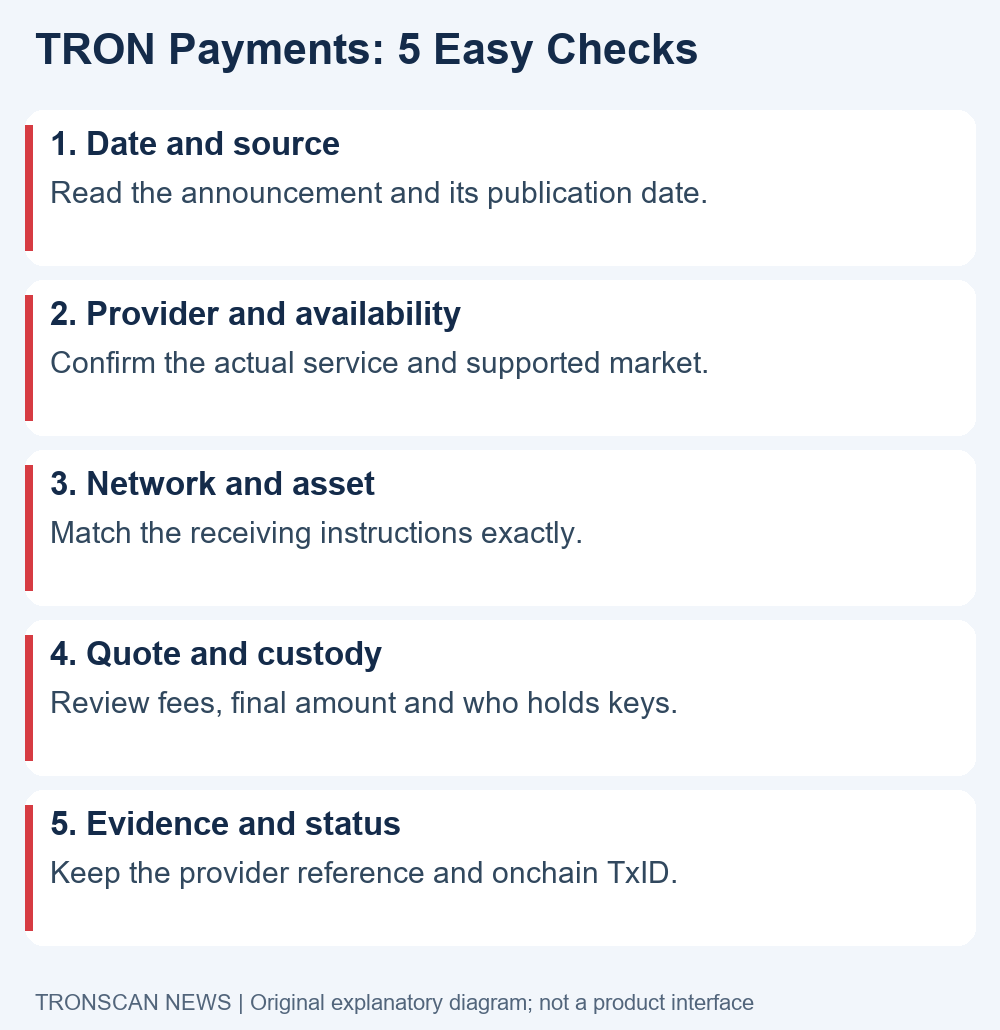
Table of Contents
What changed for TRON payments?
In the October 7 announcement issued by TRON DAO, Polygon Labs described connecting TRON to its Open Money Stack through one business integration. The release grouped the expansion into dollar access, programmable accounts and cross-chain movement. It called this the first phase of TRON support and said more assets, markets and capabilities were expected over time.
The practical distinction is between infrastructure availability and the product you personally use. A service provider must still tell you which route it supports and under what terms. A headline cannot supply your receiving address, payment reference, identity requirements or final quote.
Polygon’s October 8 explanation describes deposits, wallets, routing and payouts within OMS. It lists fiat conversion to and from TRON-based USDT, custodial and embedded wallet options, and routes involving supported chains. The same page cautions that features may be unavailable in some jurisdictions and subject to restrictions or change. Those are provider statements, rather than results from our own service testing.
Why TRON payments need more than one status
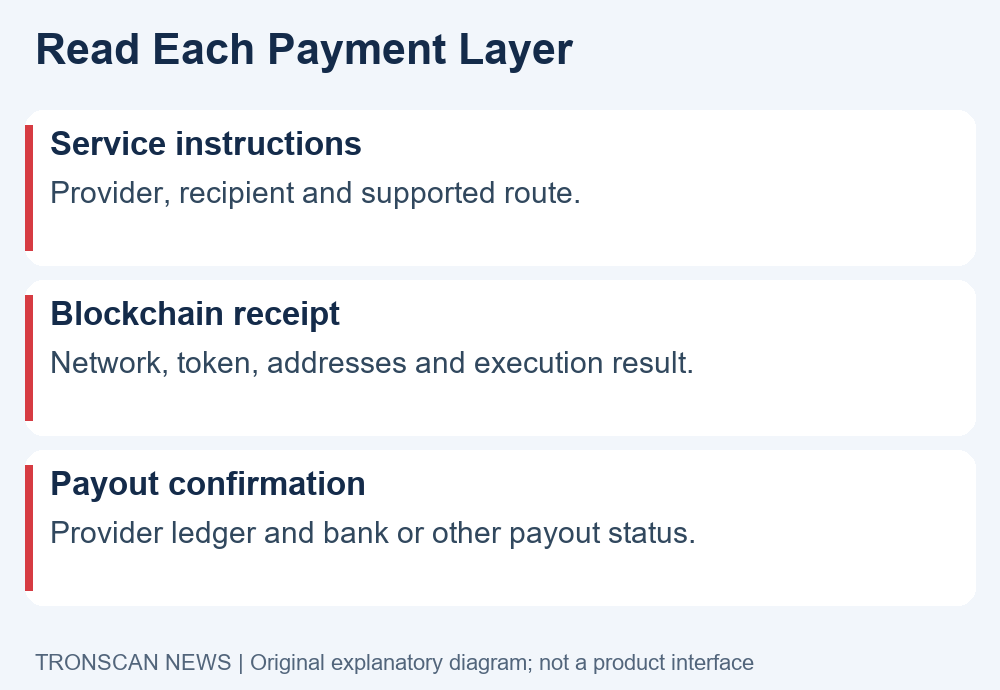
Our interpretation is that the announcement matters most at the boundary between services. A person may think of a remittance as one payment, while their evidence can include a funding record, a blockchain transfer, a provider account entry and a payout confirmation. Each answers a different question.
For example, a public transaction can help establish which addresses and token were involved in an onchain movement. The receiving service’s own reference is what its support team may need to locate a customer payment. Neither reference should be casually substituted for the other.
This distinction also makes mobile troubleshooting easier. Instead of repeatedly refreshing an explorer after a bank payout is delayed, identify the stage the provider says it is processing. Then gather the record relevant to that stage. The five checks below are our original reading and recordkeeping workflow, not instructions issued by Polygon.
1. Check the date and original source
Start with the dated announcement, not a cropped social post or a screenshot claiming a new withdrawal feature. In this case, October 7 and October 8 identify the release and product explanation; October 23 is when this article checked them. Calling the announcement newly launched today would blur that timeline.
Open the source in your browser and read its scope, limitations and links. Distinguish what it describes as available from what it expects later. If another article adds a specific exchange, country, fee or launch deadline, look for direct evidence for that additional claim before relying on it.
For TRON payments, this first check prevents an infrastructure story from becoming an instruction to send money to an unrelated address. There is no receiving address in this article, and no requirement to connect a wallet merely to read or verify the announcement.
Keep a small source note: article title, publisher, publication date and the exact claim you need to verify. This is more useful than collecting several reposts of the same release, because repetition does not establish a new product capability.
2. Identify the provider and supported route
Before considering a transfer, establish the name of the service that would handle it. Navigate through its known website or app. A message using familiar network or company names does not establish that the sender represents those organizations or that the destination belongs to the intended service.
- Find the provider’s current receiving or payout instructions.
- Confirm that your country, customer type and intended direction are supported.
- Check the stated asset, network, destination and any required payment reference.
- Read the provider’s support and rejection procedures before committing funds.
These are questions to resolve, not a claim that any named service supports your situation. In particular, a statement about regulated payment rails is not a universal eligibility decision for every reader. Account access and transaction availability should be checked with the actual provider.
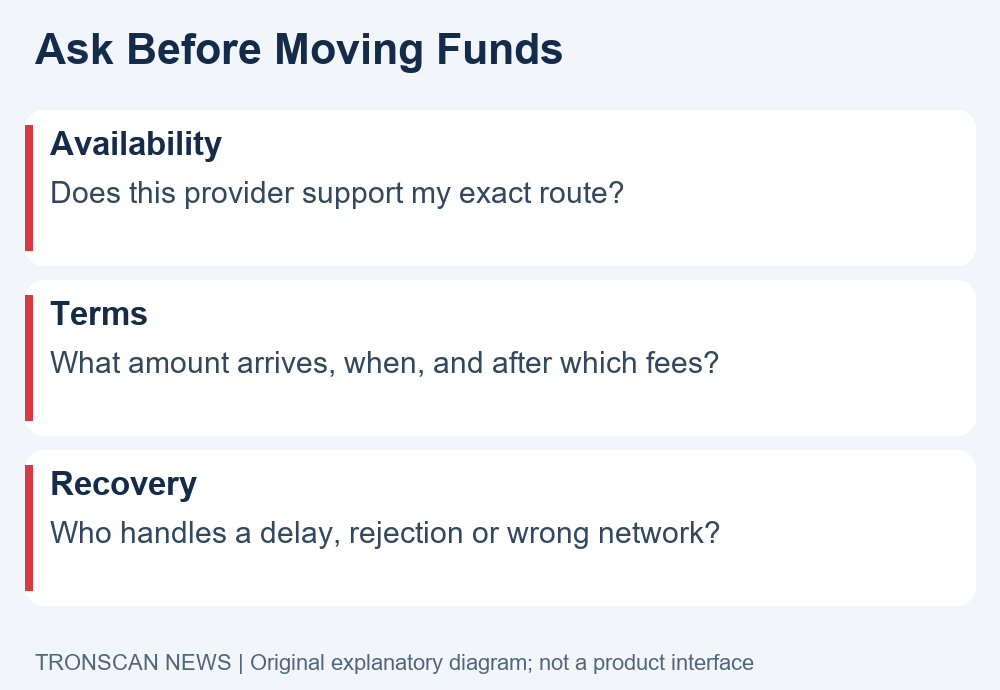
When comparing TRON payments across apps, describe each route in a single sentence: funding method, input asset, receiving network and payout destination. If you cannot write that sentence accurately, the route is not yet clear enough to evaluate.
A hypothetical example is a customer funding a service from a bank and expecting USDT at a TRON address. The bank funding reference and eventual onchain transaction would serve different purposes. This example illustrates record types; it is not a tested OMS payment or a promised supported route.
3. Match the asset and receiving network
A familiar ticker is only the beginning of a receiving check. Read the destination service’s network instructions and compare them with the sender’s selected network. Also confirm that the destination accepts the particular token contract you intend to send. Do not infer compatibility from a wallet logo or a short token name.
Our USDT TRC20 contract verification guide explains the address-and-contract comparison in more detail. Use the destination’s current instructions as the starting point, and avoid copying an address from search results, a comment or an unsolicited support message.
The Polygon announcement describes supported routing, but it does not turn an arbitrary transfer to an arbitrary chain into a valid deposit. When a provider offers routing or conversion, read the particular quote and receiving instructions for that flow. Do not improvise a bridge step from a news headline.
For mobile TRON payments, pause before the final confirmation screen. Compare the complete receiving address with the trusted instructions, the asset and network, and any extra provider reference. If one detail changes after you switch apps, resolve the discrepancy before proceeding.
Be careful when a contact says to make a second payment to unlock a first one. Verify the request inside the provider’s normal support channel. A transaction reference can document an existing transfer; it does not justify sending additional funds to an unverified contact.
4. Read the quote, timing and custody terms
A useful TRON payments comparison starts with the amount the recipient would receive, rather than a headline about low blockchain costs. Ask which charges belong to network execution, provider processing, conversion and the receiving payment method. Do not assume that an announced integration makes every layer free.
Record the quoted input amount, output asset, expected recipient amount and any quote expiry shown by the service. If the output is fiat, note the currency. If the service gives a time estimate, keep the exact wording and the conditions that qualify it.
Custody deserves a separate question: who controls the keys for the balance shown in this particular product? Polygon’s explanation describes different wallet models, so a generic reference to OMS is insufficient to answer this for an individual app. Read that app’s account and recovery information.
Do not enter a seed phrase into a support form to clarify custody. Legitimate public transaction review does not require your recovery phrase. Keep secrets out of screenshots, chat messages and any record you intend to share.
For TRON payments involving more than one asset or payment rail, ask what happens if the last stage is rejected. The answer could affect the route you choose. We do not assign a refund policy, completion time or fee to OMS here because we have not verified an individual customer’s quote or agreement.
5. Keep separate evidence for TRON payments and payouts
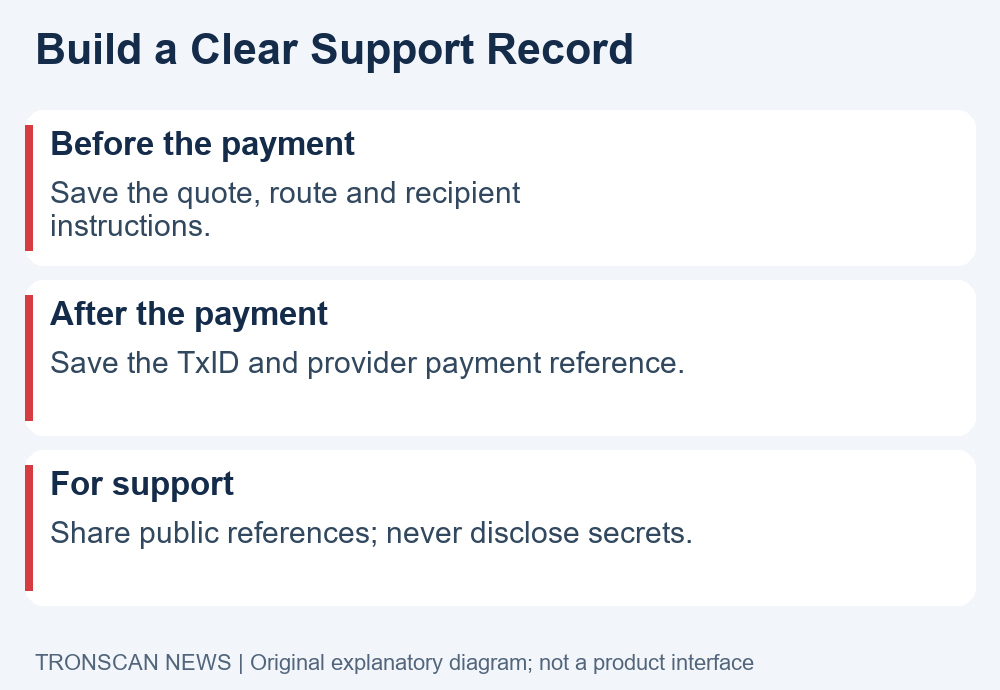
After a transfer, save the provider’s payment reference and any public transaction identifier it supplies. Record which network each identifier belongs to. A bank reference, service payment ID and blockchain TxID should remain separate entries in your notes.
To review an onchain record, open the public TRONSCAN explorer through its known address. Compare the transaction with the intended sender, receiver, token and amount. Our mobile TRON transaction guide walks through that public review without requiring a wallet connection.
If the blockchain leg appears completed but an app balance or payout remains pending, gather the provider’s status rather than declaring the entire payment complete. Equally, an app’s generic success banner should not replace checking the actual record when the details do not match what you intended.
For delayed TRON payments, provide support with a concise timeline: when you initiated the operation, the route selected, the public TxID if available, the service reference and the displayed error or status. The USDT not received checklist helps organize the distinction between a transfer and a receiving-service credit.
Do not label a missing reference as a failed transaction without evidence. Ask the provider which stage has produced a record and which remains pending. This narrows the question while avoiding a potentially costly duplicate payment.
Match the payment reference before contacting support
For TRON payments, ask whether a displayed identifier describes an order, a funding attempt or an executed blockchain transaction. Do not paste an internal order number into an explorer and conclude that funds disappeared when nothing is found.
When TRON payments involve a provider account, keep the original reference exactly as displayed, including letters and punctuation. For TRON payments that produce an onchain TxID, save the complete hash separately. That distinction gives support a clearer starting point without exposing account credentials.
A mobile record template for TRON payments
Copy this template into a private note when evaluating a service. Leave unavailable fields marked unknown rather than guessing them. It is a personal recordkeeping aid, not a request to submit private information to this website.
- Source: announcement title, publisher and date.
- Service: provider name and official support entry point.
- Route: funding method, input asset, receiving network and payout destination.
- Quote: expected recipient amount, itemized charges and expiry if shown.
- Evidence: provider reference, public TxID and separate payout status.
For TRON payments with a problem, update the same note rather than starting several conflicting versions. Record the time of each status observation and the provider’s response. Remove account details and other private information before sharing a screenshot publicly.
Our editorial conclusion is modest: the OMS announcement adds a business infrastructure option, while users still need route-specific instructions and stage-specific evidence. For more independent explanations of public blockchain records, visit Tronscan News. We are not Polygon, TRON DAO, Tether or the official TRONSCAN service.
Frequently asked questions
Does this update enable bank withdrawals in every TRON wallet?
No universal availability is established by the announcement. It describes infrastructure businesses can integrate. Check whether your actual provider offers the route, accepts your account and supports your location before treating a withdrawal option as available.
Do I need to move all my USDT to Polygon?
The announcement does not instruct every holder to migrate funds. Decide based on a specific supported service and its current instructions. A news article is not a reason to send assets to a new address or connect to an unfamiliar application.
Are TRON payments through OMS guaranteed to be free?
No such guarantee is established here. Ask the provider for the full quote, including any network, conversion, processing and payout charges. Compare the final recipient amount and the conditions attached to the quote.
Can TRONSCAN prove a bank payout has arrived?
A public explorer helps review the blockchain leg. Bank delivery or a provider’s internal account credit requires the relevant service’s records. Keep those references separate and ask support about the stage that is actually delayed.
Has Tronscan News tested the OMS service?
No. This article checks the dated announcement and Polygon’s product explanation, then provides our original verification workflow. It does not claim a completed transaction, universal coverage or a particular customer’s eligibility.
Editorial note: This article and its explanatory diagrams were prepared with AI assistance and checked against the linked sources. Product statements are attributed; hypothetical examples are labeled. No customer accounts or payments were tested. If a provider changes availability or the sources are corrected, this page should be reviewed against the newer evidence.
Leave a Reply