A TRON block page describes a block and its surrounding activity. It does not replace the receipt for an individual transaction. Start with the network, block number, full block identifier and UTC time. Then choose the transaction or transfer view that answers your question, and match the complete transaction hash before drawing a payment conclusion.
Use this read-only guide to note the block, selected view and individual record to check next. Public lookups require no wallet connection, signature or payment.
Table of Contents
TRON block page: eight essential fields and their limits
The official block documentation distinguishes a block’s sequential number from its full identifier and describes the header fields. The TRON block page worksheet below translates those distinctions into questions a reader can check on an explorer, keeping each field’s meaning within its actual scope.
| Field or area | What to preserve | What not to conclude |
|---|---|---|
| Block number / height | The integer and network | That the same number identifies the same block on another network |
| Block Hash / block ID | The full identifier, not a shortened display | That it is a transaction hash |
| Time | The absolute timestamp and displayed timezone | That a changing Age label is a fixed timestamp |
| Producer | The displayed producer and underlying account reference | That the producer is your sender or recipient |
| Block Size | The number and byte unit | That this is your transfer amount or personal fee |
| Status | The actual label and check time | That every included contract executed successfully |
| Parent Block Hash | The linked previous block and its identifier | That it is another payment reference |
| Transaction Overview and selected tab | Count, category and any asset filter together | That every count describes the same set of records |
Keep the explorer’s original labels when taking notes. In particular, the tested interface used “Block Hash,” while the protocol documentation calls the composite identifier a block ID. Recording both terms avoids silently comparing an explorer label with a different object in technical documentation.
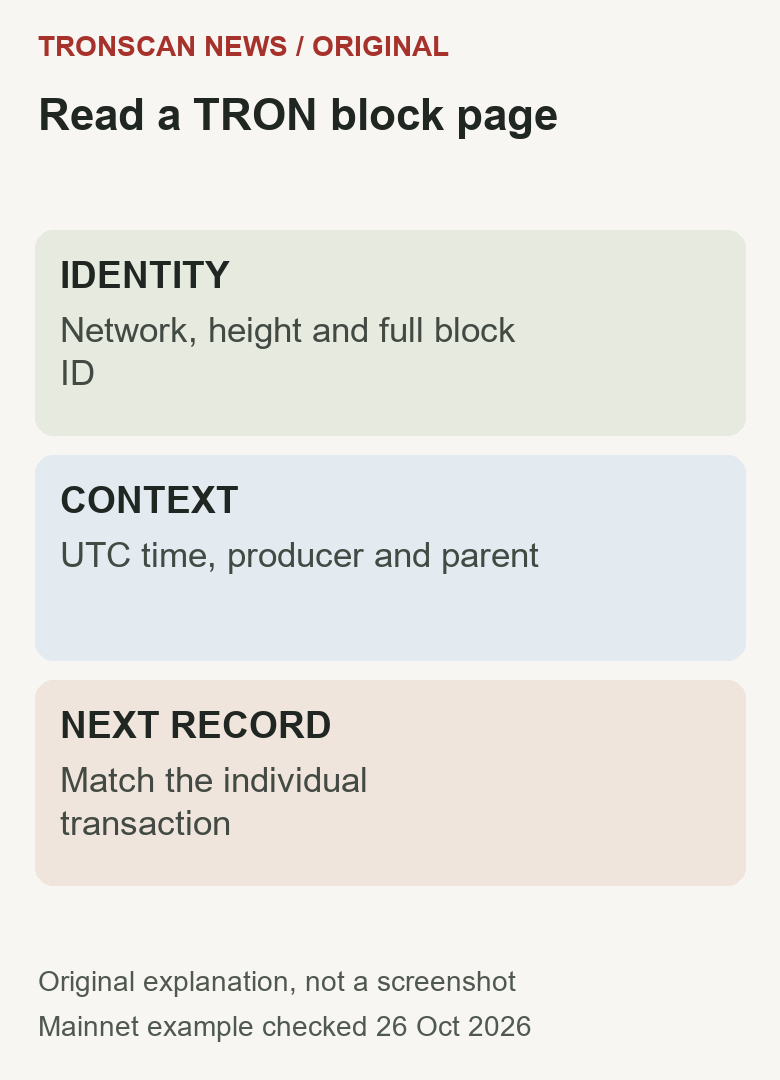
Open a TRON block page from the record you already have
The official explorer overview describes searching by block height and other identifier types. For this guide, we opened Mainnet block 87433272 on TRONSCAN and tested its Transactions and Transfers views on 26 October 2026. These are public lookup paths, not a tool hosted by this website.
- Establish the network. Check the original record’s environment and the explorer’s network indicator. The tested page identified Mainnet.
- Follow the relevant block reference. If you started with a transaction, use its block reference rather than picking a block only because its time looks close. If you only have a block number, preserve that number and network together.
- Match the displayed number. Confirm that the page heading identifies the intended block. Do not substitute the transaction hash into a field that expects a block number.
- Preserve identity and time. Copy the complete block ID and absolute UTC timestamp into your note. Keep relative Age separately, if it is useful at all.
- Choose the correct category. Transactions, Transfers and Internal Transactions are distinct views. In a transfer view, record the selected asset category as well.
- Open the individual operation. Follow the matching transaction hash when investigating execution, token movement or a receiving-service issue. A block overview alone cannot complete those checks.
The TRONSCAN beginner’s guide helps choose between an account, token, transaction and block lookup. A TRON block page is the right starting point for block context; it becomes a detour if all you need is the known hash of one payment.
A checked TRON block page example: preserve the scope
The observed Mainnet page for block 87433272 displayed an absolute time of 2026-10-26 00:04:06 (UTC), Block Size 91,461 Bytes and Status CONFIRMED. Its overview displayed 389 Transactions and 328 Transfers. Those values describe this specific historical record and the interface checked on 26 October; they are not live network totals or expected values for other blocks.
After selecting Transfers, the interface showed a TRC20 filter and “78 TRC20 transfers.” The visible controls also offered TRX, TRC721, TRC1155 and TRC10 categories. We checked the default TRC20 result and the available controls; we do not claim to have tested every category or every pagination result.
The three counts—389 transactions, 328 overview transfers and 78 filtered TRC20 transfers—should therefore not be copied into one column headed “transactions.” Each value needs its original label. Subtracting one from another without defining their record sets would create a statistic that this guide has not established.
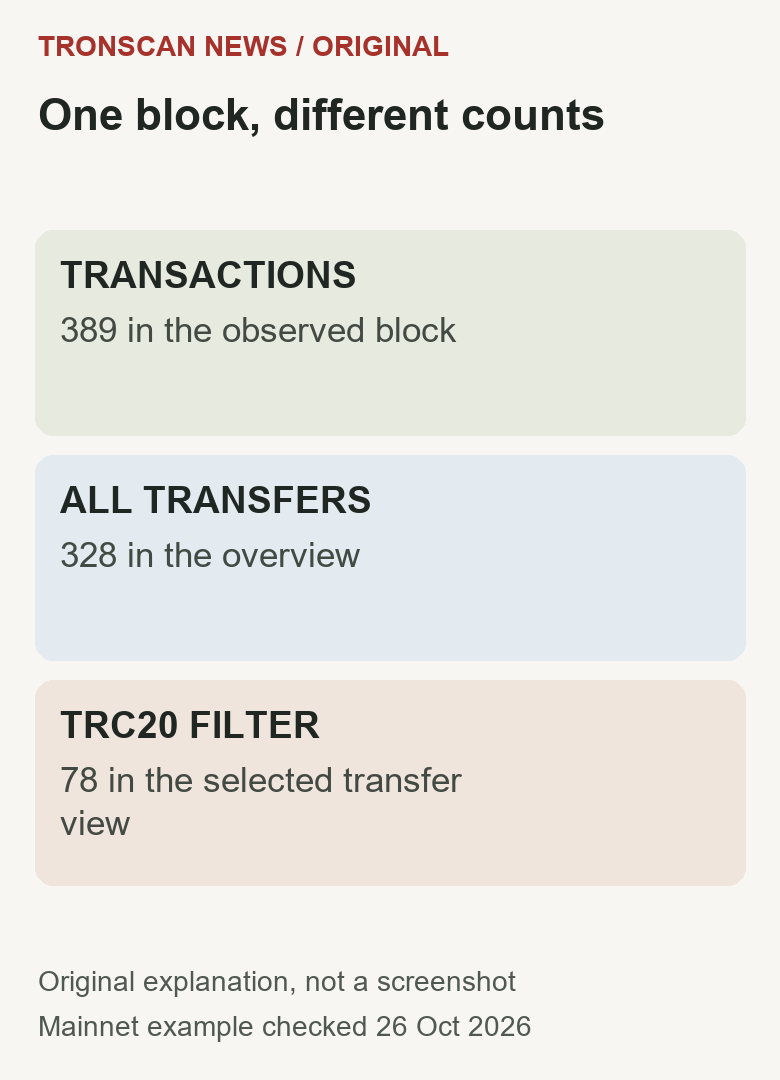
One observed transaction row showed 0 TRX in its Amount field, while the TRC20 Transfers view showed a USDT movement under the same transaction hash. That is a useful reason to inspect the token-transfer context instead of treating a zero native-asset amount as proof that no token moved. It is an observation of the two displayed views, not an assertion about a reader’s own account or exchange credit.
Read the TRON block page identifier without confusing it with a TxID
The protocol’s block ID is a 32-byte composite value. Its first eight bytes encode the block number; the remaining 24 bytes come from the header’s SHA-256 hash. This distinction explains why “block hash” on an interface should not automatically be treated as the same kind of identifier as a transaction hash.
The tested page’s complete identifier was:
00000000053620388179c5c07e7b5292b692239944f0c88fe3ded6cbbb247f11
As an original consistency check, we decoded its first 16 hexadecimal characters, 0000000005362038, as an eight-byte big-endian integer. The result was 87433272, matching the displayed height. The calculation was performed locally with JavaScript BigInt; it did not send a request to a node or sign anything.
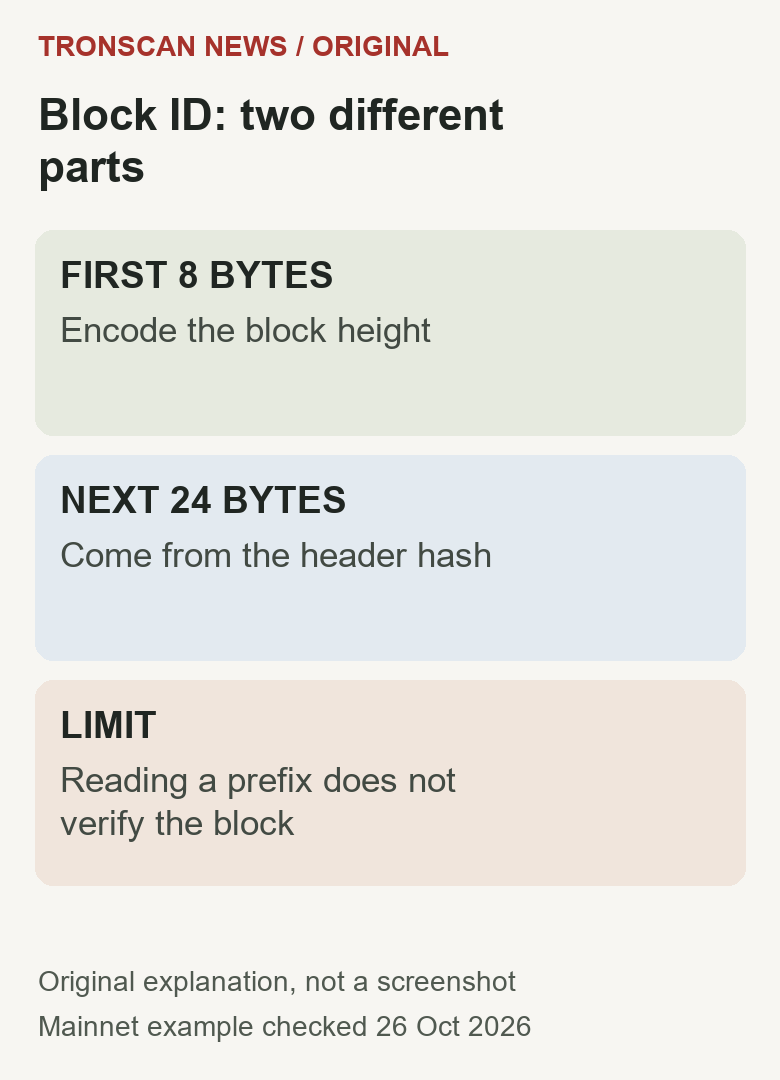
This check has a strict limit: decoding a prefix does not verify the header hash, authenticate an explorer, prove consensus or establish transaction inclusion. A fabricated string could carry the same numeric prefix. Preserve the full identifier and source record instead of presenting the arithmetic as a security certificate.
If you need the hash for one operation, use the TRON transaction ID guide. The block identifier belongs in the block field of your note; the transaction ID belongs in a separate operation field. Their similar-looking hexadecimal strings do not make them interchangeable.
TRON block page confirmation and transaction success differ
The official confirmation reference separates transaction inclusion, execution information and solidified state. A confirmed block supplies context about the chain record. A smart-contract receipt can still contain a failed execution result, so read the individual transaction before calling an operation successful.
The official solidified-block API reference describes a final-state block query. The solidified transaction receipt reference describes execution details for an individual transaction. These links clarify the distinction; no live API comparison or independent-node verification was performed for this article. For a separate dated two-endpoint example, use the latest-head and solidified-state comparison worksheet, including its tested offline comparison and timing limits.
Do not turn a displayed confirmation-depth label into a universal exchange requirement. A receiving platform may impose its own asset, network and crediting conditions. A historical block page also does not disclose that platform’s private customer ledger. Keep public inclusion, execution outcome and service credit as separate lines in an investigation.
The individual TRON transaction checking guide covers the next step when your question concerns a particular send. This block guide provides context and evidence organization without duplicating the full payment troubleshooting workflow.
Do not turn TRON block page totals into your personal fee
The tested block’s Total Consumption area displayed 5,509,994 Energy and 113,457 Bandwidth. These were block-level totals observed in that interface, not a quote for one account or a claim that each transaction used the same resources. A transfer count is not a valid denominator for every resource statistic.
For a personal fee question, preserve the individual transaction receipt and its units. Do not divide a block’s TRX Burned field by its transaction count and present the result as what your transfer cost. Such an average would discard differences between operations and charging conditions. Likewise, the producer reward belongs to block-production context; it is not an amount you received merely because your transaction appears in that block.
Copyable TRON block page evidence note
Use the following fields as a plain-text note. The note is an original editorial aid, not an automatically validated receipt. Fill each line from its source and keep “unknown” wherever the source does not answer the question.
- Network and environment: [Mainnet / named test environment / unknown]
- Block number and complete ID: [values from the block record]
- Absolute time and timezone: [preserve the displayed UTC label]
- Source URL and check date: [the exact page and observation date]
- View and filter: [Transactions / Transfers / Internal Transactions; asset category]
- Count with its scope: [number plus the label it belongs to]
- Individual transaction hash: [the operation being investigated, if any]
- Outcome still to verify: [receipt result, token movement or private service credit]
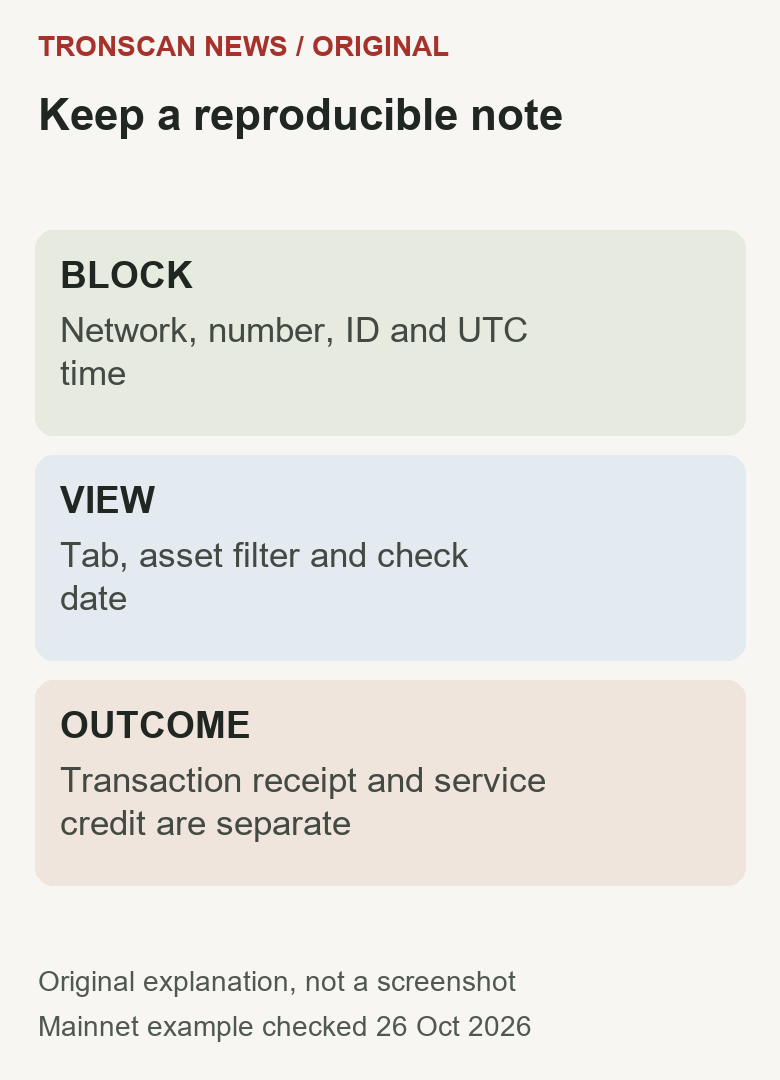
A second reader should be able to reopen the public page and understand which observation your note describes. Avoid writing only “confirmed, 78” with no object or category. That shorthand loses both the status’s subject and the count’s scope, making an otherwise accurate observation easy to misinterpret.
When two TRON block page observations seem to disagree
A different Age label: compare the absolute timestamp and timezone first. “Hours ago” changes as time passes; it is not a different block-production time. Retain the check date when comparing saved screenshots with a current page.
A different count: compare tab, asset filter and the meaning of the count. A list’s currently loaded rows are not necessarily its total result count. Preserve pagination limits if the interface displays them; this article does not claim a complete export of the block.
A missing transaction: check the full hash, network and block reference from the original record. A nearby timestamp is not a substitute for a matching identifier. A loading failure, filter or incomplete source can prevent a useful comparison; record that limitation instead of declaring the payment nonexistent.
A difference between block data and a private service: obtain that service’s own completed record and requirements. Do not treat block time as the service’s internal posting time, or a public producer label as evidence about a customer’s account.
If your question concerns a transaction’s reference block, use the read-only TAPOS reference-fragment check. Its tested byte-slice example compares a real transaction body with a fetched header and explains why a short number fragment does not identify a unique height.
Frequently asked questions
1. Is a TRON block number the same as a transaction ID?
No. The number identifies a position in a particular network’s chain. A transaction ID identifies an individual operation. Keep the network, block identifier and transaction hash in separate fields.
2. Does CONFIRMED on a TRON block page mean my transfer succeeded?
It does not replace the individual execution check. Match the transaction hash and examine the relevant outcome and token movement. Private receiving-service credit remains a separate question.
3. Why can the transaction and transfer counts differ?
They describe different categories, and a transfer view can also be filtered by asset type. Preserve each count’s label, tab and filter rather than assuming the figures should match.
4. Should I use Age or the absolute timestamp in a support note?
Prefer the absolute timestamp with its timezone and your check date. A relative Age label changes and can be ambiguous when a screenshot is viewed later.
5. Does decoding a block-ID prefix prove that a block is genuine?
No. It checks whether the prefix encodes the expected height. It does not validate the header hash, consensus, explorer authenticity or the inclusion and outcome of a particular transaction.
Sources, testing and independent editorial scope
Checked 26 October 2026. This article and its four original diagrams were prepared with AI assistance for Tronscan News, an independent educational publication unaffiliated with TRON, TRONSCAN or Tether. Read-only testing covered the named Mainnet block’s Transactions view, its Transfers view with the displayed TRC20 filter, and the documented identifier-prefix calculation.
No wallet was connected, no transaction was signed and no funds were sent. Other filters, full pagination, an independent node, producer ownership and private service credit were not verified. The diagrams explain fields and preserved observations; they are not screenshots of a real explorer interface or claims about a reader’s transfer.
For corrections, use an available comment form with the specific claim and a reliable source, omitting private information and wallet secrets. Our editorial standards and related guides are accessible through the Tronscan News homepage.
Leave a Reply