Buy Energy is JustLend’s short-duration TRON Energy service, not a purchase of a token named Energy or an automatic USDT transfer. Its form separates an Energy plan, receiving-address entries and an order total. A nonzero plan estimate can appear while the order total is still zero.
We inspected the public English interface on November 2, 2026, and changed only the transfer-count and recipient-assumption controls. We entered no address, connected no wallet, accepted no purchase terms and created no order. The success standard for this tutorial is understanding which displayed field answers which question, before confusing an estimate with an executed service.
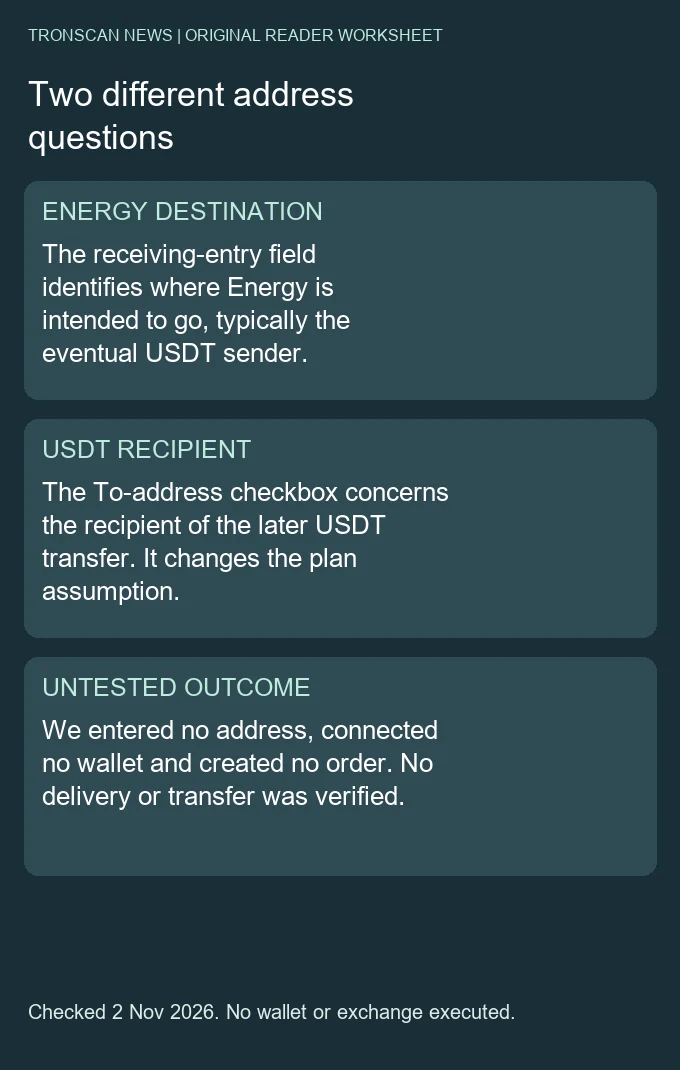
Table of Contents
Mistake 1: treating the two address roles as one
The official Buy Energy guide says the receiving address is where the Energy will go, typically the sender or payer of a later USDT transfer. The form’s To-address assumption instead concerns the recipient of that later token transfer. These are different roles even when a particular example happens to use related accounts.
Copying the intended USDT recipient into an Energy destination field simply because both labels involve receiving is therefore an unresolved role mismatch. This tutorial did not test resource delivery to either address. Preserve the purpose beside each address in a note, rather than infer it from where a string appears on the screen.
The same distinction matters when reading a saved order. An account associated with an Energy allocation is not automatically the beneficiary of a USDT payment. To establish a token movement, inspect that later transaction’s own contract, sender, recipient and quantity; a resource-service estimate supplies none of those completed-transfer facts.
Mistake 2: treating the per-entry estimate as the total
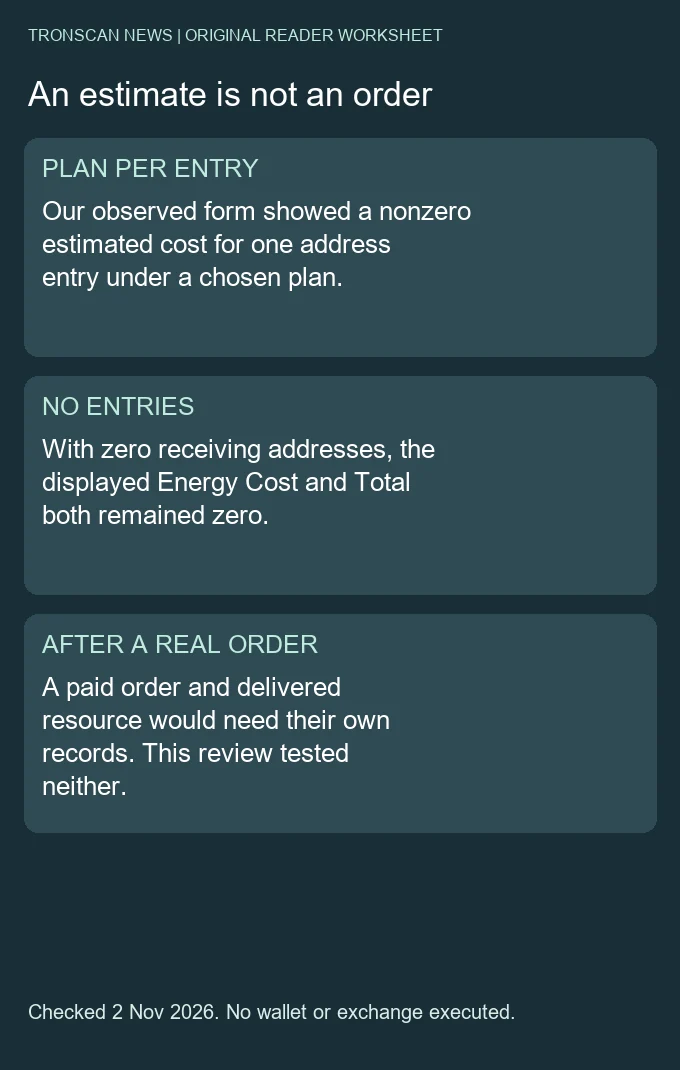
On the public service page, we observed separate fields for the number of receiving entries, Energy per entry, Energy Cost for the one-hour plan and Total. We left the address list empty throughout. Its entry count stayed zero, and both cost-summary totals stayed zero despite nonzero per-entry estimates.
That is a reading result, not a free-order result. The page still required wallet connection for an order. A zero total caused by an empty input list does not establish that resources can be obtained without payment, that a connected wallet has no cost or that the form has created a pending transaction.
Conversely, a positive per-entry number does not prove that a wallet was charged. Before interpreting a screenshot, identify whether it shows a selected plan, a complete quote, a wallet confirmation, an order status or an actual receipt. Keeping that stage in the caption prevents a planning screen from being presented as a completed service record.
Mistake 3: turning one dated estimate into a fixed fee
Our observed unit-price label was 36 sun. In the USDT-transfer plan, the checked default assumption used 65,000 Energy for one transfer and displayed 2.34 TRX. Clearing that assumption changed the plan to 131,000 Energy and 4.716 TRX. Increasing the transfer count to two then showed 262,000 Energy and 9.432 TRX.
These are November 2 interface observations around 12:42 Beijing time, with no receiving address entered. They are not permanent network parameters, personal executable quotes or measured final consumption. We did not verify the page’s delivery-time or savings claims, and we do not recommend buying, staking or burning TRX on the basis of this comparison.
Our original three-state comparison
| Actual form state | Energy per address entry | Displayed estimate, TRX | Empty-list summary |
|---|---|---|---|
| Default, one transfer | 65,000 | 2.34 | 0 entries / 0 TRX total |
| Checkbox cleared, one transfer | 131,000 | 4.716 | 0 entries / 0 TRX total |
| Checkbox cleared, two transfers | 262,000 | 9.432 | 0 entries / 0 TRX total |
We checked each estimate with decimal arithmetic: Energy quantity multiplied by the observed 36-sun unit price, divided by one million sun per TRX. The three results were 2.34, 4.716 and 9.432. This verifies consistency between the recorded inputs and the displayed arithmetic; it does not certify the provider’s price, availability or eventual charge.
The comparison section farther down the page remained labelled for a 65,000-Energy benchmark while we changed the form to another plan. Its benchmark is therefore not interchangeable with the current per-entry form quantity. Keep the section label with the number, especially when two different quantities are visible in the same screenshot.
How to repeat the read-only check
- Open the official English Buy Energy page and confirm the exact host. Record the check time, plan and current unit-price label.
- Read the default transfer-count and To-address assumption together. Preserve the Energy quantity and its per-entry TRX estimate as one state.
- If investigating the model, change only that assumption or count and record the resulting state. We used one transfer under each assumption, then two under the higher plan.
- Keep the receiving-address list and summary count in the same note. Our empty list explains why its total remained zero.
- Stop before wallet connection or order submission if the task is only to understand the fields. A completed purchase and delivery would need their own order and receipt evidence.
During our checkbox change, the checkbox caption changed from the displayed 65K plan to the displayed 131K plan. The operation had already changed the form. We inspected the new state rather than clicking the old label repeatedly. This is a practical reason to re-read the current controls after a model change instead of following a fixed sequence blindly.
The source guide’s illustrative price is different from the price in our saved current state. Its own examples are not a substitute for a dated observation. When comparing an older tutorial with the form, distinguish a documentation example from a new price change announcement; this review did not establish when or why the service price moved.
Keep service limits separate from network rules
The Buy Energy page displayed plan bounds of 65,000 to 5,000,000 Energy, while the provider guide describes a one-hour validity window and non-refundable unused Energy. Those are service conditions, not a statement that all TRON Energy has the same expiry or that every resource source uses the same billing model.
The launch announcement is dated August 20, 2026. November 2 is our interface-check date, not a claimed launch date. We did not place an order to measure delivery time, expiry, reclamation, cancellation or refund behavior.
The form also describes possible address-activation costs. Because no receiving address was supplied, our observations did not determine whether that condition applied to any account. Do not extend a subtotal calculation into a final invoice while leaving an address-specific condition unresolved.
A hypothetical multi-entry example, clearly separated
Suppose, only for arithmetic illustration, a plan costs 2.34 TRX per entry and two entries use the same plan with no additional charge. The plan subtotal would be 4.68 TRX. This is not a quote we obtained for two real addresses. It does not establish activation status, duplicate handling or a final total.
The provider guide says duplicate entries accumulate Energy. We did not enter duplicates or test that behavior. An evidence note should distinguish a documented rule from an executed observation, even when the rule seems simple. Do not mark an address list as tested when the form was left blank.
This distinction also prevents transfer count from being confused with entry count. Two planned transfers for one Energy destination and one planned transfer for each of two destinations describe different input lists. Equal-looking total Energy does not make the accounts, conditions or future transaction records identical.
Build a useful Buy Energy reading note
Official page / language / observation time:
Chosen plan / transfer count / To-address assumption:
Energy quantity and estimated cost per address entry:
Energy destination role / later USDT-recipient role:
Receiving entry count / displayed subtotal and total:
Address-specific conditions left unresolved:
Estimate only, actual order, delivery or transfer receipt:
Next evidence needed:
For an existing order problem, retain its actual identifier and the provider’s status before inspecting any on-chain link it supplies. We did not access personal order history; the disconnected page said history required a wallet. An empty or unavailable personal-history view is not evidence that no order ever existed.
The Buy Energy history panel described a scope of the past 90 days and up to 200 orders. That is a service-query limit, not evidence that older blockchain records ceased to exist. We did not connect or query personal history. A reader investigating an older order should preserve any actual identifier or transaction link instead of treating a limited history view as a complete lifetime audit.
If a service claim and an on-chain record appear to conflict, write down the specific unresolved question. A provider payment, resource delegation and later USDT transfer may be separate records. Avoid repeatedly submitting an order merely to investigate an earlier one; this guide supplies no retry or refund guarantee.
Choose the next record to inspect
The TRON Energy resource guide explains computation resources, available quantities and receipt costs. The delegation record guide distinguishes a historical delegation action from a current position. The USDT resource-consumption comparison explains why two transfers need not consume identical resources. None of those records is created merely by changing a planning control on the service page.
Frequently asked questions
Was Energy purchased during this review?
No. We changed public planning controls without an address, wallet connection or order.
Is the Energy receiving address always the later USDT recipient?
No. The provider guide identifies the Energy destination as typically the later token sender or payer. Preserve both roles separately.
Did zero Total mean a free order?
No. The tested list had zero receiving entries. No order or delivery was created.
Are 2.34 and 4.716 TRX permanent transfer fees?
No. They were dated per-entry form estimates under two selected assumptions, not final network fees or executable personal quotes.
Was the service newly launched on November 2?
The cited launch notice is dated August 20, 2026. November 2 is the date of our read-only interface test.
Independent Tronscan News guide with AI-assisted drafting and primary-source checks on November 2, 2026. Two original diagrams, three observed form states, decimal checks and an address-role worksheet support the method. No order, delivery, real-address eligibility, savings performance or financial transaction is claimed. Browse the Tronscan News homepage; use About & Standards for corrections.
Leave a Reply