A TRONSCAN Private Note is a reminder attached to a transaction in your explorer account. TRONSCAN says only the creator can see it. A public TRON memo is part of the transaction payload when the sender includes one.
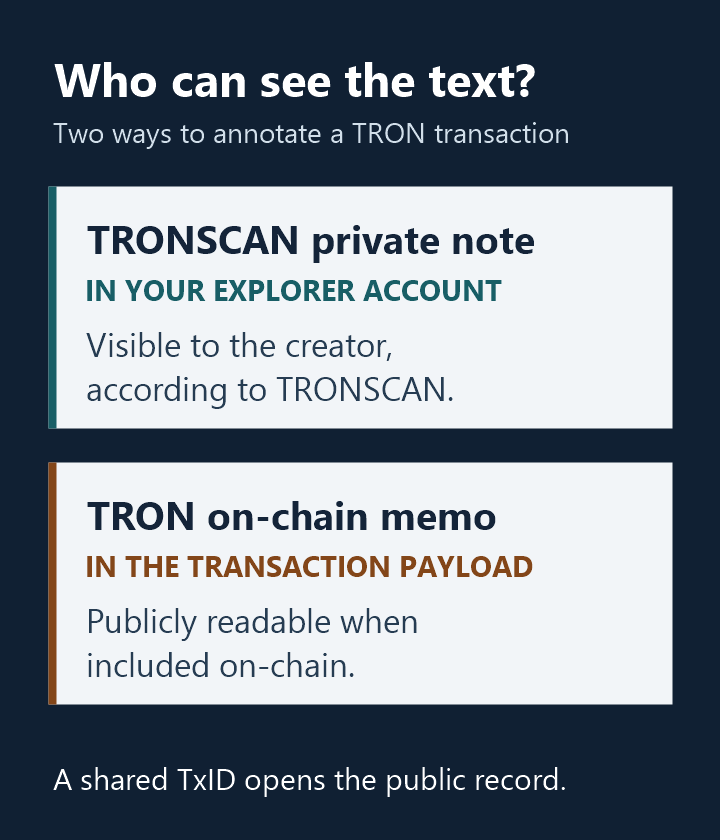
Table of Contents
Where each note lives
| Record | Where to look | Visibility |
|---|---|---|
| TRONSCAN private note | Your explorer account | Creator only, according to TRONSCAN |
| TRON memo | raw_data.data in the transaction body |
Public when included on-chain |
| Local evidence note | Your saved file | Depends on how you share the file |
The July 17, 2023 TRONSCAN launch announcement documents creator-only visibility and advises against storing sensitive information in notes. The official feature guide describes the transaction details, transaction list, and account management entry points. The signed-in workflow described here is based on that documentation.
Find and manage a TRONSCAN private transaction note
- Start with the full transaction ID. The TRONSCAN guide explains how to choose the network and find the record.
- Sign in to the explorer account where you want to keep the reminder. The official guide shows a Private Note field on the transaction details page and a plus control beside the hash in transaction lists. Check the full hash before adding a note from a list. The official instructions say to press Enter or click outside the field to save, then reopen the saved list to confirm the entry.
- Use Private Txn Notes in account management to find a note later. If a TRONSCAN private transaction note is missing, compare the hash in the saved list and confirm you are signed in to the account that created it.
The feature guide describes signing in with your email account. If you previously used a phone number, TRONSCAN’s November 2024 login notice says phone-number sign-in ended on November 14, 2024 UTC. It directs users with a linked email to sign in with that address. If you no longer have the right account, use the official support channel to ask about access. A wallet connection can help identify a public address, but it does not establish which explorer account saved the private transaction note.
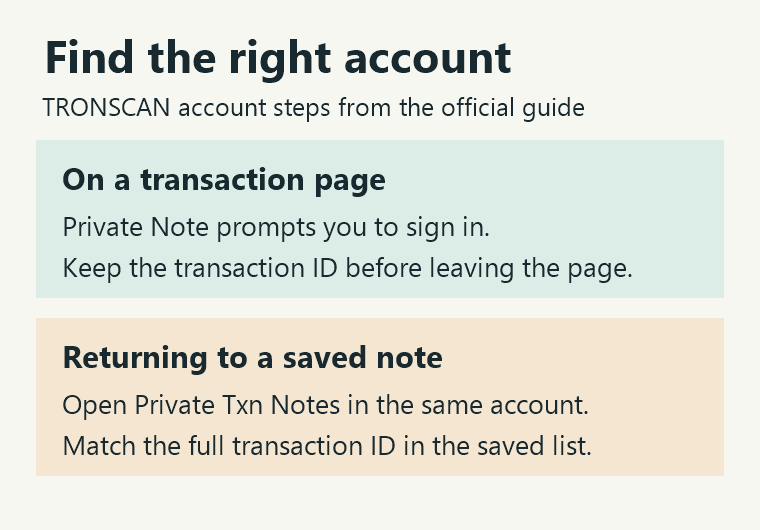
Check the Private Note sign-in step
On November 16, 2026, we reopened the public resource delegation in block 87,496,515 while signed out. In the Private Note row, selecting Log In opened a dialog for an email account. The transaction ID stayed in the address bar. The check ended at that dialog. We did not sign in, create a note or inspect a saved one.
If you only need to check whether a public memo exists, leave the dialog and continue with the public steps below. If you mean to reopen your own Private Note, confirm first that the full TxID matches your saved record. After signing in, check the note list in the same account. A text label or a shortened hash is easy to confuse with a different transfer.
Check for a public memo on Mainnet
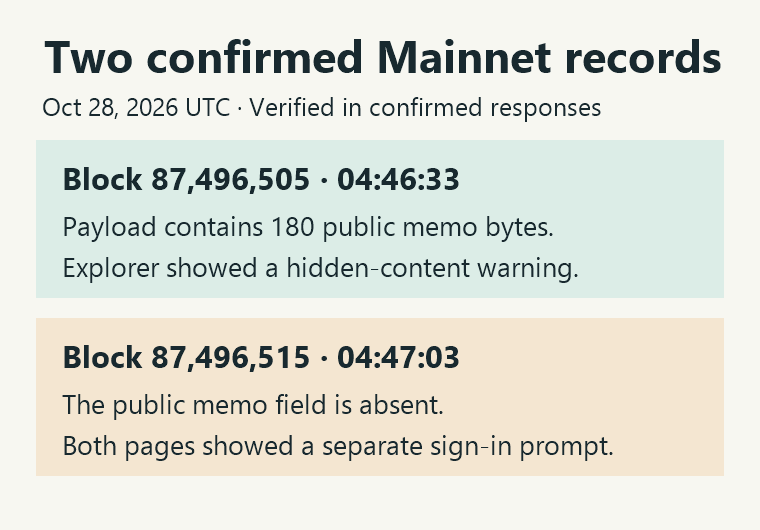
On November 13, 2026, the solidified TronGrid transaction body and receipt returned the same transaction ID for a resource delegation in TRON Mainnet block 87,496,515, recorded October 28, 2026 at 04:47:03 UTC. The body lacked raw_data.data.
A second confirmed record gives the opposite result. A native TRX transfer in Mainnet block 87,496,505 was recorded October 28, 2026 at 04:46:33 UTC. The solidified body and receipt returned its matching TxID. The body reports TransferContract, SUCCESS, and 360 hex characters in raw_data.data, equivalent to 180 bytes. Record the byte count without copying the memo contents. Neither public response reveals whether someone added a TRONSCAN private transaction note.
To reproduce the comparison, use each linked transaction ID with TronGrid’s /walletsolidity/gettransactionbyid and /walletsolidity/gettransactioninfobyid read endpoints. See the TRON transaction structure and the TRON memo guide for the payload field.
- Match both returned IDs to the TxID you requested.
- Take the block number and UTC time from the receipt. Open
raw_datain the matching transaction body and check fordata. - Record the result as memo bytes present, field absent or lookup unavailable. A failed request gives you no field result.
Compare Note and Private Note on TRONSCAN
On November 15, 2026, the public page for block 87,496,505 showed a Note row with its contents hidden behind a warning. The public page for block 87,496,515 had no Note row. Both showed Private Note separately with a sign-in prompt. You can verify this difference without revealing the hidden contents or signing in.
If the explorer page is unavailable, compare the confirmed transaction body and receipt using the read endpoints above. The TRON confirmation documentation explains the scope of those records. A public lookup cannot test the contents of a TRONSCAN private transaction note.
Three common privacy mistakes
- Putting a private reference in the on-chain memo. If you only need a reminder, save it separately. A memo recorded on-chain can be read with the rest of the transaction body.
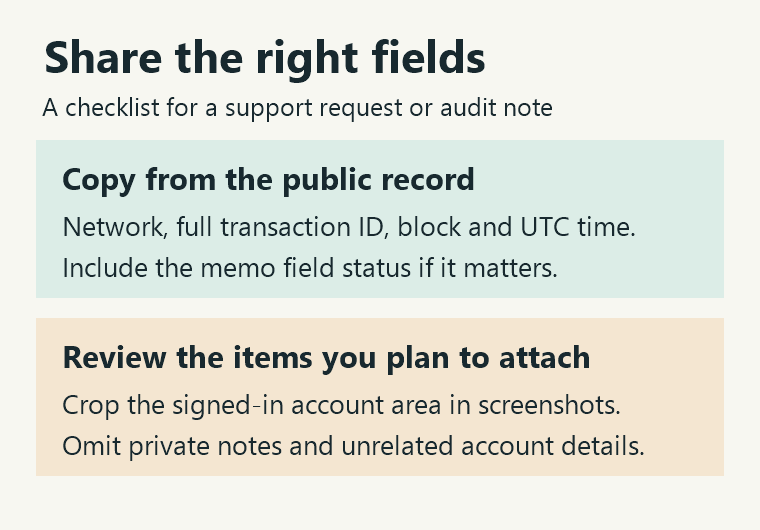
- Sharing a screenshot that shows your signed-in view. Share the transaction link, block number and UTC timestamp. If you need a screenshot, crop out account details and any private notes. A read-only transaction record also lets you share selected fields without exposing the signed-in view.
- Assuming a blank memo means nobody added a note. The mainnet example shows how to verify a missing public memo field. Private notes are explorer account annotations. Use the relevant account to check those separately.
Frequently asked questions
Can the recipient see my TRONSCAN private transaction note?
TRONSCAN documents creator-only visibility. Recipients can read the public transaction and any on-chain memo.
Can I label someone else’s transaction?
The documented feature supports labeling third-party transactions for your own reference.
Can I edit a private note after confirmation?
The official guide describes editing notes in account management. That changes the explorer annotation.
Can I hide a memo already on-chain?
A private note cannot change the transaction payload already recorded on-chain.
Does a note establish what a payment was for?
It records the creator’s description. Use independent records to substantiate a payment purpose.
AI assisted with drafting and organization. Tronscan News is an independent publication.
Leave a Reply