To check the Tron Inc. Super Representative record, open the TRONSCAN Super Representatives list, copy the full address from the row labeled Tron Inc., and compare it with the producer address in a Mainnet block. The company filing provides the reported election date. The explorer and block show what you can verify on-chain at a particular time.
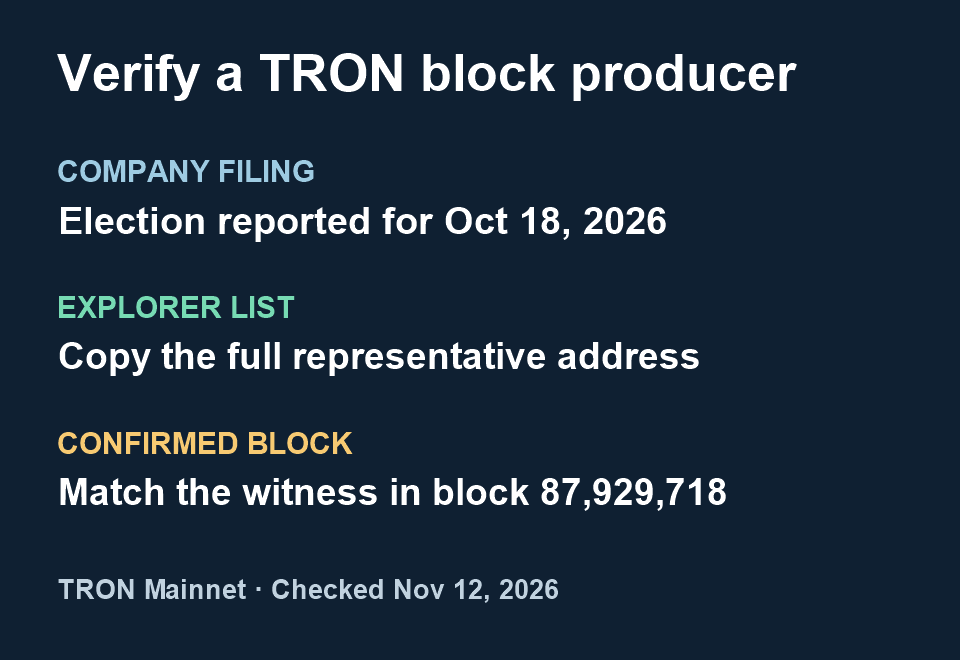
Table of Contents
What the company disclosed
Tron Inc. disclosed that it was elected to one of the TRON network’s 27 Super Representative seats through wholly owned subsidiaries on October 18, 2026. The November 6 Form 10-Q gives the election date. The company’s November 10 earnings release discusses the election as an event after the September 30 quarter-end. Both documents refer to the October event. Form 10-Q · November 10 release
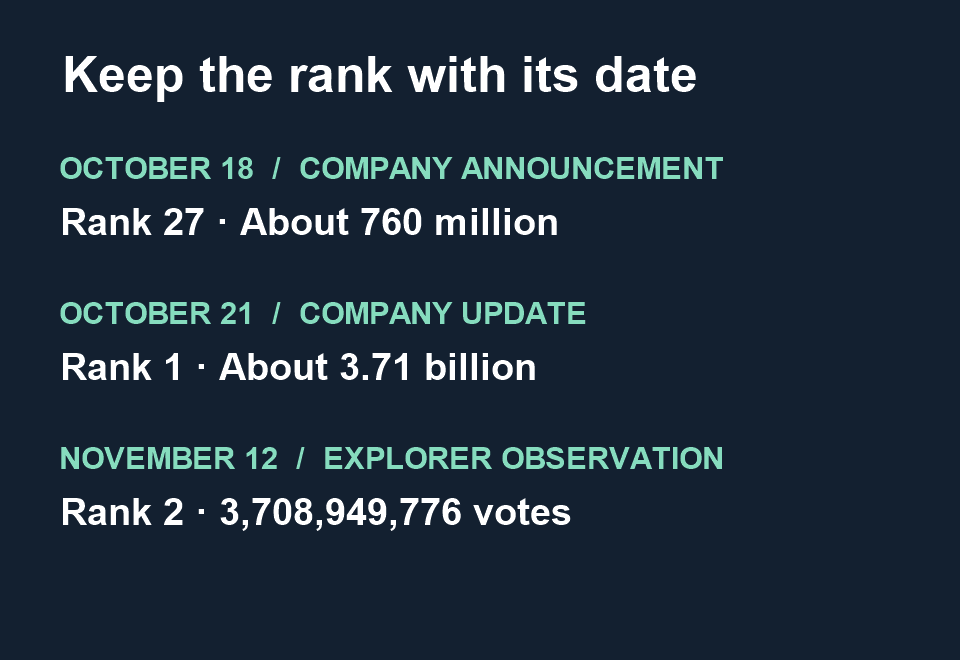
The October 19 company announcement described rank 27 and approximately 760 million delegated TRX as of October 18. A later leaderboard can show a different rank and vote total because it reflects a different observation time. Keep the dates with the numbers before comparing them. The announcement describes the election as reported by the company. October 19 announcement
Read the Tron Inc. Super Representative ranks on their own dates
There are three observations in this example. The October 19 company announcement gives an October 18 rank of 27 and about 760 million delegated TRX. The company’s October 21 release gives a rank of 1 and about 3.71 billion delegated TRX. On November 12, the live TRONSCAN row showed rank 2 and 3,708,949,776 votes. The October values are reported by the company. The November value is our explorer observation. October 21 company release
The approximate October 21 number and the exact November 12 count are close in scale. The rounded earlier value does not support a precise change calculation. You would need like-for-like counts from comparable maintenance snapshots, with the same units and ranking scope. In this case the sources support a chronology of reported and observed ranks. They do not give a continuous record of votes between those dates.
On TRON, the active Super Representatives are selected from ranked candidates at scheduled maintenance updates. The live table can show a new count or rank when the relevant snapshot changes. If you are using the Tron Inc. Super Representative row in a note, write down whether it came from the active representatives view and record the observation time. A row from a different view may answer a different question about the candidate. TRON protocol documentation on Super Representatives
The report period and event date also serve different purposes. The 10-Q covers the quarter ended September 30. The October election falls after that date, and the November 10 earnings release reports it as a subsequent event. Put September 30 in the period column and October 18 in the event column. That keeps the election out of an account of what happened during the quarter itself.
Three fields worth saving before the list changes
- Address. Copy the full linked account address from the representative row. It is the stable identifier for the comparison in this article. Save the display label separately so you can identify which row you observed.
- Rank and votes. Copy these as a dated pair. A representative’s rank is relative to the other candidates in that snapshot. The absolute vote count can remain similar while its position moves.
- Latest block. Copy the actual height shown at the time. The cell can advance as the representative produces more blocks. A later value is a lead to another record. Use the original height when reproducing the earlier check.
A screenshot can preserve how the rank was displayed. A text note with the address and block height makes the record easier to reproduce. If someone sends you a cropped screenshot without either identifier, reopen the public list and capture a new dated observation. Label that observation with its own date.
Verify a Tron Inc. Super Representative block on TRONSCAN
- Open the Mainnet representatives list. Look for the exact label Tron Inc. in the active representatives. The observed address on November 12 was
TGydWLsWzUnYG6fPvrVeMSs1UJBTTFgXY3. Copy the full address with your observation. TRONSCAN Super Representatives - Record the leaderboard fields you saw. At our check, the row showed rank 2, 3,708,949,776 votes, protocol version 39, and latest block 87,929,718. These fields can change. The saved block number lets another reader repeat the historical check after the leaderboard moves on.
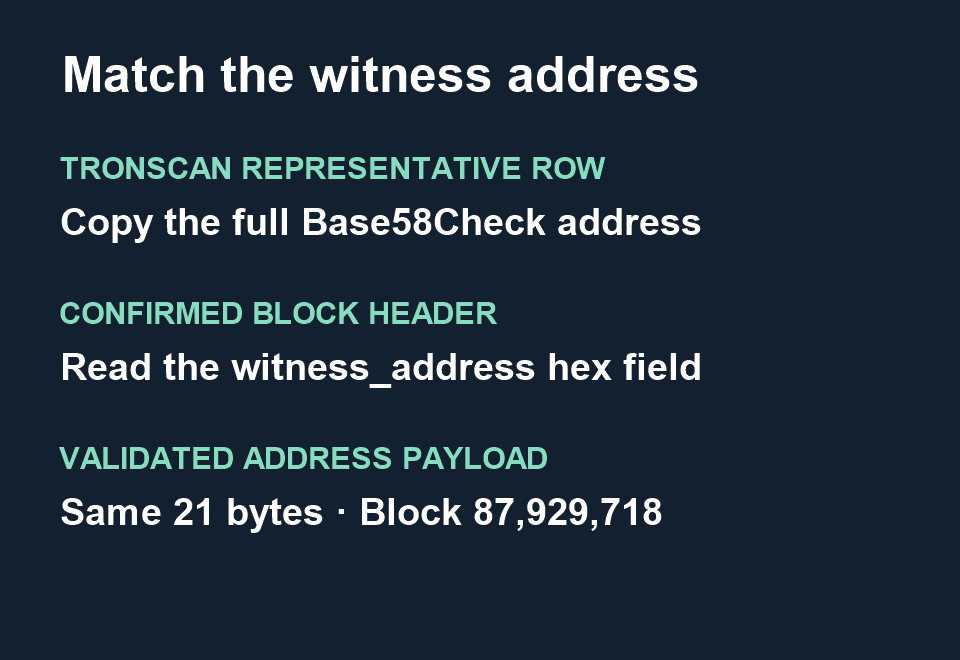
- Open the recorded block. In block 87,929,718, compare the producer link with the full address from the list. The explorer displayed Tron Inc. as the producer. A confirmed TRON Mainnet node returned November 12, 2026 at 05:56:27 UTC as the block timestamp. The node header reported the witness address in hex. Decoding the explorer address into its 21-byte TRON payload produced the same bytes. Mainnet block 87,929,718
- Save each observation with its source. Keep the filing date and election date together. Keep the live rank and vote count with your observation date. Keep the block number, timestamp and producer address together for the historical record. The TRON block-page guide explains other fields on the block page.
A worksheet for reconciling the three records
| Source | Date or record | What we checked |
|---|---|---|
| Tron Inc. Form 10-Q | Filed Nov. 6; election Oct. 18, 2026 | Company disclosure of the election through subsidiaries |
| TRONSCAN representatives list | Observed Nov. 12, 2026 | Public label, full address, rank, votes and latest block |
| Confirmed Mainnet block | 87,929,718; Nov. 12, 05:56:27 UTC | Header witness payload matches the public address |
Copy the row and include the timezone if you share a comparison. Rank and votes can change as the network updates the representatives. A single block shows the producer for that block. Quarter-wide analysis needs a complete set of blocks and a defined observation period. For a count of votes across a saved set of witnesses, see the dated witness snapshot method.
Repeat the block check with a confirmed node
The public block can be retrieved through a read-only POST request. Use the block number as the JSON value. The reply should include a block ID and a block header for the same number.
POST https://api.trongrid.io/walletsolidity/getblockbynum
Content-Type: application/json
{"num":87929718}
In block_header.raw_data, read number, timestamp and witness_address. The timestamp is in milliseconds. Convert it to a date and time with the timezone stated. In this response the number was 87929718, the timestamp was 1794462987000 and the witness payload was 414cdd560ded17f30e2c2d5422669cc86a14c8c3ba.
The leading 41 belongs to the TRON address payload. The Base58Check version includes a checksum. To compare the two, decode the full Base58Check address, validate its checksum and compare the payload bytes. For the address in this example, the decoded payload was identical to the node witness field. An initial T or a matching last few characters is insufficient.
If a node is temporarily unavailable, record the endpoint and date. Keep the explorer observation separate from the node check. If two addresses differ after conversion, revisit the block number and network. A similarly named representative is insufficient evidence for an address match.
Use the parent block to catch a wrong-height lookup
The preceding Mainnet block gives a useful control. We requested block 87,929,717 from the same confirmed endpoint using its own height. The reply identified a block at 05:56:24 UTC and returned a different witness payload. The next block, 87,929,718, was dated 05:56:27 UTC and returned the payload that matched the Tron Inc. Super Representative address.
We compared the complete parent hash in block 87,929,718 with the ID returned for block 87,929,717. They agreed. That gives the two records a direct relationship while keeping the producer fields separate. The parent is adjacent in this case. Its producer field belongs to the earlier block. Mainnet block 87,929,717
| Height | Time UTC | Witness comparison |
|---|---|---|
| 87,929,717 | 05:56:24 | Ends in 1823048. Different payload. |
| 87,929,718 | 05:56:27 | Ends in 4c8c3ba. Matches the full payload. |
The suffixes in the table help you orient yourself. The comparison used complete payloads. Start with the expected height, then check the timestamp and witness bytes. If you enter the parent’s height by mistake, the endpoint can still return a successful response with a valid block. Check the returned number before interpreting the producer.
A node response can include hundreds of transactions. The witness field is in the block header, above those records. To check which representative produced the block, use the header. Individual transaction sender addresses inside it answer a separate question about who initiated those transactions.
Preserve the matching evidence
Save the block ID from the same response as the witness field. For block 87,929,718 our response ID was 00000000053db376ba51bef8c1b2099a1336454b3f9a77909c031f1bcd51842f. The block ID lets someone check that two sources refer to the same record even if one source formats the height differently. Commas in the display height are separators. Enter the unformatted number in the JSON request.
When converting the Tron Inc. Super Representative address, decode every character using the Base58 alphabet. For the address in this case the byte array has 25 bytes. The first 21 bytes are the TRON address payload. The last four are the checksum. We computed SHA-256 twice over the payload and matched its first four bytes, 26edd0f8, to the checksum. The verified payload can then be compared directly with the node’s hex field.
If you work from an explorer on a phone, you can compare the full account links on the representative and block pages without doing the byte conversion. Record that as an explorer comparison. Use the confirmed node if you need a second data source. A representative label can be updated, which makes the saved address and block number especially useful when checking older notes.
Read votes and company financial figures separately
Votes on a representatives list measure protocol support allocated to the representative at that snapshot. The Tron Inc. Super Representative row can include votes associated with other participants. The company filing reports company figures at its own reporting date. Use the filing for those figures and the explorer for public block production. The TRON network quarterly metrics guide explains how to read ecosystem figures with their own dates and definitions.
To explore additional independent TRON records, start at the Tronscan News homepage. The TRONSCAN Super Representative reference explains the role and the public fields.
Which record should you use for a Tron Inc. Super Representative claim?
Use the filing if the question is when the company says the election took place. Find the discussion of the company and the TRON ecosystem in the Form 10-Q. Record both the filing date and the event date stated in the text. If you read a headline first, use that date pair to distinguish the filing from the event itself.
Use the representatives list if the question is how the account is displayed at a particular time. The Tron Inc. Super Representative row provides a name and address, plus fields that the explorer updates over time. Keep the name because it shows what you searched for. Keep the address because another reader can open it even if the listing is sorted differently.
Use the confirmed block if the question is which address produced one specific block. In the worked example, the confirmed block header supports the address match at 05:56:27 UTC. That tells you which address the network record assigns to block 87,929,718. To verify production in a later interval, select and document the new set of blocks before counting any matches.
Protocol version and production figures
The Tron Inc. Super Representative row showed protocol version 39. In the confirmed header for block 87,929,718, the version field also contained 39. Preserve each value with its source. Agreement on version is a supporting observation. Several producers can use the same version, so use the witness address for the identity comparison.
TRONSCAN displayed a cumulative production count of 26,130 in the Tron Inc. Super Representative row at our check. The confirmed block response listed 501 transactions. These figures count different objects and cover different scopes. The first is an explorer count of blocks for the representative. The second counts transaction entries in one block response. If you put both in a worksheet, give them separate labels and include the exact block height next to the transaction count.
Our node timestamp converts to November 12 at 05:56:27 UTC, or 13:56:27 in Beijing. Record the timezone when you compare it with an explorer page or a filing. A block timestamp identifies when the recorded block was produced. The time you opened the Tron Inc. Super Representative listing identifies when you saw its display fields. If you record a fresh observation, write down the current time and keep the block timestamp beside the block number.
For an older block whose producer name differs from the live display, record the header and current explorer label separately. A fixed block and a live label have different update cycles. The saved 21-byte payload provides the common field for comparing the two pages.
Handle common mismatches
- The row moved. Search the active list by the full saved address instead of relying on the previous rank. If the address is missing from the active list, record that observation with its time. Check the candidate view before drawing a conclusion about the current status.
- The label changed. Follow the link for the full address from the block page. Record the current label separately from the one in your saved note. A label is a display field and can differ across dates or data sources.
- The block number advanced. Open the old height directly if you are checking the original observation. A newer block can provide a separate example. Record a separate date and block number for it.
- The producer looks different in the node response. Confirm that the block number and network agree before comparing the addresses. Then check the Base58Check payload against the hex witness field. Compare complete bytes even when the explorer labels look alike.
- The request is rate-limited. Save the HTTP response and time. Keep the explorer result if that record is visible. Treat the node comparison as incomplete until the provider returns the confirmed block.
A compact note for someone repeating the check
For the Tron Inc. Super Representative case, a review note can use four lines. On the first, give the company source, filed November 6, and the reported October 18 election. On the second, give the public list observation on November 12 with the full address. On the third, give Mainnet block 87,929,718 and its timestamp. On the fourth, record that the confirmed witness payload matched after Base58Check validation. Include the links so the next reader can identify each record.
Frequently asked questions
When did Tron Inc. say it was elected?
The November 6 Form 10-Q gives October 18, 2026 as the election date and describes participation through wholly owned subsidiaries.
Where can I see the Tron Inc. Super Representative address?
Open the Mainnet representatives list and check the full address next to the label. For this observation it was TGydWLsWzUnYG6fPvrVeMSs1UJBTTFgXY3.
Why can the live rank differ from the announcement?
They refer to different observation times. Record the date and source beside each rank when comparing them.
What does the matching witness field establish?
The Mainnet block header associates the block with that producer address. The company filing and explorer supply the named attribution used in this check.
Do I need a wallet to check the block?
The explorer and confirmed block lookup are public. This check requires no wallet connection or signature.
Editorial note. AI assisted with drafting and the diagrams. We checked the filing, explorer row and public Mainnet block on November 12, 2026. This was a read-only review.
Leave a Reply