A USDT explorer is a blockchain explorer used to read public records for USDT on one particular network. First identify the network in the sending record, then open an explorer for that network and compare the transaction hash, recipient and asset contract. A USDT symbol alone does not tell you which chain to search.
This USDT explorer guide focuses on choosing the right record and interpreting it. It covers TRON and Ethereum as concrete starting examples, rather than claiming to support every USDT network. Tronscan News is an independent guide site, not a live multichain explorer or an issuer support service.
Already know the network? Open TRON USDT (TRC20) on TRONSCAN or Ethereum USDT (ERC20) on Etherscan. For a specific transfer, search for its transaction hash on that network.
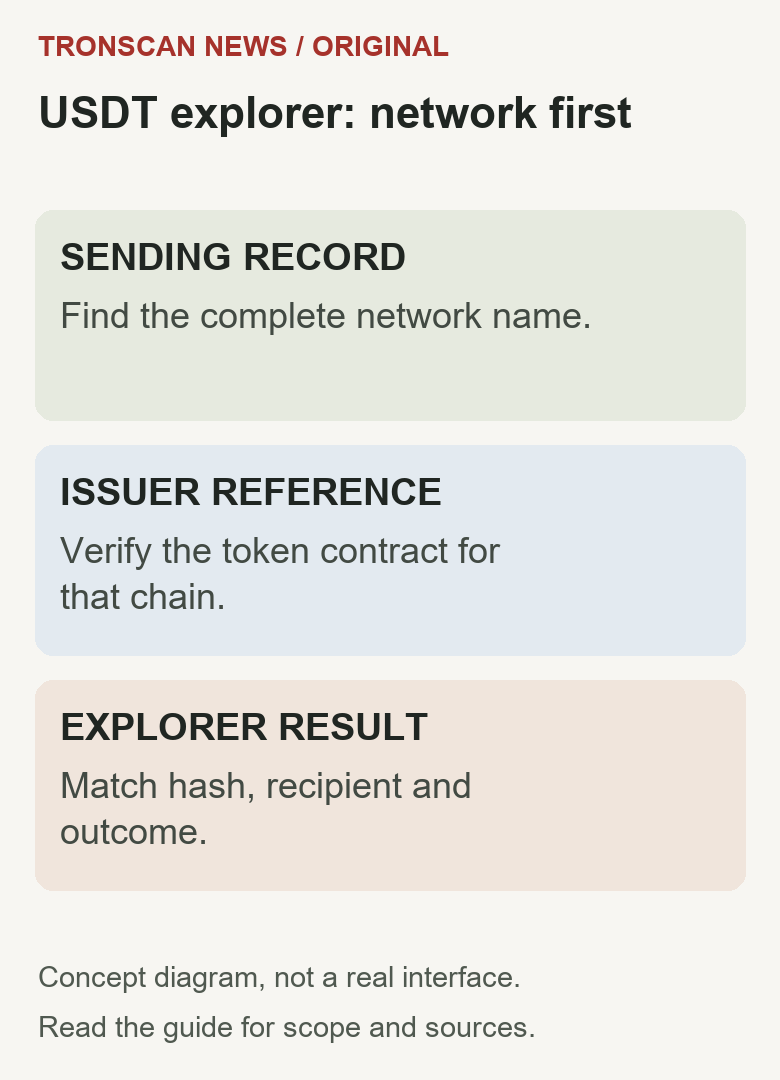
Table of Contents
What is a USDT explorer, and what do “USDT scan” searches mean?
“USDT explorer,” “USDT scan” and “USDT blockchain explorer” describe the lookup task. They do not name a single universal network. You need two facts: where the transfer occurred and which record identifies it. The explorer then helps you inspect that network’s public evidence.
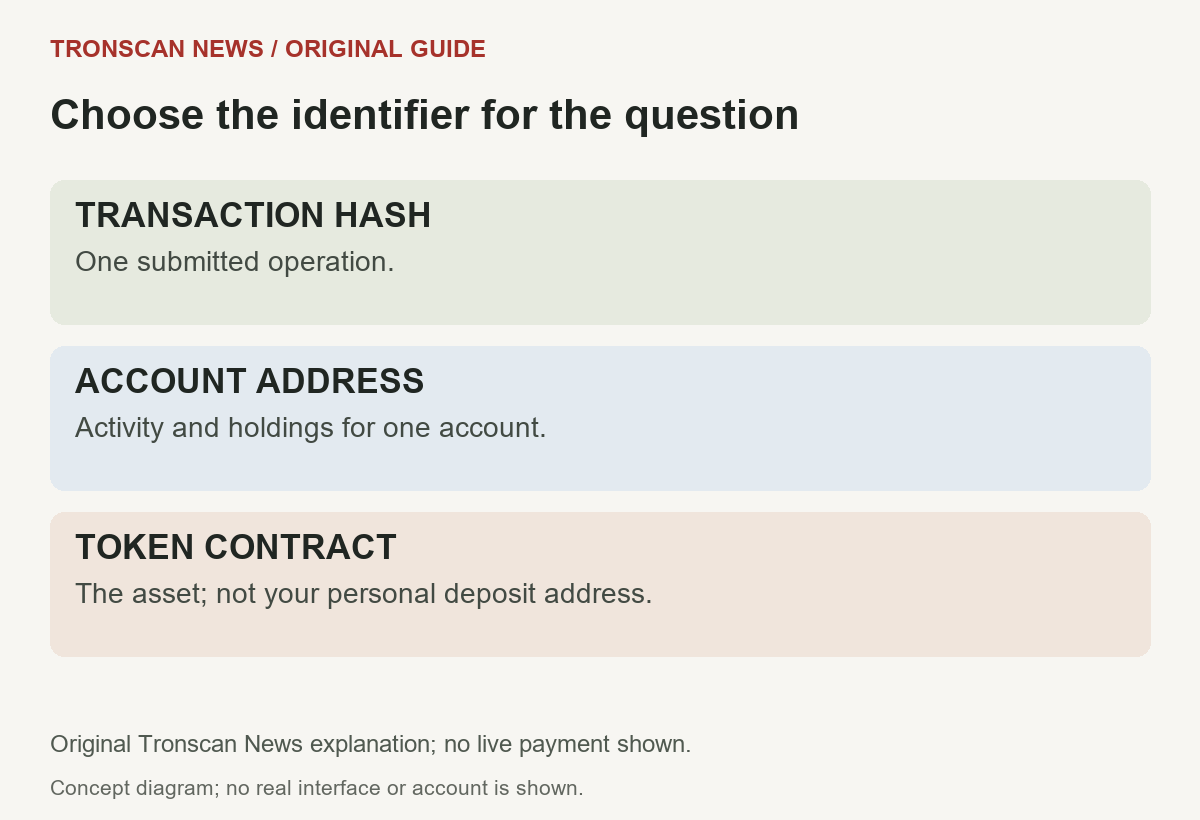
Two-network orientation: a sending record that explicitly says TRON leads to TRONSCAN; one that explicitly says Ethereum leads to an Ethereum explorer such as the issuer-linked Etherscan entry below. A token contract identifies the asset on that chain, a public address identifies an account, and a transaction hash identifies an operation. None of those replaces the original network choice.
Definition review, 30 October 2026: the issuer reference was rechecked for the TRON and Ethereum entries. This is a network-selection explanation, not a fresh test of every live explorer interface or a claim of support for all USDT networks.
USDT explorer quick decision table
Start with a source you already have: the withdrawal confirmation, wallet activity record or receiving instructions. Keep a field marked unknown if the source does not identify the network. Do not choose whichever explorer happens to return a result.
| What you know | Next step | Avoid |
|---|---|---|
| Sending record says TRON / TRC20 | Open TRONSCAN and compare the full record | Searching only an Ethereum explorer |
| Sending record says Ethereum / ERC20 | Use the issuer-linked Ethereum explorer | Assuming every token called USDT is identical |
| Only the ticker USDT is available | Find the network in the original service record | Guessing from ticker or logo |
| You have an exchange order number | Ask where the blockchain transaction reference appears | Pasting an order number as a hash |
| You have a token contract | Use it to identify the asset on the selected chain | Treating it as your personal deposit address |
1. Confirm the network before opening a USDT explorer
A useful search starts with the network associated with the operation. Copy its full name from the original sending source. If the sending and receiving services use abbreviated names, compare their own network documentation instead of assuming that two similar labels mean the same thing.
An account address format can provide a clue, but a clue is not a complete network identification method. In particular, similar address formats can be used in different environments. Preserve the network name with the address or hash so your next lookup uses the same scope.
If the sender has not provided an on-chain reference, record that limitation. An exchange withdrawal request, an internal transfer and a completed blockchain transfer are not interchangeable evidence. The correct next question is whether a blockchain transaction was created and which network it used.
For the asset and resource questions on TRON, our TRON USDT guide separates token balances, TRX and transaction receipts. This USDT explorer guide owns the network-selection decision and does not treat test assets as evidence of production holdings.
2. Use issuer-linked explorer entries
Tether publishes supported protocols and contract references. Its page links the Ethereum USDt contract at Etherscan and identifies TRC20 on TRON. Use issuer references to verify the asset rather than copying a contract from a random search advertisement.
For the TRON example, open the USDT token record on TRONSCAN. Compare the contract shown there with the token in your transaction. Ethereum uses a different contract identifier. These contract addresses identify assets. Use the recipient address from your wallet or exchange when checking a transfer.
Issuer listings change. Check the current protocol page when handling another chain or a historical record. A chain appearing in an old tutorial does not establish its current issuance, redemption or receiving-service support.
This distinction matters when reading an old receipt. An explorer may preserve historical activity while the issuer or receiving platform applies a different current policy. State the date and the question you are answering instead of compressing both into a single supported or unsupported label.
3. A checked TRON USDT explorer route
We checked the English TRONSCAN entry and USDT token page on 25 October 2026 without connecting a wallet. The homepage search field reads Search by Token / Account / Contract / Transaction / Block. The USDT entry opened a TRC20 token page with Basic Info and Transfers.
On that token page, the observed Contract field matched the identifier above and Decimal displayed 6. The transfer table exposed Txn Hash, Block, Age, From, To and Amount (USDT). Live counts and market values change, so this guide does not freeze those totals into instructions.
To repeat the token-identification check, open the explorer, locate the token entry, compare its contract with the issuer reference and then inspect the relevant transfer list. To inspect your own payment, use the complete hash from your sender; do not assume that the newest transfer in a public list is yours.
This was a read-only interface check. We did not send a test payment or test Ethereum interactions in this session. The Ethereum reference above comes from the issuer listing; its live interface was not independently verified here.
4. Match the USDT explorer record before reading the outcome
The strongest-looking status cannot rescue a mismatched record. Compare the full hash, intended recipient and token contract first. If one of these differs, preserve that discrepancy and return to the original source instead of interpreting an unrelated transfer.
Keep the sender and recipient roles clear when a transaction invokes a contract. A summary of the operation and its token movement can show different parts of the same activity. Check the relevant token transfer rather than assuming that any address displayed near the top is the deposit recipient.
Record token quantity in its displayed units. A fiat estimate is another field and can change independently of the token amount. If raw data is involved, determine its precision before converting it; do not add decimal places merely to match an expected payment.
Use our TRON transaction lookup tutorial for the individual-record workflow. This main guide owns network selection and record matching; it does not create a second competing walkthrough of every transaction field.
USDT explorer result worksheet
Use the following original worksheet for a single investigation. Fill it from observed evidence, not from a screenshot you cannot reproduce. A blank field is a useful indication of what must be obtained next.
| Record | Write down | Question still separate |
|---|---|---|
| Network and source | Full network name and sender record URL or reference | Whether the receiver accepts that network |
| Transaction | Complete hash and explorer URL | Whether the service has credited a customer |
| Asset | Token contract and quantity with units | Whether the symbol or logo is trustworthy |
| Destination | Full recipient from the movement | Who legally controls the address |
| Outcome | Execution, confirmation and observation time | A cause for a missing service credit |
5. Work through missing results without guessing
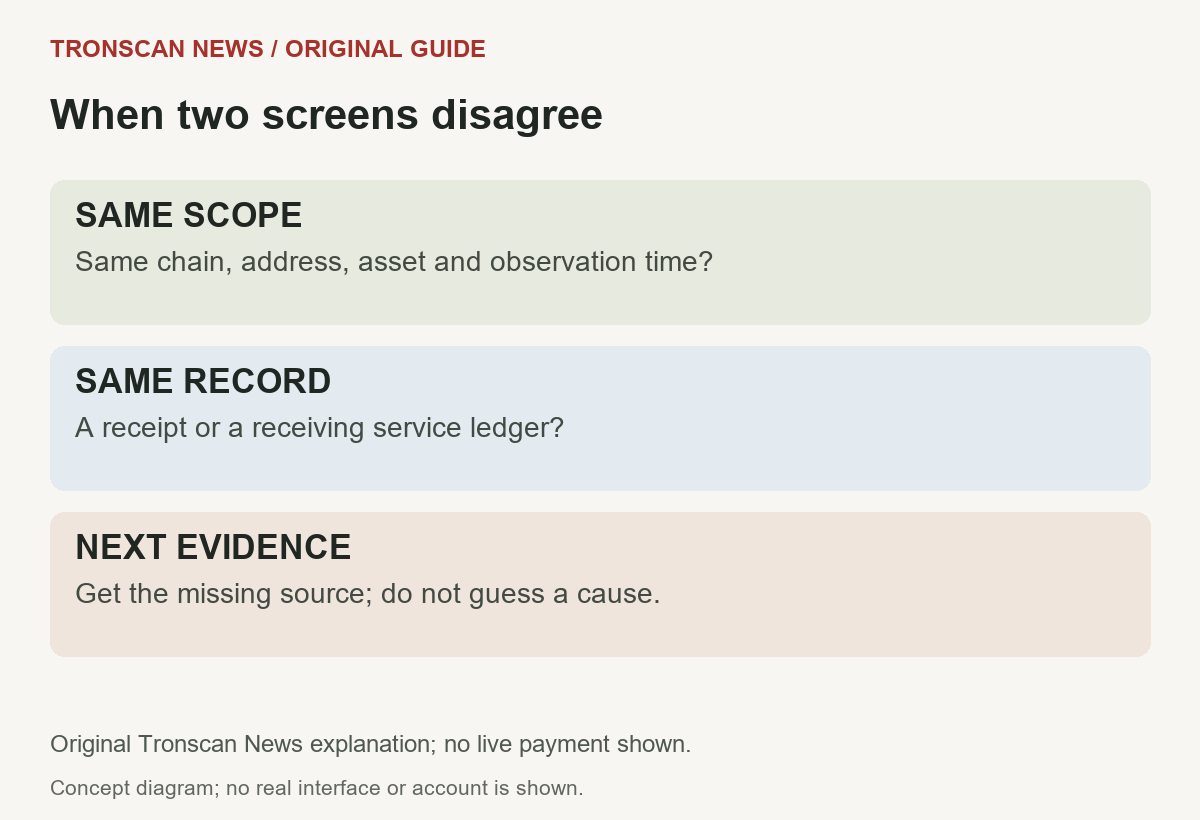
If the USDT explorer returns no result, recheck the complete identifier and network. Confirm that the value is actually a transaction reference rather than a platform order number. Ask the sender for the missing source instead of constructing a plausible hash yourself.
If the USDT explorer transaction exists but the asset differs, compare the contract and movement details. A matching ticker is not enough to discard a contract discrepancy. Keep the original sending and receiving instructions available for the next investigation.
If the account is visible but a particular transfer is not, check whether you opened an account view or an individual transaction. Different lists can expose different activity types or date ranges. A result missing from one filtered view is not proof that the transaction was reversed.
A USDT explorer lookup also depends on the product named in the receiving instructions. Our Blockchain.com product-and-network worksheet separates DeFi Wallet, Trading Account and Pay documentation. Keep provider eligibility separate from the public network record rather than combining unrelated support lists.
6. Separate an on-chain transfer from a service deposit
A receiving platform may maintain a private customer ledger alongside public on-chain records. The explorer can help you compare the public operation, but it cannot read an exchange account on your behalf or confirm that the correct customer was credited.
Read the receiving platform’s own deposit conditions for the exact network and asset. Preserve the minimums, confirmation policy or other applicable conditions from that source, rather than copying a generic number from an unrelated tutorial. Policies can differ and can change.
When contacting support, state a precise observation: this hash, this chain, this recipient and this asset are visible, while the service credit is missing. Do not claim that an explorer has established the provider’s internal cause.
Do not transmit recovery phrases, signing keys or unrelated account history to resolve a public-record lookup. A useful evidence packet can contain the transaction reference and observed mismatch without revealing control over the wallet.
A synthetic case you can reason through
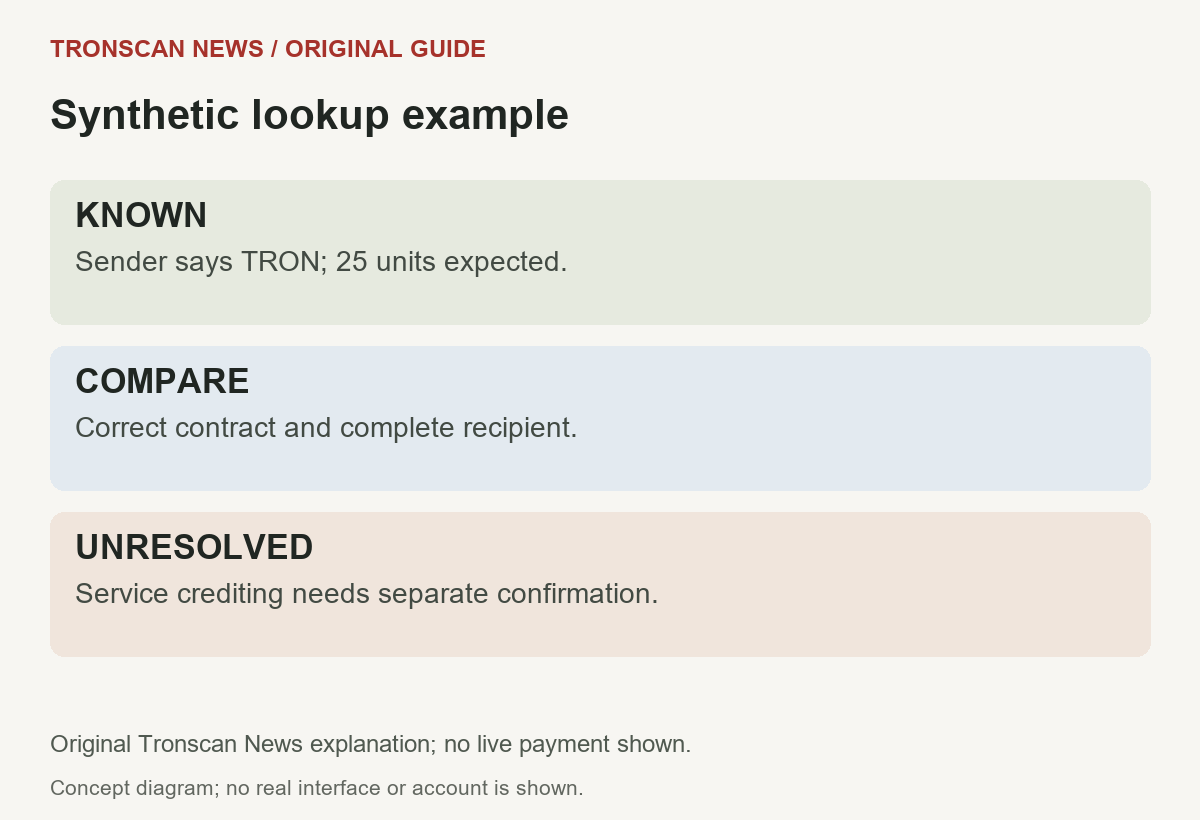
Invented example, not a real transfer: a sender’s record specifies TRON and the recipient expects 25 USDT. The chosen explorer shows a movement with 25 displayed token units, but the receiving service has not credited the customer.
First compare the actual contract with the intended asset. Next compare the entire destination, then record the reported execution and confirmation. If those checks match, you have a coherent public-record observation; you still need the service’s separate deposit evidence.
If the contract does not match, stop describing the operation as the intended USDT payment. If the network is uncertain, return to the sender’s original record. If the sender supplies only an order number, mark the on-chain lookup incomplete. Each branch has a different next step.
This example demonstrates a method, not a success rate, recovery promise or recommended transfer. The important outcome is an accurate description of what is known and what evidence is still missing.
A repeatable mobile USDT explorer routine
Before opening several tabs, keep a short note with the network, identifier, expected asset and recipient. Use one operation per note. This reduces the chance of combining a correct hash from one payment with an address from another.
Expand truncated identifiers before comparing them. When copying a value, confirm both the source and the copied result. A partial screenshot may help a conversation, but it often omits the network and complete identifier needed to reproduce a lookup.
Save the observation time with the source URL. Revisit the original record when another screen changes instead of silently replacing an earlier value. A later wallet display or exchange update can represent a different point in the process.
The success criterion for this USDT explorer workflow is modest and useful: you can identify the selected network, reproduce the relevant public record and explain its limits. It does not require making a new transfer, connecting a wallet or accepting an asset recommendation.
A copyable USDT explorer support note
Use the following blank note for one operation. It is an original investigation template, not a request to disclose private credentials. Copy the labels into your own notes and complete only the fields you can verify.
Question:
Sending source and network:
Transaction hash, if available:
Expected asset contract:
Expected recipient:
Observed quantity and units:
Explorer URL and observation time:
Execution and confirmation observations:
Receiving service status:
Evidence still missing:
For example, if a service reference is available but a blockchain hash is not, keep that distinction in the note. If a receiving condition comes from a help page, preserve its source and review date rather than paraphrasing it as a universal network rule. Redact unrelated account details before sharing the note with support. A completed note should make the lookup reproducible and state the remaining question without claiming an unverified cause.
USDT explorer quantity check: an exact synthetic example
The checked TRON token page displayed Decimal 6. For a raw integer field that the relevant API documentation defines as token base units, an invented quantity of 25000000 would therefore format as 25 token units. This is arithmetic, not a live transaction and not a rule for every field returned by an API.
| Synthetic representation | Meaning in this example | Do not confuse it with |
|---|---|---|
| 25000000 base units, precision 6 | 25 token units | 25 million displayed USDT |
| 25 displayed token units | Token quantity already formatted | A fresh value to divide again |
| A dollar estimate | A separately displayed valuation | Token quantity or network fee |
Before converting any value, establish whether it is already formatted and which asset it describes. Keep the original value in your note so a later correction does not depend on a rounded screenshot. When using a USDT explorer manually, copying an already formatted amount into a second conversion can create a false discrepancy. Mark an undocumented field unresolved and consult that tool’s actual schema instead of guessing from the number’s size.
Frequently asked questions
1. Which USDT explorer should I use?
Use an explorer for the network identified by the sending record. For this guide’s examples, TRON uses TRONSCAN and Ethereum has an issuer-linked Etherscan token reference. Do not choose a chain solely from the USDT ticker.
2. Can one USDT explorer show every network?
Some services aggregate multiple chains, but coverage and field meaning must be checked. This guide does not claim universal coverage. Confirm that the service supports the network and record type you actually need.
3. Is a token contract my deposit address?
No. The contract identifies the token on its network. A personal deposit or recipient address has a different role. Do not use a contract reference as a destination merely because it appears in an asset guide.
4. Does a successful explorer result prove my exchange deposit arrived?
It can support an observation about an on-chain operation. The exchange’s internal credit is separate. Match the asset and recipient, then check the receiving service’s current deposit rules and support record.
5. Why does a USDT explorer show no transaction?
Check the network, complete identifier and identifier type first. Obtain a blockchain reference if you only have a service order number. A missing result alone does not establish failure, reversal or a particular cause.
Sources, method and limits
Source and interface review: 25 October 2026. Issuer protocol references are linked above; the TRON web entry and token page were checked read-only. No payment was made, no recovery claim is offered and no live Ethereum interaction is claimed.
The tables, decision method, synthetic example and four illustrations are original editorial material prepared with AI assistance and source checks. The Tronscan News homepage links our independent English guides. Treat old protocol and service references as dated evidence, and verify current conditions for the operation in question.
Leave a Reply