TRONSCAN MCP is a protocol endpoint for querying TRON data; a successful response is not the same as installing a connector or granting an assistant account access. Our October 28, 2026 public test completed initialization, inspected a catalogue of 119 unique tool names and called two selected block-query tools. No wallet was connected and no transaction was signed or broadcast.
This walkthrough is for readers evaluating a read-only integration. It separates HTTP transport, JSON-RPC messages, tool results and the data inside those results. Success means reproducing the observed response checks and understanding their limits, rather than assuming that every advertised tool has been tested or authorized.
Checked October 28, 2026 by the independent Tronscan News editorial team. AI assisted drafting and original diagrams; we performed the public protocol queries and local validation described below. We did not install a ChatGPT, Codex or other client integration, change account permissions or test all catalogue entries. About & Standards contains our editorial and corrections policy.
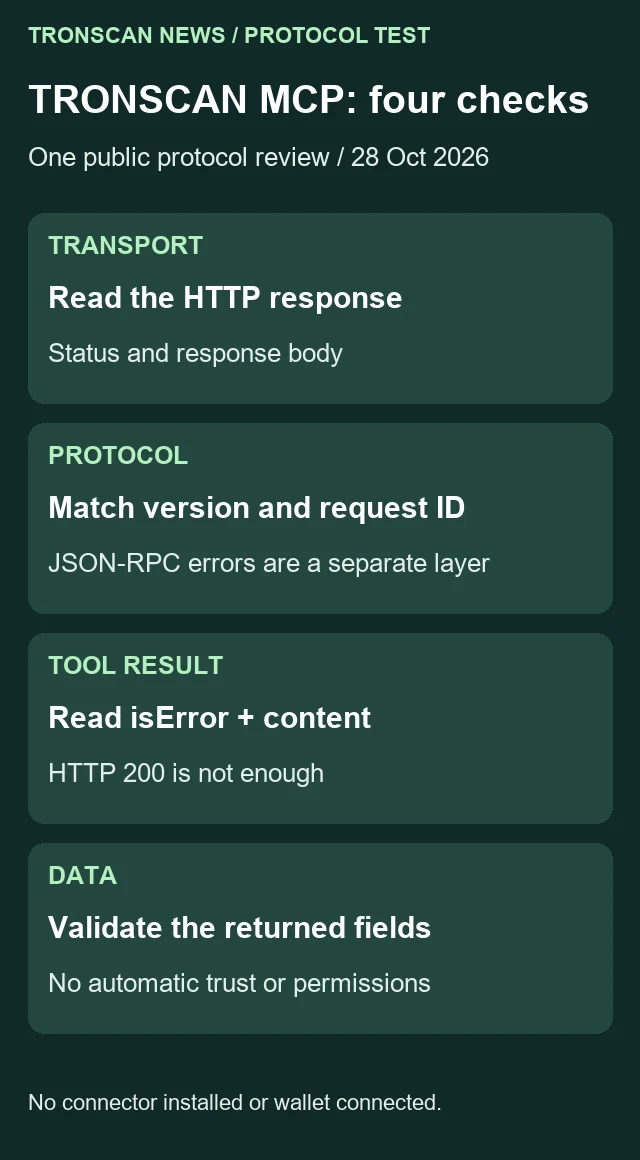
Table of Contents
1. Verify the TRONSCAN MCP endpoint and test scope
The official TRONSCAN announcement identifies https://mcp.tronscan.org/mcp as the production endpoint, Streamable HTTP as the transport and 2025-06-18 as the supported protocol version. We used that endpoint and version for this dated test.
The announcement lists 105 tool interfaces. Its header says updated October 8, 2026, while the body is dated March 9, 2026. We are not treating either date as evidence of a new launch today. Our TRONSCAN MCP observation date belongs to the protocol test, not to the service’s original launch.
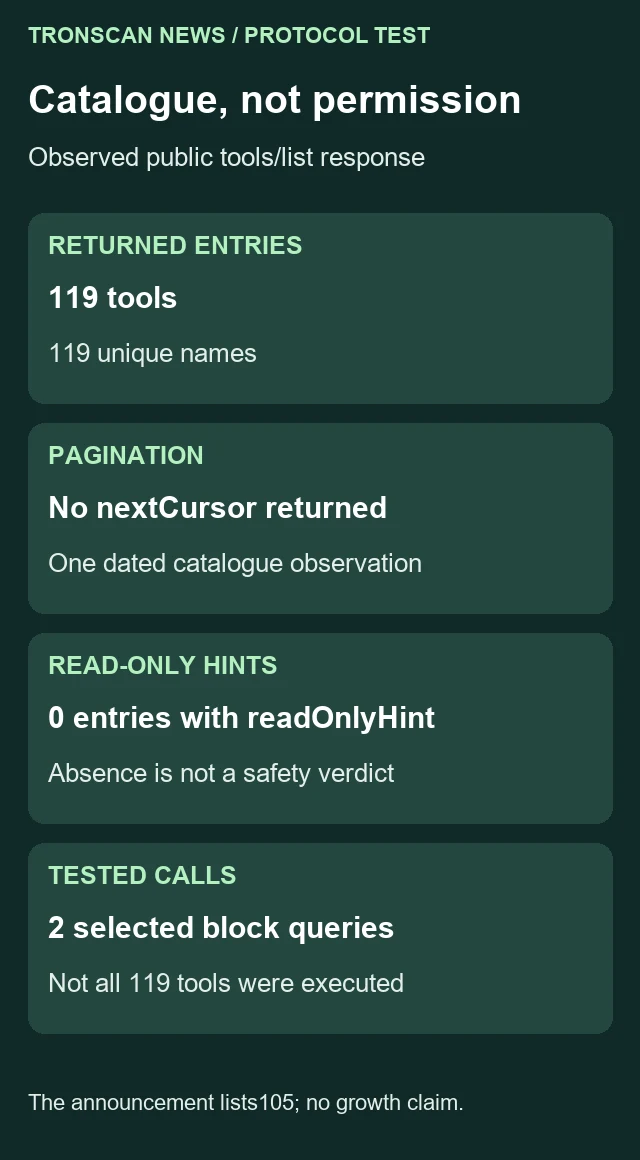
Our later catalogue response contained 119 entries with 119 unique names and no returned nextCursor. That is a documented difference from the announcement’s stated count. Without a comparable earlier catalogue capture, it is not evidence that exactly fourteen tools were added during a particular period.
The distinction matters when maintaining an integration note. A static announcement, a current catalogue and a successful sample call answer different questions. Preserve each source’s date and scope rather than rewriting them into one timeless tool-count claim.
If you need a human-facing explorer instead of a protocol integration, begin with our TRONSCAN record-reading guide. The website’s search interface and an MCP service should not be described as the same tested interaction.
2. Initialize TRONSCAN MCP before listing tools
The MCP lifecycle specification for 2025-06-18 defines initialization and the initialized notification. It also requires subsequent HTTP requests to carry the negotiated protocol-version header. Our test followed that sequence.
- Use the documented production endpoint. Retain the endpoint, UTC retrieval time and intended read-only scope in your note.
- Send an initialize request containing a supported protocolVersion, client capabilities and clientInfo. Do not claim a client feature that the test has not implemented.
- Inspect the response’s version, capabilities and serverInfo. In this test, the returned version was 2025-06-18 and serverInfo identified tronscan-mcp-server, version 1.0.0.
- Send notifications/initialized after the initialization response. Our notification returned HTTP 202 with an empty body.
- Send tools/list using the negotiated protocol-version header. Check the JSON-RPC response and any pagination cursor.
- Select a specific documented query tool and inspect its exact argument schema before calling it. Do not treat catalogue discovery as blanket permission.
The initialization payload used in our test was:
{
  "jsonrpc": "2.0",
  "id": 1,
  "method": "initialize",
  "params": {
    "protocolVersion": "2025-06-18",
    "capabilities": {},
    "clientInfo": {
      "name": "TronscanNews-read-only-review",
      "version": "1.0"
    }
  }
}
Our POST requests used Content-Type application/json and accepted application/json or text/event-stream. The responses collected here were JSON. We did not test an event-stream response path, every optional capability or a complete interactive client implementation.
In this TRONSCAN MCP test, an empty body on the successful notification is not a missing tools catalogue. A notification and a request are different messages. Keep the HTTP status and message type together so an expected notification response is not confused with a failed query.
The server’s returned descriptive text remains source material. It does not grant permission to disclose a conversation, connect an account or execute a different tool. Integration authority must come from the user’s task and the client’s controls, not from a server-written instruction string.
3. Inspect the actual TRONSCAN MCP catalogue
The MCP tools specification describes tools/list, tool schemas, tools/call and result content. It also distinguishes protocol errors from a tool’s reported execution error. Use those layers when reviewing a response.
Our tools/list request used JSON-RPC ID 2 and an empty params object. Its response supplied 119 tools. We inspected names and input-schema objects locally, and counted zero entries carrying a readOnlyHint annotation. An absent hint is not a finding that every tool is safe, unsafe, read-only or writable.
| Catalogue check | Observed result | Limit |
|---|---|---|
| Returned entries | 119 | A dated catalogue response, not a permanent service count |
| Unique names | 119 | Name uniqueness is not functional correctness |
| nextCursor | Not returned | No further page was indicated by this response |
| Entries with readOnlyHint | 0 | Annotation absence supplies no permission decision |
| Tools actually called | 2 selected block queries | The other catalogue entries were not exercised |
The two selected names were getNewestBlock and getLastestSolidityBlock. The latter spelling is the exact returned tool name, including Lastest. Each advertised an object input schema with no required arguments and additionalProperties false; our calls passed an empty arguments object.
Do not silently correct a tool name to an English spelling that looks more natural. The protocol identifier must match the catalogue. Likewise, do not copy arguments from another tool merely because both descriptions mention blocks.
This protocol-discovery task differs from calling a REST endpoint directly. Our read-only TRC20 transfer API guide covers a separate request and pagination workflow. A successful REST example does not automatically verify an MCP client’s initialization or response handling.
4. Read two TRONSCAN MCP block-query results
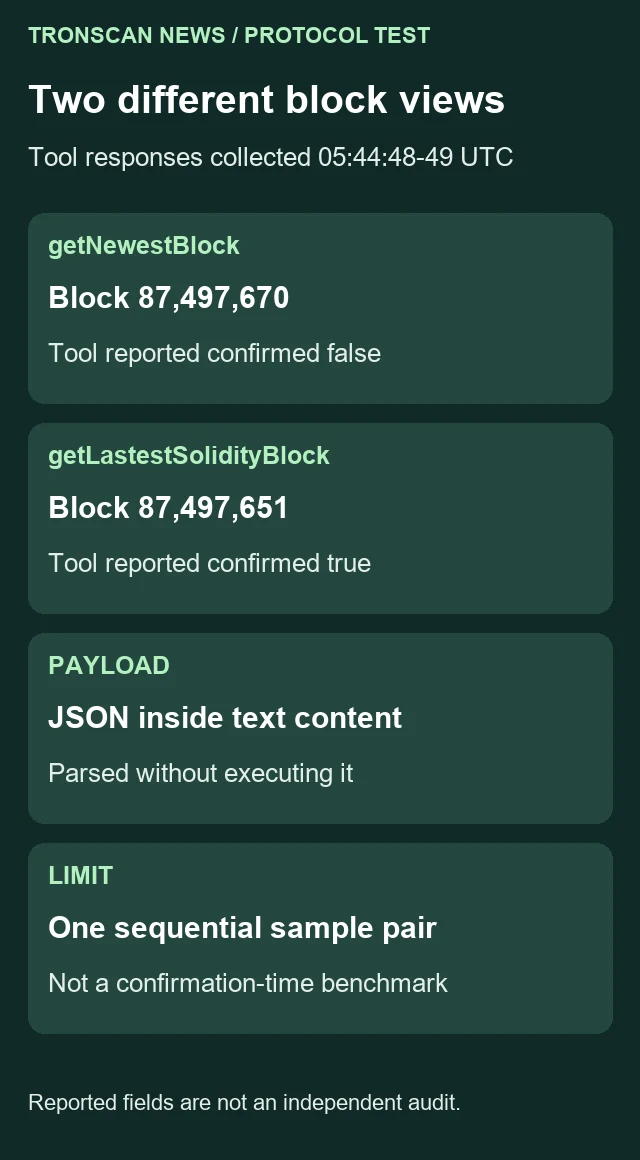
At 05:44:48.904437 UTC we sent tools/call for getNewestBlock with request ID 3. At 05:44:49.228575 UTC we began the getLastestSolidityBlock query with request ID 4. Both returned HTTP 200, matching IDs and result.isError false.
| Selected tool | Reported block number | Reported timestamp, Unix milliseconds | Reported confirmed |
|---|---|---|---|
| getNewestBlock | 87497670 | 1793166288000 | false |
| getLastestSolidityBlock | 87497651 | 1793166231000 | true |
Each response placed a JSON block object inside a text content item. We parsed that text as JSON, then checked the selected field types. We did not execute the returned text, follow embedded instructions or treat it as an installation script.
The results describe two different block views collected sequentially. They are not an atomic network snapshot or a benchmark of confirmation time. The confirmed values are fields reported by the service; this exercise did not independently reconstruct consensus or audit finality.
For the meaning of the block fields themselves, continue to our TRON block-record guide. This article focuses on the protocol envelope and how to preserve the scope of a sample query.
5. Validate saved TRONSCAN MCP responses locally
Save the three relevant responses as tools-list-source.json, getNewestBlock-source.json and getLastestSolidityBlock-source.json. Put the following program in inspect_mcp.py beside them and run python inspect_mcp.py. It reads local files only and performs no network or wallet operation.
import json
from pathlib import Path

def rpc_result(message, expected_id):
    if not isinstance(message, dict) or message.get("jsonrpc") != "2.0":
        raise ValueError("Expected a JSON-RPC 2.0 response")
    if type(message.get("id")) is not int or message["id"] != expected_id:
        raise ValueError("Response ID mismatch")
    if "error" in message or not isinstance(message.get("result"), dict):
        raise ValueError("Protocol error or missing result")
    return message["result"]

def inspect_catalogue(message):
    result = rpc_result(message, 2)
    tools = result.get("tools")
    if not isinstance(tools, list):
        raise ValueError("Missing tools array")
    names = []
    hint_count = 0
    for tool in tools:
        if not isinstance(tool, dict) or not isinstance(tool.get("name"), str):
            raise ValueError("Invalid tool entry")
        if tool["name"] in names or not isinstance(tool.get("inputSchema"), dict):
            raise ValueError("Duplicate name or missing input schema")
        names.append(tool["name"])
        annotations = tool.get("annotations") or {}
        if not isinstance(annotations, dict):
            raise ValueError("Invalid annotations")
        hint_count += "readOnlyHint" in annotations
    return {"returned_tools": len(names), "unique_names": len(set(names)),
            "next_page_reported": bool(result.get("nextCursor")),
            "entries_with_readOnlyHint": hint_count}

def inspect_block(message, expected_id):
    result = rpc_result(message, expected_id)
    if result.get("isError") is not False:
        raise ValueError("This sample requires explicit isError false")
    content = result.get("content")
    if not isinstance(content, list) or len(content) != 1:
        raise ValueError("Expected one content item for this sample")
    if not isinstance(content[0], dict) or content[0].get("type") != "text" or not isinstance(content[0].get("text"), str):
        raise ValueError("Expected a text result")
    block = json.loads(content[0]["text"])
    if not isinstance(block, dict):
        raise ValueError("Expected a JSON block object inside the text")
    if type(block.get("number")) is not int or type(block.get("timestamp")) is not int:
        raise ValueError("Missing integer block fields")
    if type(block.get("confirmed")) is not bool:
        raise ValueError("Missing boolean confirmed field")
    return {key: block[key] for key in ("number", "timestamp", "confirmed")}

if __name__ == "__main__":
    def load(name):
        return json.loads(Path(name).read_text(encoding="utf-8"))
    print(json.dumps({
        "catalogue": inspect_catalogue(load("tools-list-source.json")),
        "newest": inspect_block(load("getNewestBlock-source.json"), 3),
        "solidified": inspect_block(load("getLastestSolidityBlock-source.json"), 4)
    }, indent=2))
The TRONSCAN MCP validator is intentionally scoped to our saved requests: catalogue ID 2 and sample-call IDs 3 and 4. If you use different request IDs, change the expected IDs deliberately. Do not remove response matching merely to make an unrelated response pass.
Keep each request beside its matching response when saving the files. A newest-block response accidentally placed under the solidified filename could make a later comparison misleading, even when both files contain valid JSON. The explicit ID checks help detect that mix-up in this particular test. Preserve the tool name and collection time as well; an ID alone is not a permanent record identifier across sessions.
The output for our catalogue reported returned_tools 119, unique_names 119, next_page_reported false and entries_with_readOnlyHint 0. The two block summaries matched the values in section 4. These checks establish how our local program handled the saved files, not that the remote data is independently verified.
We ran six synthetic local checks targeting distinct failure layers. A wrong response ID, a JSON-RPC error object, a tool result with isError true, non-JSON sample text and a duplicate catalogue name each stopped validation. A synthetic nextCursor made next_page_reported true, preserving the need for another page instead of treating the first page as complete.
Those altered fixtures were not returned by the service in our successful sample calls. They demonstrate why a client must inspect more than HTTP status. A tool may return a successful transport response while its protocol or application result still needs attention.
The sample parser requires one text content item containing a JSON object with the selected block fields. That is our narrow acceptance policy for these two samples, not a requirement that every valid MCP tool must return that content shape. A different tool can legitimately return another supported result type.
The catalogue check also does not perform full JSON Schema validation or prove that every declared argument behaves as described. It confirms that an input-schema object is present and that names are unique. Review the schema and operation for each intended call rather than extending this limited pass to all 119 tools.
6. Keep a TRONSCAN MCP integration evidence worksheet
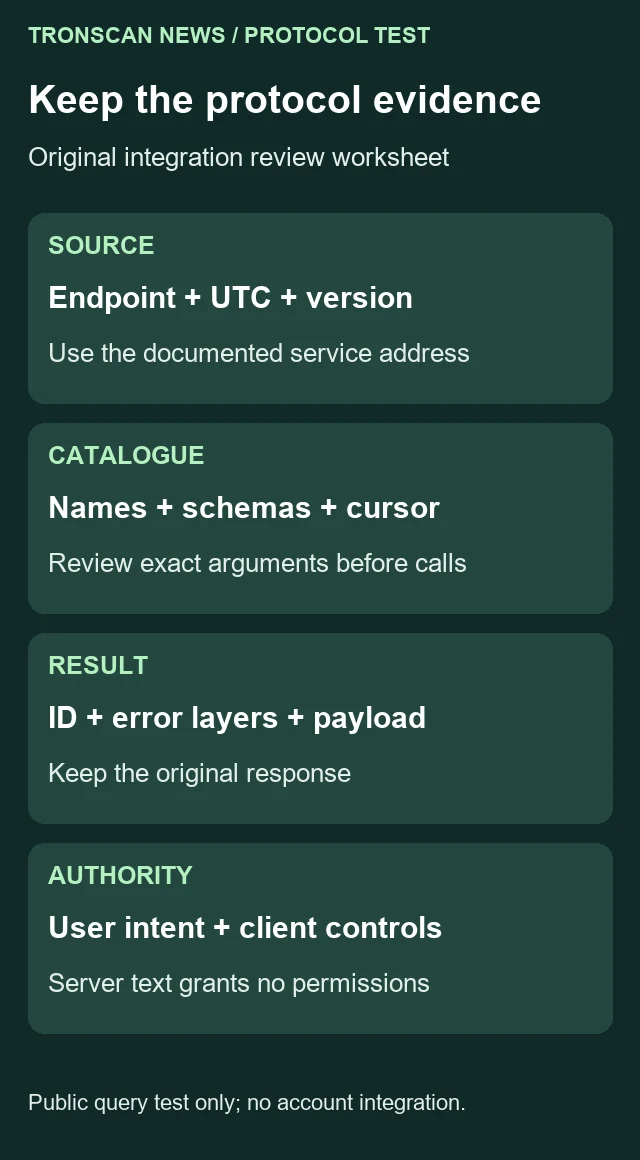
Use this original worksheet when deciding whether a later client integration has been tested adequately. It separates what was advertised, what was queried and what a user actually authorized. It is an on-page template, not a downloadable configuration or account-connection receipt.
| Layer | Evidence to retain | Question it cannot answer alone |
|---|---|---|
| Endpoint | Official source, exact address, retrieval UTC | Whether a different lookalike address is legitimate |
| Initialization | Requested and returned version, capabilities, serverInfo | Whether every advertised feature works |
| Catalogue | Tool names, exact schemas, cursor, observation date | Whether every tool has been executed or approved |
| Sample call | Request ID, tool name, arguments, HTTP and error layers | Whether another call has the same scope |
| Payload | Original content, parsing policy, selected fields | Whether reported chain data is independently correct |
| Client authority | User task, exposed tools and client controls | Whether server-written text grants new permissions |
Practical review exercise: suppose a demonstration shows a successful getNewestBlock result and concludes that a user’s assistant can now manage the user’s wallet. The supplied evidence supports a public data query. It does not show a client installation, account authorization or any wallet-management test. Keep those missing stages explicit.
Now suppose another demonstration lists the catalogue but never calls a tool. That supports discovery of advertised definitions at one time. It does not show successful argument handling or application data. Conversely, one successful tool call does not establish that the entire catalogue was inspected.
These distinctions help make an integration review useful to a non-specialist. The reader should be able to tell whether the result is a source lookup, a protocol test, a client configuration or an account-access change without inferring it from the word connected.
7. Troubleshoot without expanding the test’s authority
If initialization fails, record the endpoint, supported version and response before attempting a tool call. Do not describe a failed handshake as proof that the blockchain itself is unavailable. The protocol service and the network are different systems.
If a request is rate limited or asks for credentials, preserve the actual response and stop that credential-dependent path until the appropriate account holder handles it. Our successful public calls do not guarantee unlimited anonymous access. We did not obtain an API key or buy a service upgrade for this test.
If a tool name is missing, refresh the catalogue through a normal request and keep the new observation date. Do not manufacture a substitute identifier from a description. If a schema changes, inspect the new required fields rather than resending old arguments indefinitely.
If returned text is not valid JSON, keep it as text unless the specific tool documents another format. Do not run it as code or use a general evaluator to obtain a result. Our two sample text items parsed directly as JSON; no backslash deletion or other silent repair was needed.
If the reported block views disagree with another source, compare the selected network, head-versus-solidified scope and retrieval times first. A sequential sample pair can differ normally. Do not turn that difference into a fixed confirmation-time promise or a service incident without additional evidence.
Keep a TRONSCAN MCP change note when repeating the test. Record the new catalogue date, selected tool definitions and sample responses instead of replacing the old files. That allows a later reader to distinguish a changed observation from an unsupported claim about when the service changed.
More English read-only methods are available from the Tronscan News homepage. Choose the next task according to the evidence still needed; a protocol response should not be presented as an account-permission or transaction result.
Frequently asked questions
Did this TRONSCAN MCP test connect a ChatGPT or Codex account?
No. It made public protocol queries and validated saved responses. No client connector was installed, account permission changed or wallet connected.
Why did the test return 119 tools when the announcement says 105?
Those are two differently dated source observations. Our catalogue contained 119 unique names and no nextCursor. Without an earlier comparable catalogue, we cannot say exactly when or why the difference arose.
Does HTTP 200 prove that a TRONSCAN MCP tool succeeded?
No. Check the JSON-RPC ID and error, the tool result’s isError field and the content expected for the selected tool. Successful transport alone does not verify application data.
Does a missing readOnlyHint authorize all tools?
No. The catalogue supplied no readOnlyHint entries in this observation. Permissions still depend on the intended operation, user authorization and client controls, not an absent annotation.
Were all 119 tools tested?
No. We inspected the catalogue and called two selected block-query tools. The local validator and six synthetic checks do not establish the functionality or safety of every other catalogue entry.
Leave a Reply