TRONSCAN API TRC20 transfers can be read without signing a wallet transaction: select a documented GET endpoint, define the account and token contract, preserve the raw quantity, and verify the matching transaction. A successful data request is different from successful contract execution or a credited exchange deposit.
This guide is for a developer or analyst reading one transfer record, with short explanations for readers following along on a phone. If you only need the explorer interface, use our TRON transaction history tutorial. You do not need to build an API integration just to inspect a public payment.
Find more independent tutorials at Tronscan News. We are not the official TRONSCAN service and do not issue its API credentials.
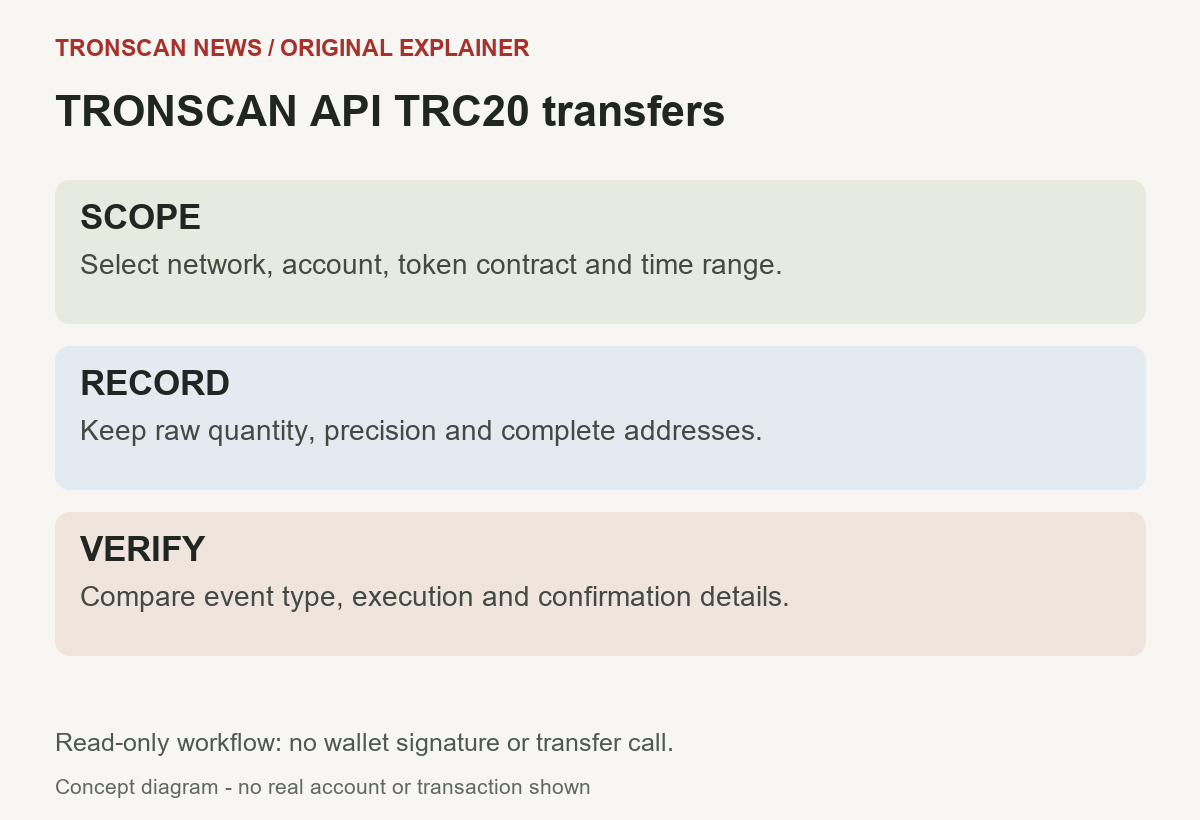
Table of Contents
TRONSCAN API TRC20 transfers: 5 easy record checks
- Define scope. Write down the network, complete account, token contract, and period you intend to inspect.
- Request a small sample. Use the current documented read endpoint and its required authentication.
- Match identity. Compare the complete token contract and sender or recipient before interpreting a row.
- Preserve quantity. Keep the raw amount as text and use the token’s decimal precision for display.
- Verify the outcome. Inspect the event, execution and confirmation information, then compare the actual transaction record.
Verification scope: we checked the official API documentation on October 25, 2026 and tested the formatting function below against local synthetic inputs. We did not make an authenticated live request, obtain a new API key, or execute a token transfer. The examples explain a reading workflow; they are not evidence of a real payment.
1. Define the question before requesting records
A TRONSCAN API TRC20 transfers query should answer a small, reproducible question. For example: which candidate movements for this contract involve this account during this period? Avoid starting with an unbounded download and deciding afterward what it was supposed to prove.
Separate the public account address from the token contract. One identifies whose activity you are researching; the other identifies the asset. Our USDT TRC20 contract guide explains the identity check for that token. A familiar ticker, logo or label is insufficient for matching the requested asset.
Keep a request note with the network, endpoint, account, contract, filters, page, and observation time. Do not include an API key in that note. If two readers cannot reconstruct the same scope, they may compare unrelated results while believing they investigated the same transfer.
Use a read endpoint, not a transfer operation
The official transfer-list reference documents GET /api/token_trc20/transfers. Its scope includes TRC20 and TRC721 records, so validate the returned type for this fungible-token workflow. This endpoint reads indexed records; it is not a call to a token’s transfer function.
Read-only does not mean that every request is anonymous or unlimited. Check the current authentication requirements before coding. It also does not mean that a public address is free of privacy implications: a set of addresses can reveal activity patterns even when no wallet secrets are involved.
2. Make one small TRONSCAN API TRC20 transfers request
The official network and authentication reference lists the mainnet base URL and the TRON-PRO-API-KEY header. It warns that anonymous mainnet calls can be heavily limited or rejected. Use credentials you are authorized to use; never paste a real key into a public tutorial, screenshot or support comment.
This Bash/curl template requests one candidate record. Replace the two address placeholders with the public account and verified token contract. Set the environment variable securely in your own environment. This is a template, not a command we successfully ran against an authenticated account.
curl --get \
  "https://apilist.tronscanapi.com/api/token_trc20/transfers" \
  -H "TRON-PRO-API-KEY: $TRONSCAN_API_KEY" \
  --data-urlencode "relatedAddress=YOUR_PUBLIC_ACCOUNT" \
  --data-urlencode "contract_address=YOUR_TOKEN_CONTRACT" \
  --data-urlencode "start=0" \
  --data-urlencode "limit=1"
Do not substitute a recovery phrase or wallet private key for the API credential. They serve different purposes. An explorer API key authenticates a data-service request; it is not a signature authorizing a blockchain payment.
For TRONSCAN API TRC20 transfers, start with the smallest useful sample and inspect the actual response before adding automation. A one-row response is easier to compare by hand. It is also easier to notice that a contract filter, network or field interpretation is wrong before a script processes many pages.
Record the response, not just the displayed table
Save the response body with its observation time and request scope. Keep the original separate from a cleaned working copy. A spreadsheet or interface may hide fields, shorten addresses, or format quantities in a way that is convenient for viewing but unsuitable for precise comparison.
Remove credentials from logs and diagnostic exports. If you share a request example, show placeholders where secrets belong. Preserve enough non-sensitive context to explain the issue without copying unrelated account activity into a public discussion.
3. Read the TRONSCAN API TRC20 transfers row
For the transfer-list endpoint, start with the token_transfers array. Relevant fields include transaction_id, from_address, to_address, contract_address, quant, and tokenInfo.tokenDecimal. Preserve field spelling: similar endpoints can use different names.
| Question | Your check |
|---|---|
| Is this the requested asset? | Compare the full contract, not just the symbol |
| Does this involve the requested account? | Compare full sender and recipient strings |
| Which transaction contains it? | Keep the complete hash |
| What quantity is represented? | Retain raw digits and precision separately |
| What does it establish? | Read the event and outcome fields before making a conclusion |
Apply these checks before calculating a total or presenting a movement as incoming. A row selected by a broad query is a candidate, not proof that it matches your intended asset and direction. A failure to match should stop that row from entering your result set.
If you copied a source field into a normalized column, keep the original alongside it. A normalized label such as “recipient” is useful for display, but you should still know which source field supplied it. This makes later schema changes easier to diagnose.
Do not mix schemas between endpoints
The separate account transfer records reference documents /api/token_trc20/transfers-with-status. It uses a different response structure, including a data array and fields such as hash, amount, from, and to. Its numeric direction and confirmation fields also need their own definitions.
A TRONSCAN API TRC20 transfers parser should therefore identify the endpoint first. Do not silently fall back from one schema to another merely because a field is missing. An adapter should explicitly state which source it understands and reject unexpected shapes for review.
For example, a missing quant is not permission to search the response for any other numeric-looking value. That value might represent an allowance, a fee, a timestamp or an unrelated movement. Keep the record unresolved until the correct schema is established.
4. Keep raw quantities exact
The TRC20 interface documentation explains decimal metadata and distinguishes Transfer from Approval events. Decimal precision tells you where the display point belongs; it does not turn a token amount into TRX or a fiat-currency valuation.
For TRONSCAN API TRC20 transfers, avoid routing large raw integers through an imprecise numeric representation. The raw string and decimal precision should survive unchanged in the saved record. A rounded number can look reasonable while losing the very digits needed to match a transaction.
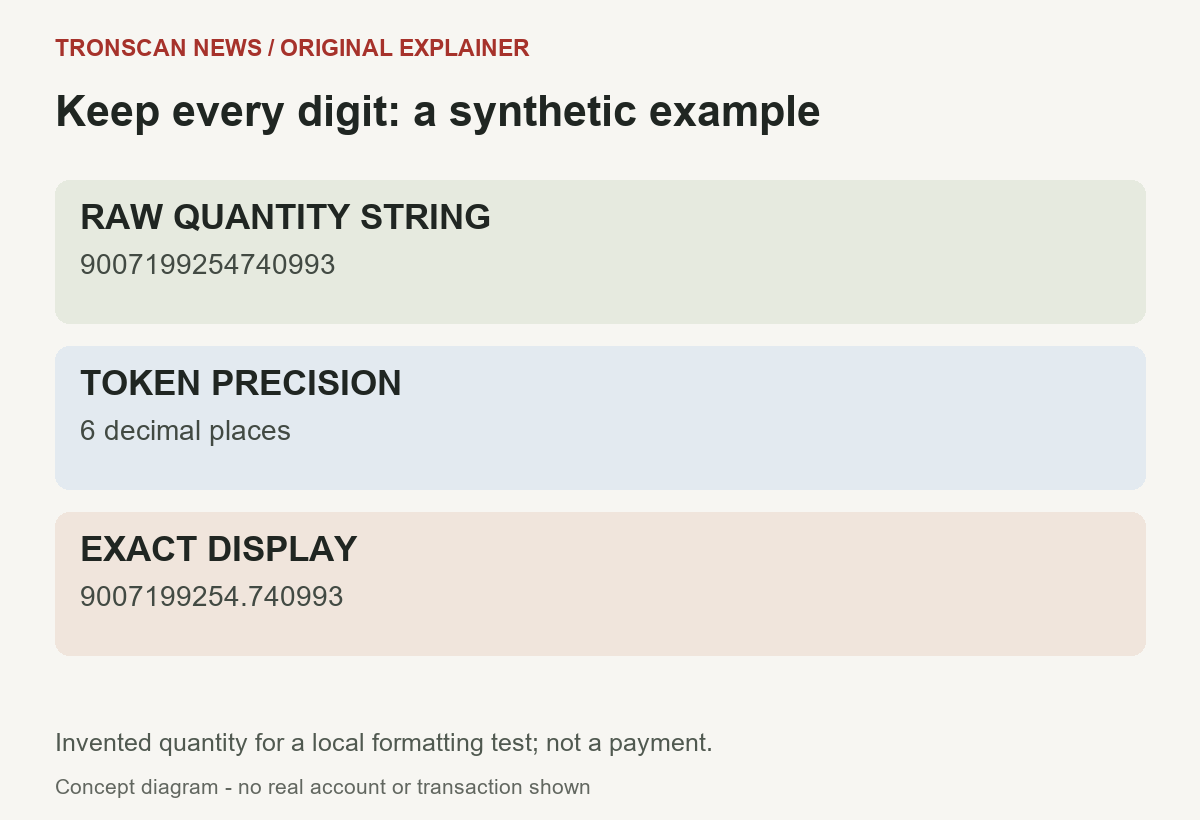
Synthetic example: raw quantity 9007199254740993 with six decimal places displays as 9007199254.740993. This invented value tests digit preservation; it is not a real transfer, an actual token holding, or a claim about USDT activity.
The following original Python function inserts the decimal point using strings. It deliberately rejects floats, negative quantities, exponent notation and missing precision. It formats a value only; it does not validate a contract, establish an event’s authenticity, or determine payment success.
import re

def display_units(raw, decimals):
    if not isinstance(raw, str) or not re.fullmatch(r'[0-9]+', raw):
        raise ValueError('Expected an unsigned integer string')
    if type(decimals) is not int or not 0 <= decimals <= 255:
        raise ValueError('Missing or invalid decimal precision')
    digits = raw.lstrip('0') or '0'
    if decimals == 0:
        return digits
    digits = digits.rjust(decimals + 1, '0')
    return digits[:-decimals] + '.' + digits[-decimals:]
We locally checked five exact outputs, including zero, a one-base-unit quantity, a zero-decimal value, and the large value illustrated above. Six invalid inputs were rejected. These checks validate this function’s stated formatting behavior, not the availability or correctness of a live API response.
Why preserve the raw and displayed values?
Keep two columns: the raw quantity string and your derived display value. If a reviewer later finds that the precision metadata was wrong, you can recalculate the display without losing the original digits. Overwriting the raw field with a rounded amount removes that option.
Do not turn missing metadata into a default zero-decimal token. Write “precision unavailable” and preserve the raw value for investigation. A visible unknown is preferable to an apparently precise amount created from an unsupported assumption.
If you choose a decimal arithmetic library instead, review its precision and rounding behavior. Python’s official decimal documentation explains configurable contexts and the distinction from binary floating point. An exact input string does not guarantee every later arithmetic operation uses unlimited precision.
5. Separate request, execution and confirmation
A TRONSCAN API TRC20 transfers investigation has several layers. First establish whether you received a usable response. Then identify the correct movement. Finally inspect the transaction outcome and confirmation information appropriate to that source.
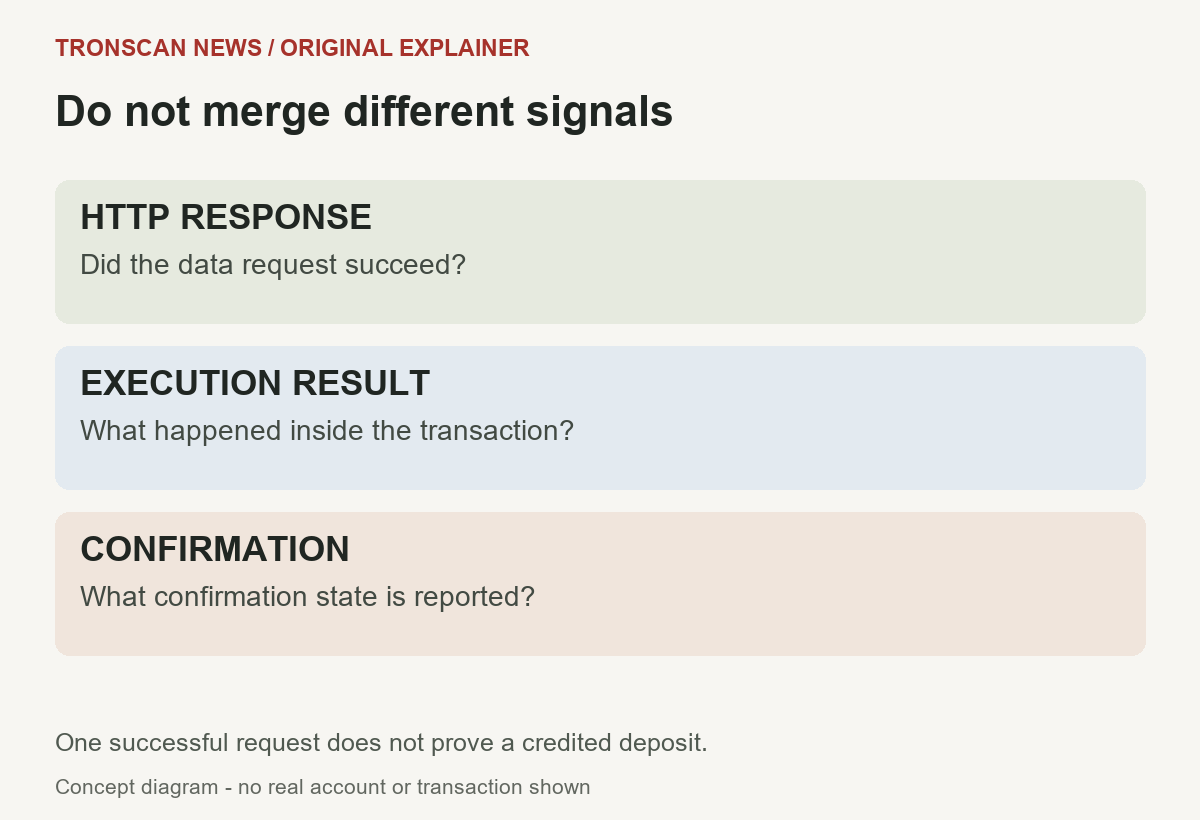
The official transaction details reference documents lookup by hash, with execution, confirmation and transfer information. Use the matching hash to review the candidate. Preserve the result fields as reported instead of reducing all states to an unexplained “paid” flag.
Our single-transaction checking guide explains the visual cross-check. An API record and a public transaction page should refer to the same complete hash, contract and movement before you describe them as corroborating each other.
For TRONSCAN API TRC20 transfers, an Approval is not the same event as a transfer of tokens. Likewise, an HTTP success does not establish a successful contract result. Do not infer the meaning of a numeric status from its value alone; use the current definition for that exact field and endpoint.
This is not a production deposit verifier
The workflow finds and explains candidate records. It does not specify a complete payment-crediting policy, custody system, reorganization strategy, fraud review or settlement guarantee. Those requirements depend on the application and should not be improvised from a small tutorial.
A receiving platform can also maintain a private ledger separate from the chain. Public evidence cannot update that ledger. If the question is why a service has not credited a deposit, preserve the verified transaction facts and ask that service about its current crediting conditions.
Pagination and incomplete TRONSCAN API TRC20 transfers results
The documented transfer list uses offset pagination, with a maximum page size of 50 and an offset-plus-limit boundary of 10,000. It also documents millisecond time filters. Validate those limits yourself rather than assuming a successful response proves the requested page was honored exactly.
For a reproducible investigation, fix the time scope before moving through pages. Keep the contract and account filters unchanged. Record the scope beside each saved response so a later reviewer can distinguish a missing record from a changed query.
Do not label the first page “all transfers.” A page is a subset under the selected conditions. If you need broader coverage, design bounded windows, document boundary handling, and inspect overlapping records instead of treating a single download as a complete historical ledger.
Do not remove every repeated hash automatically. One transaction may contain several distinct movements. Preserve row-level evidence and establish a suitable movement identity before applying any deduplication rule. A transaction identifier and a movement identifier answer different counting questions.
Handle missing data and request failures explicitly
The official common errors reference distinguishes HTTP authentication, permission, rate-limit and server failures. It also notes that error-body structures are not standardized and that some invalid pagination requests are silently capped.
For TRONSCAN API TRC20 transfers, use a request outcome separate from the transfer findings. A timeout or rejected credential means the data was not obtained. It must not become an empty successful search or a zero-token conclusion.
- Authentication failure: review the authorized key and current header requirements; do not repeatedly retry unchanged credentials.
- Rate limiting: respect the service’s back-off instructions and any Retry-After response.
- Server failure: preserve the error and use bounded retries rather than an endless tight loop.
- Valid empty result: describe no matches under the recorded scope; broaden or correct the scope if appropriate.
- Unexpected response shape: keep the original and stop the adapter for review.
Keep malformed rows out of calculated totals without silently discarding evidence. A report can state that a certain number of rows required manual review. That is more informative than presenting a clean total while hiding the records the parser could not understand.
If your own client is reviewing node-input compatibility, use the October API validation source review and local JSON audit. It separates explorer REST, node HTTP and gRPC scopes, and distinguishes a source merge from a deployed provider change.
A compact review note for one candidate movement
Save the endpoint, selected network, request filters, retrieval time, complete hash, sender, recipient, contract, event, raw quantity, precision and derived display. Add the observed execution and confirmation states, plus a link to the matching public transaction page.
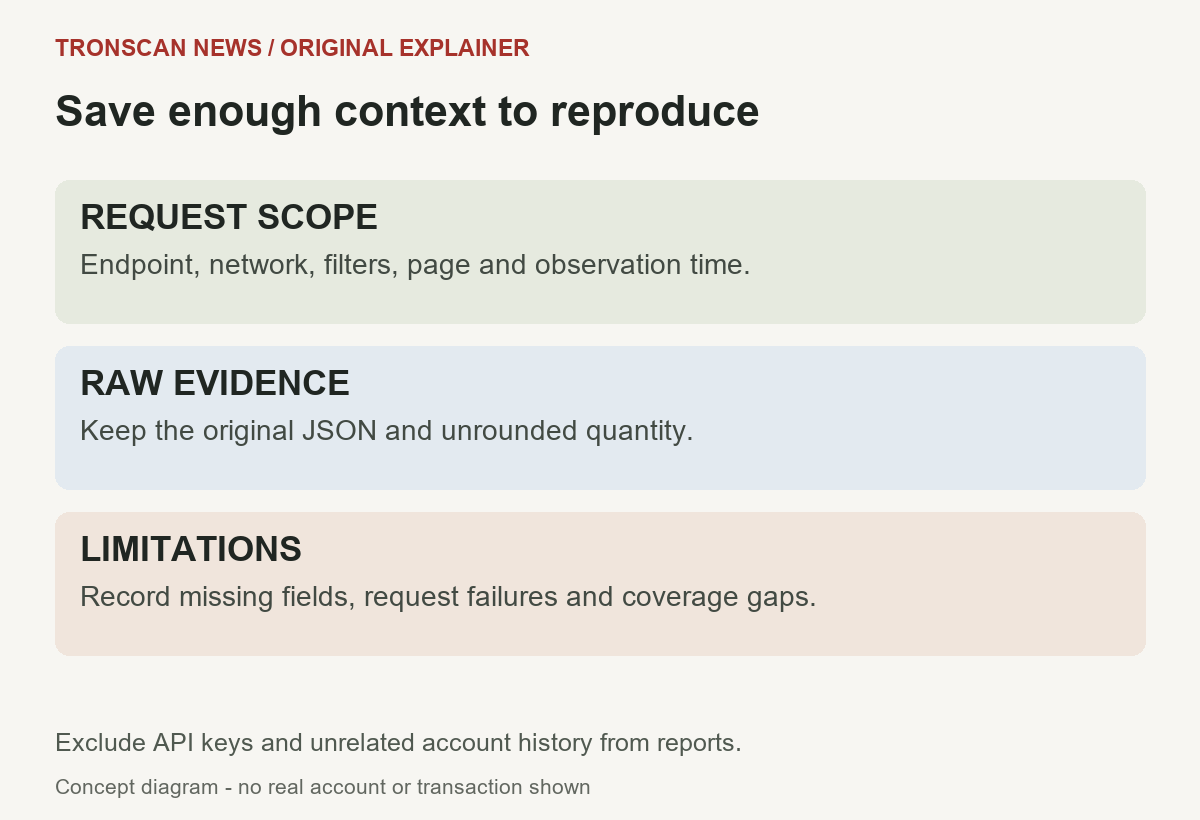
Keep conclusions separate from observations. “This response contains this movement” is narrower than “the intended person was paid.” The latter requires identity and purpose that a public address alone may not establish.
When comparing two observations, check the same scope before blaming a changed number on the parser. A different account, token contract, period or page can explain a different result. Keep the original response so the comparison can be reviewed without relying on a screenshot of a shortened table.
A useful TRONSCAN API TRC20 transfers note also states its limits: authenticated live retrieval not tested here, local formatting checks only, and no account action performed. That prevents a code sample or documentation example from being mistaken for independently observed on-chain evidence.
Frequently asked questions
1. Can I read TRONSCAN API TRC20 transfers without a wallet signature?
Yes, reading records is separate from signing a token transaction. Mainnet API authentication may still be required. An API credential is different from a wallet private key or recovery phrase.
2. Why does the raw amount look much larger than the token quantity?
The raw integer represents base units. Use the token’s verified decimal precision to produce a display value and preserve the original string. If precision is missing, leave the display unresolved.
3. Does HTTP 200 mean the transfer succeeded?
No. It describes the data request. Match the movement and inspect the documented execution and confirmation fields for the transaction. A receiving service’s internal credit is a further separate question.
4. Why does my parser find no rows after changing endpoints?
The endpoints can use different array and field names. Identify the exact schema rather than assuming every transfer response has the same structure. A request failure must also remain distinct from a valid empty list.
5. Was the example tested against a live authenticated API?
No. Official documentation was checked, and the original formatting helper was tested locally with synthetic inputs. We did not obtain credentials or make an authenticated live call for this tutorial.
Editorial note: prepared with AI assistance and checked against official references on October 25, 2026. Diagrams and synthetic examples are original explanations, not real transaction records. See our editorial standards and corrections policy.
Leave a Reply