TRON Bandwidth covers the transaction-data side of network resource usage. To check it on a phone, open the exact sending account, find its resource information and distinguish available capacity from used capacity. Then review the proposed action in your wallet and inspect its receipt afterward. A visible resource balance is not a promise that every transfer will cost nothing.
This independent guide focuses on reading account information and comparing it with a transaction. It does not recommend a staking amount, buy resources for you or quote a guaranteed transfer price. Any numerical example below is hypothetical unless explicitly attributed to the current documentation.
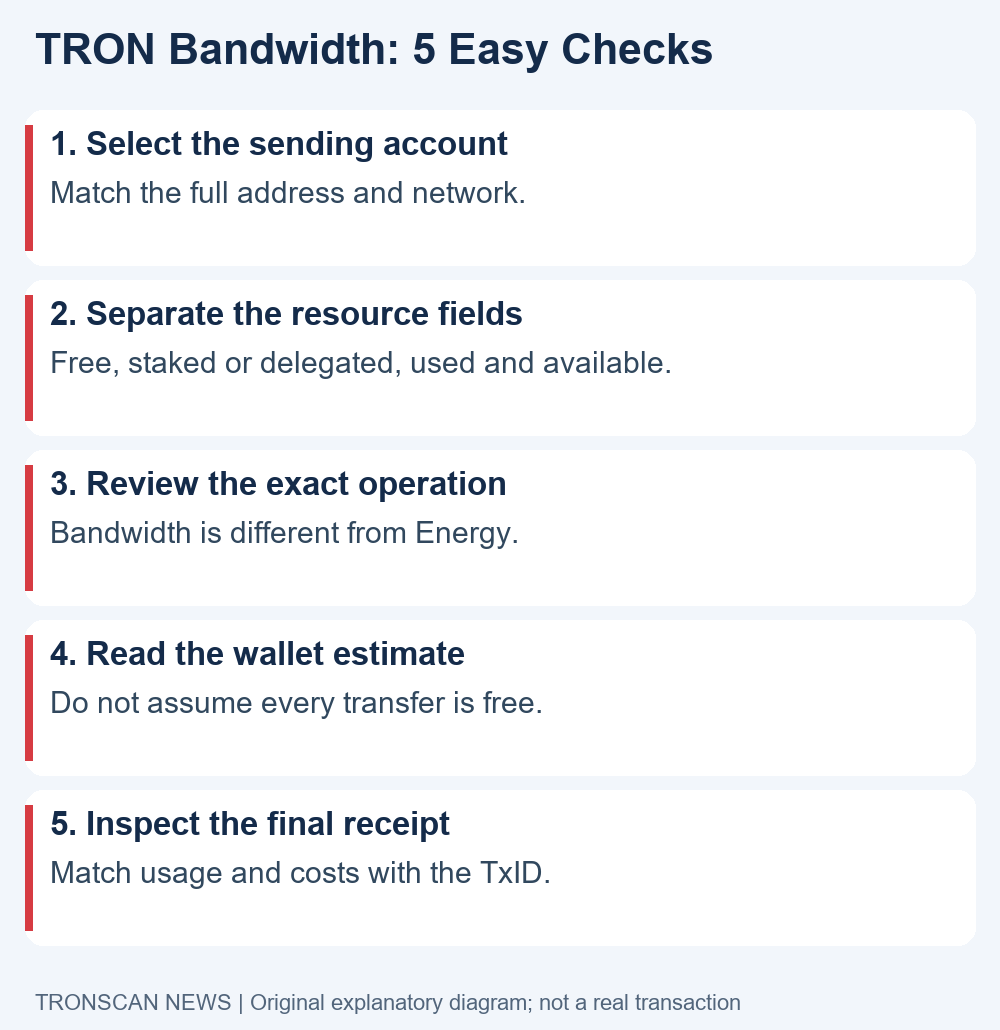
Table of Contents
TRON Bandwidth: 5 easy checks before a transfer
- Confirm the sending account. Compare the full address and network in your wallet with the account you open on the official explorer.
- Separate the displayed fields. Read free resources, stake-based or delegated resources, usage and remaining capacity according to the interface labels.
- Identify the exact action. A native transfer and a smart-contract interaction can involve different resource questions. Do not substitute the token quantity for a resource estimate.
- Read the current wallet estimate. Check the complete request before signing, including any separate service charges. Avoid using an old receipt as a universal price list.
- Inspect the completed receipt. Save the transaction hash, verify its execution result and compare actual resource usage and fees with your earlier note.
Follow these checks in order. A resource screenshot from the wrong account can look perfectly plausible while answering the wrong question. Keep the account address beside each observation so later comparisons refer to the same sender.
What TRON Bandwidth measures
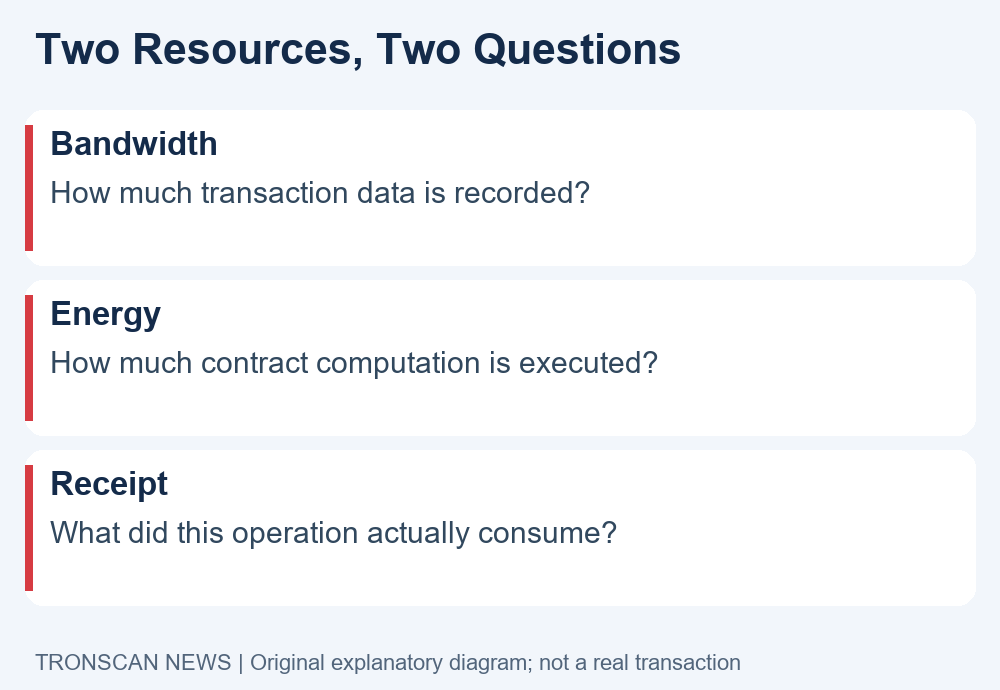
The official TRON resource model distinguishes Bandwidth for transaction byte size from Energy for smart-contract computation. TRON Power serves a different purpose in voting. These labels describe different quantities, so do not add them together as if they were one interchangeable balance.
For a reader checking a transfer, the practical question is narrower than the network-wide totals: what resources does this account currently have, and what does this specific action require? A chart about the whole network cannot establish the answer for your account.
Keep units visible. A token amount, a TRX balance, a resource quantity and a currency estimate can all appear on one mobile screen. Copying an isolated number into a note removes the label that makes it meaningful.
Our TRON Bandwidth checklist treats those labels as part of the evidence. Instead of writing “balance 500,” record the exact field name, account, value and observation time. You can then compare like with like after the transaction.
Find TRON Bandwidth information on a phone
Open your wallet and copy the public address of the account that will submit the action. If the application supports several accounts, check its account selector first. Do not assume that the address on the last screen you viewed is still the active sender.
Open the official TRONSCAN explorer and search the complete address. Locate that account’s resource information and expand truncated fields where necessary. Interface layouts can change, so rely on the account identity and field labels rather than a screenshot’s button positions.
Reading public account information does not require a recovery phrase or a signature. If a page asks you to connect a wallet merely to view a public resource figure, verify what extra function it is offering before taking any action.
When recording TRON Bandwidth, keep the observation timestamp. Resources and recent activity can change between checks. Two readings taken at different times are not contradictory simply because their numbers differ.
Read available, used and limit fields separately
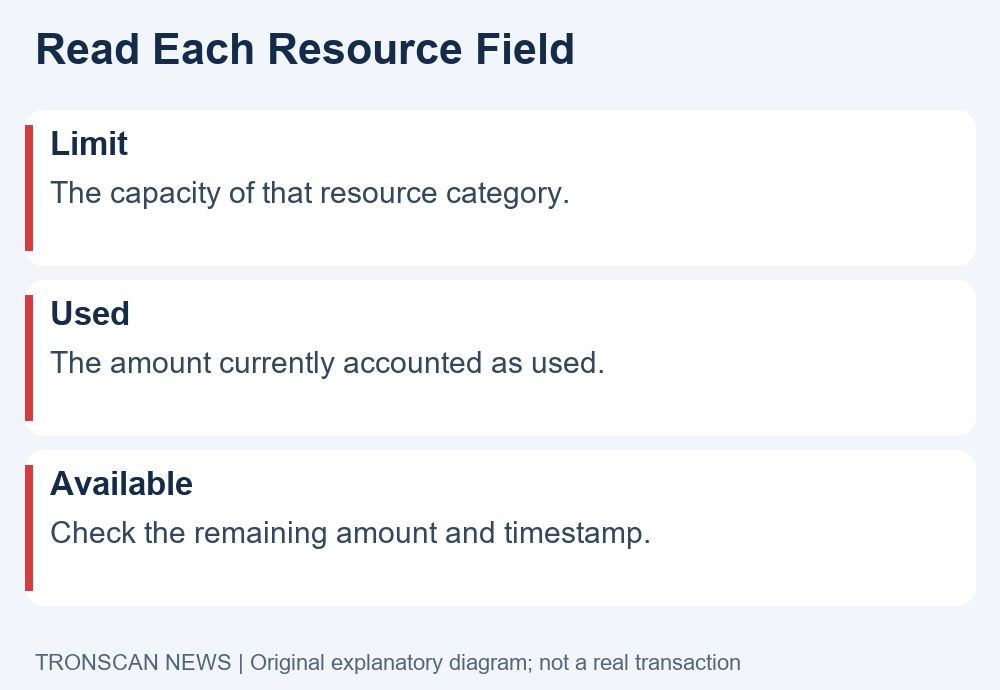
A limit describes a category’s capacity under the displayed accounting rules. A used value describes recorded usage, and an available value concerns what remains. Do not silently rename one field as another because the interface shows them close together.
As a hypothetical arithmetic example, a clearly labelled category might show a limit of 1,000 and used capacity of 250. Subtracting gives 750 for that category, assuming those fields share the same accounting basis and observation time. This example is not a live account or a network quota claim.
If the display separates free and stake-based resources, preserve that separation in your note. A single combined number may hide a distinction relevant to the action. Do not calculate a total and then assume the network will settle a transaction using your own invented formula.
For TRON Bandwidth investigations, a useful note reproduces the labels first and interprets them second. If you cannot tell whether a figure means limit or remaining capacity, consult the current wallet or explorer help before signing.
TRON Bandwidth sources and the full-coverage rule
The current Bandwidth and Energy documentation describes stake-based or delegated Bandwidth, a free quota and a TRX-burn fallback. For an ordinary transaction, the resource sources are checked under full-coverage rules; they are not simply pooled together to cover fragments of the transaction.
The same documentation describes gradual recovery over a rolling 24-hour window. Additional activity affects what is available, so a midnight reset assumption is not a reliable substitute for checking the current account. Quotas and prices are chain parameters that may change.
Our reading advice is to keep both the source and time attached to a resource observation. If someone shares a general free-quota figure, ask whether it is current and whether it describes your actual account state. A maximum allowance and a remaining allowance answer different questions.
A TRON Bandwidth balance should therefore be read in context. Before relying on a particular source, check its available amount and the wallet’s estimate for the proposed operation. Do not promise another person that a transfer is free based only on a category’s headline limit.
Why TRON Bandwidth does not replace Energy
Our TRON Energy guide covers the contract-computation side of resource checking. Keep that question separate from transaction-data accounting when reviewing a token operation. An account can display a resource in one category while still needing attention in another.
A useful comparison note has distinct rows rather than a single heading called “gas.” Record what the interface says about each resource and preserve the wallet’s complete estimate. This makes an unexpected charge easier to investigate later.
Do not decide whether an action is a simple transfer solely from the asset’s familiar name. Read the actual wallet request and intended operation. An approval, a token transfer and another contract interaction are different actions even if the same token appears in the surrounding application.
TRON Bandwidth is one part of that review. Knowing its role helps you ask the right follow-up question instead of trying to fix every warning by changing the same resource setting.
Separate network resources from platform fees
A service’s withdrawal charge is a service-side figure. A wallet’s estimate concerns a proposed action, and the blockchain receipt records a completed operation. These records can use similar currency labels while describing different things.
For a hypothetical exchange withdrawal, first determine whether you are examining the exchange’s account operation or a transaction submitted by your own wallet. Your personal account’s resource display may not be the relevant starting point for a service-managed withdrawal.
Ask which charge is being quoted before comparing amounts. Keep the token quantity received separate from any service deduction and from the resource details of the blockchain transaction. Do not force those numbers into a single unexplained “fee” field.
If a TRON Bandwidth explanation appears to conflict with a platform charge, reopen the service’s current terms for that withdrawal and the actual receipt. The difference may concern scope rather than an error in either record.
Read actual TRON Bandwidth usage in the receipt
After execution, reopen the exact transaction using its hash. Check the result before discussing its intended effect. Our mobile transaction lookup guide explains how to match the sender, recipient and relevant token movement with the record.
Record the displayed resource usage and fee labels as they appear. Preserve the distinction between an amount of resources consumed and an amount of TRX charged. A resource number without a unit is not enough to calculate or explain a monetary cost.
Compare the receipt with your pre-signing note. If the account performed other actions in between, a before-and-after resource difference may include more than the one transaction you are investigating. The receipt is the stronger reference for that particular action’s recorded usage.
For TRON Bandwidth records, avoid using the block explorer’s portfolio-price estimate as if it were a fixed protocol charge. Preserve the underlying quantity and unit before adding any optional currency conversion.
If the displayed resources seem wrong
Check the account and network again, then compare observation times. Refresh the relevant account view using the application’s normal controls. A stale screen, a different account or activity since the earlier check can make a simple comparison misleading.
If a transaction has failed, preserve its exact result and hash before attempting another action. Do not assume that a fee-related warning identifies the only issue. A receipt may contain information that a short phone notification omitted.
Our TRON TxID guide helps you save the correct blockchain reference rather than an internal service order number. Use one record per action so support can distinguish a failed attempt from a later attempt.
When a TRON Bandwidth question remains unresolved, contact the relevant official wallet or service support with the field names and timestamps. Do not share a private key, recovery phrase or login code to prove that you can read a public account.
Make a clear TRON Bandwidth comparison note
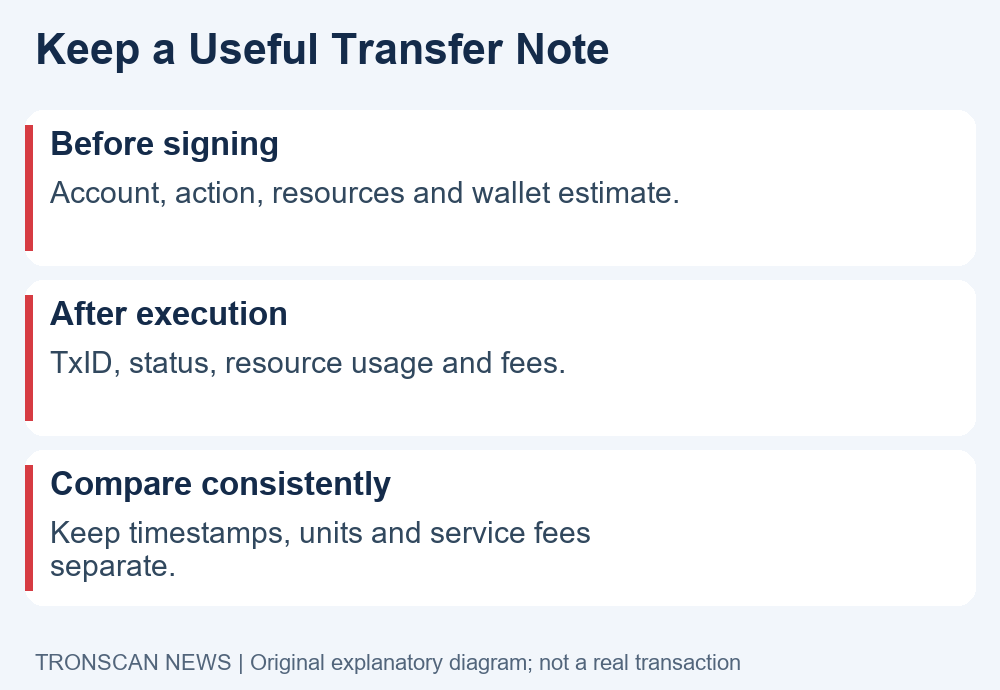
Before signing, record the network, full sender address, intended action, token if relevant, resource labels and wallet estimate. Include the time and timezone. Keep this information together rather than mixing screenshots from unrelated accounts.
Afterward, add the transaction hash, observed execution result, resource usage and recorded charges. Mark anything you cannot verify as unresolved. Do not replace a missing field with zero just to complete a table.
If the purpose is to compare two completed actions, match the operation type and scope first. A difference between unlike actions does not automatically show a price change. Keep token quantity, transaction complexity and any separate service fee visible in the comparison.
A TRON Bandwidth note should help another reader reopen the evidence and understand the question. It should not claim that one receipt sets the cost for every future transfer or that a general resource figure guarantees a particular outcome.
Choose a next step without rushing a payment
Decide whether your task is reading account information, understanding a wallet estimate or explaining a completed charge. Start with the record suited to that task. Collecting more unrelated screenshots can create confusion without answering the original question.
Where a wallet offers resource-related actions, use its current official instructions and read the complete signing request. Reviewing a public figure is different from staking, delegating or purchasing a service. This article does not choose those financial actions for you.
If you only need to understand a completed transfer, preserve its receipt and use the linked guides before making another payment. A second action creates another record; it does not clarify the first one merely by being submitted.
Frequently asked questions
1. Is TRON Bandwidth the same as TRX?
No. One is a network resource category and the other is the native asset. Preserve the units shown by the interface, and distinguish resource usage from any TRX charge recorded for an action.
2. Does available Bandwidth guarantee a free USDT transfer?
No. Read the complete operation and current wallet estimate. A token operation can involve additional resource questions, and a platform may apply separate service charges.
3. Does the free allowance reset at midnight?
The current official documentation describes gradual recovery over a rolling period rather than a simple midnight reset. Check the account’s present available amount and recent activity.
4. Must I connect my wallet to read resources?
You can inspect public account information using the public address on an explorer. A recovery phrase or private key is not needed for that lookup. Treat any additional signing request as a separate action to review.
5. Where can I confirm what a completed action consumed?
Open the correct transaction hash and inspect its result, resource fields and fee labels. Keep those observations separate from an earlier estimate or a service’s withdrawal charge.
Continue learning
Visit the Tronscan News homepage for independent explainers. Our editorial standards explain source checks, AI assistance and corrections. Use the three linked tutorials above to investigate resources, transaction details and the correct hash.
Leave a Reply