Table of Contents
TRON upgrade update: v4.8.2.4 released on 22 October 2026
Update checked on 25 October 2026: the official java-tron project has published GreatVoyage-v4.8.2.4 (Empedocles), dated 22 October 2026. Its notice labels the upgrade mandatory. The publisher describes improvements to execution consistency and stability in rare cases, plus smart-contract storage and metadata handling in edge cases.
Node operators should consult that newer release and its linked integrity instructions. For ordinary phone users, this is a node-software announcement; it does not itself establish a wallet-app update, a fee reduction or the cause of a missing transfer. We have not deployed or benchmarked this release. The v4.8.2.3 review below remains as dated context; its version-specific change list describes the earlier patch, not v4.8.2.4. This update keeps both announcements distinguishable on the existing URL. A separate October 26 peer-request deadline source review explains a merged release-branch change with tested offline timelines; it does not establish a released version or deployment at your provider.
TRON upgrade news can sound like a request to update your wallet immediately. The GreatVoyage-v4.8.2.3 release is a java-tron node software update, and the first useful check is whether you operate that software yourself. Mobile readers can verify the announcement, identify who it addresses and inspect their own transfer without downloading a node package.
This source-based explainer was checked on 22 October 2026. The release date is 30 September 2026, not today. We explain the published notice and offer a practical reading method; we have not independently benchmarked this version or audited its code.
What the official TRON upgrade notice actually says
The official GreatVoyage-v4.8.2.3 release, named Anaxagoras, labels the upgrade mandatory. Its short change list covers edge-case smart contract storage access, edge-case BN128 pairing performance and parsing of JSON responses generated by nodes. These are descriptions from the publisher, rather than performance results measured by Tronscan News.
The official java-tron release history lists the same version with the date 2026-09-30. Checking both the complete tag and the date helps distinguish this patch from earlier GreatVoyage versions. A headline that drops the final version digits can send a reader to a different change list.
The release note does not provide a universal percentage improvement for mobile transfers. It also does not establish that every USDT transaction becomes cheaper. Our interpretation is therefore narrow: read this as a node maintenance announcement, then seek separate evidence for any claim about a particular wallet, exchange or transfer fee.
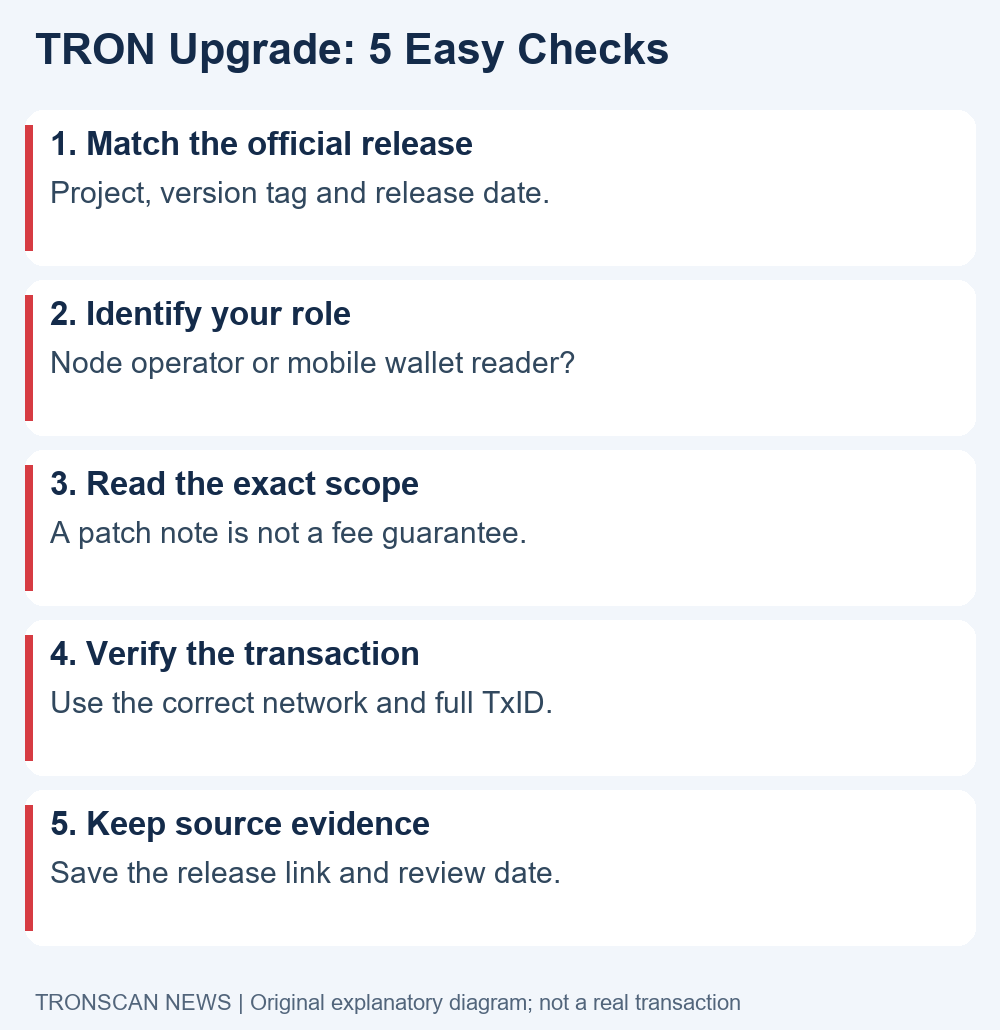
5 easy checks for reading a TRON upgrade on mobile
- Check the source. Match the repository owner, project name, full release tag and original date.
- Check your role. Decide whether you run java-tron, use a third-party wallet or depend on an exchange.
- Check the scope. Separate a listed software change from an unverified claim about user costs or speed.
- Check your transaction. If a transfer is your concern, inspect its own network, TxID, result and token record.
- Keep an evidence note. Save source links and timestamps so a later comparison uses the same version and operation.
Read these checks in order. They separate an announcement from a personal action. You do not need to connect a wallet to read the linked release page, and reading an announcement is not a reason to approve a new spending allowance.
Check 1: match the complete version and announcement date
For this TRON upgrade, the relevant string is GreatVoyage-v4.8.2.3. Copy the complete tag into your note rather than remembering only 4.8.2. On a narrow phone screen, expand a truncated heading before comparing it. Check that the page belongs to the java-tron repository under tronprotocol and is a release page rather than a comment containing someone else’s link.
Keep the release date separate from the date of an article discussing it. A newly published explainer may cover an earlier patch. This distinction prevents an old announcement, reposted on social media, from being mistaken for an emergency that appeared minutes ago.
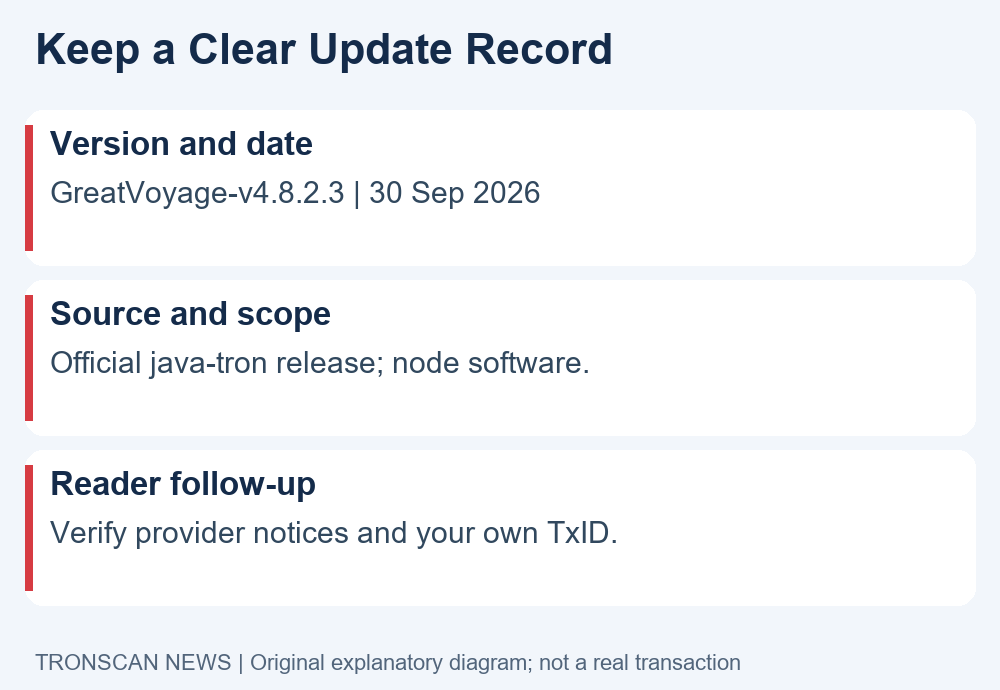
A useful source note has four fields: the original URL, the full version, the release date and your review date. If a provider gives different instructions, add that provider’s own notice as a separate source. Do not silently replace one date with another or merge two different versions into a single summary.
Use the same method when someone shares a screenshot. A screenshot can point you toward a source, but it can omit a date, truncate a version or lose an important qualifier. Open the original page and read the surrounding section before taking action.
Check 2: separate node operators from wallet users
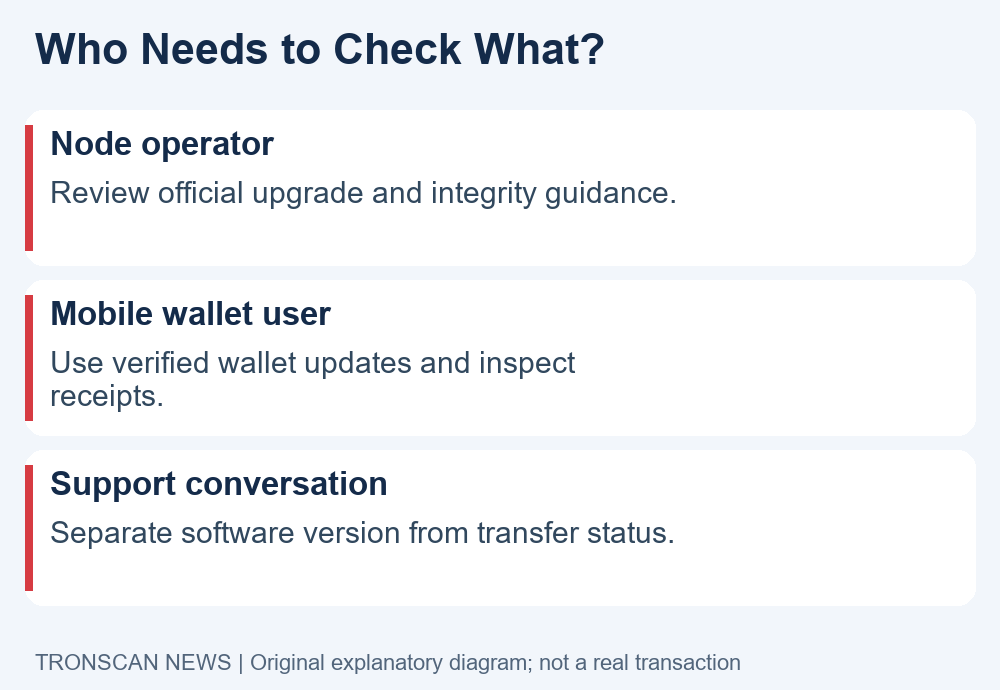
A mandatory TRON upgrade notice addresses software maintenance. If you operate a java-tron node, follow the project’s current operating instructions and your own deployment controls. This article does not replace an operator’s environment-specific upgrade plan, backup procedure or verification process.
If you only use a mobile wallet, identify the product that you actually have installed. A node release tag and a wallet app version are different identifiers. The presence of a new node release does not, by itself, prove that the app store has published a matching wallet update.
If an exchange holds your balance, its maintenance schedule is another separate issue. Check its official status or support notice for that specific network. A message about java-tron does not tell you whether the exchange has paused deposits, changed its internal confirmation policy or finished crediting your account.
Write down your role before following a tutorial. This small step avoids a common mistake: applying technical server instructions to a phone that is simply displaying a balance. Readers who run infrastructure should use the official node upgrade documentation and confirm that the instructions match their actual setup.
Check 3: avoid turning patch notes into fee promises
The TRON upgrade change list is brief. An optimization described for an edge case should not be expanded into a promise that every action improves by the same amount. The announcement identifies areas of software work; it is not a controlled comparison of every wallet, smart contract and receiving service.
When you encounter a numerical claim, ask what was measured, which versions were compared, what workload was used and whether the result came from the project or a third party. Without those details, keep the claim out of your own decision note.
For example, a hypothetical social post might claim that a patch makes all USDT sends free. The official changes summarized above do not establish that claim. Treat the example as a reading exercise, not an actual incident or a result from this release.
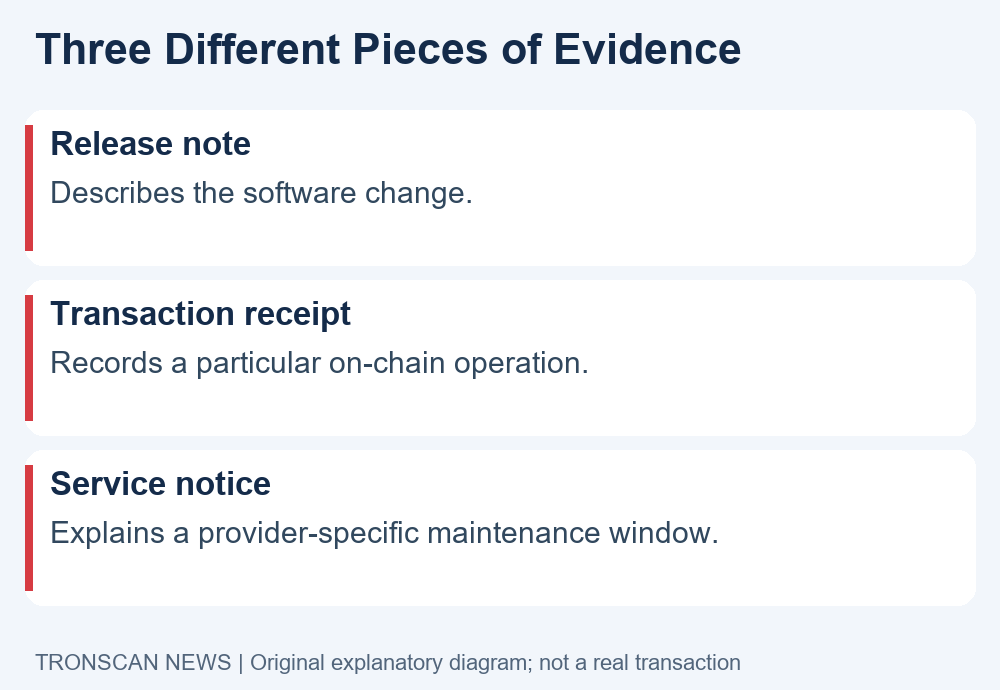
A wallet estimate and a transaction receipt answer different questions. One describes a proposed operation; the other records an executed one. For background on the contract-computation part of a transfer, use our TRON Energy guide. Read the current fields and units rather than assuming that a software version alone determines the bill.
Check 4: investigate a transfer using its own evidence
If you found this TRON upgrade article because a transfer looks delayed, start with the actual transaction. A software announcement cannot tell you whether your specific send was broadcast, executed or credited by a receiving service. Those questions need transaction and provider records.
- Open the sending record and obtain the complete transaction hash.
- Confirm that the record belongs to the intended network before searching an explorer.
- Compare the full sender and receiver addresses, rather than only a few visible characters.
- Review the execution result and the relevant token transfer details.
- If a receiving platform is involved, compare its deposit instructions with that on-chain evidence.
Our mobile transaction lookup tutorial explains this workflow. Keep the original hash and receiving instructions available when contacting the service through its established support channel. Avoid sending another transfer merely to test a theory based on a headline.
Compare evidence at the same time. A wallet’s cached balance, an explorer’s transaction record and an exchange’s internal crediting record can represent different stages. Record what each source actually shows instead of changing a missing field into a presumed failure.
If you lack a transaction hash, ask the sending service where its transaction record is available. Do not invent a hash from an order number. The absence of a hash in your current view is a missing piece of evidence, not proof that the release caused a network problem.
Check 5: keep a useful TRON upgrade evidence record
A short note is more valuable than a folder of unlabeled screenshots. Save the original release link, complete version and both dates. Add your role and the narrow question you need to answer, such as whether a provider has announced maintenance or whether a completed transfer reached the expected address.
For a software claim, preserve its scope. For a transfer question, preserve the transaction hash and observation time. For a provider notice, preserve the provider URL and affected network. These records should remain separate until there is evidence connecting them.
Suppose a hypothetical reader sees an exchange maintenance notice while also reading this patch announcement. The useful next step is to check the exchange notice’s date, network and service status. It would be unsupported to state that this particular patch caused the pause without a source saying so.
When discussing the TRON upgrade with support, state observations plainly: the version you read about, the provider notice you found and the status shown for your transaction. This helps a support team answer a concrete question and reduces speculation about unrelated events.
A mobile reading template for the next announcement
Use this compact template when a later TRON upgrade appears: version; original release date; source URL; intended operator; stated change; evidence still needed; next check. Fill only what you can verify. Leave an unknown field blank or mark it unknown instead of copying a confident answer from a repost.
For example, the stated change field can summarize a published item without predicting the effect on a different app. The next-check field might say to read a provider notice or inspect an existing receipt. Neither action requires a new transfer. Keep any private support correspondence outside a public source note, and redact personal information before sharing a screenshot.
Revisit your note when a source changes. Preserve the earlier version reference so readers can see which announcement you originally checked. This makes a TRON upgrade discussion easier to correct when more precise information becomes available.
Download integrity is a separate technical check
The release page includes integrity guidance for its JAR packages and associated signature files. Node operators should follow the linked verification procedure when handling release artifacts. A file having the expected name is not sufficient evidence that it came from the intended publisher.
Mobile readers do not need to download those packages to check their account or read the announcement. If an unsolicited message offers a file called a wallet upgrade, return to the wallet publisher’s established distribution route instead of treating that message as part of the java-tron release.
A signature check concerns an artifact and its publisher. It should not be described as an independent audit of every change or a guarantee of flawless operation. Likewise, a verified source link does not prove a third party’s migration service is legitimate.
Before signing anything presented as an upgrade requirement, read what the wallet says the action authorizes. Our TRON token approval guide explains how to distinguish permission details from a simple informational page. This TRON upgrade explainer asks for no wallet connection, deposit or approval.
Frequently asked questions
1. What is the TRON upgrade covered here?
It is GreatVoyage-v4.8.2.3, named Anaxagoras, in the official java-tron project. The release history gives 30 September 2026 as its release date. This article is an October 22 source review of that announcement, rather than a claim that a new release appeared today.
2. Does mandatory mean I must install a file on my phone?
The notice concerns java-tron node software. First identify whether you operate a node or use a wallet or exchange. Ordinary wallet users should check their wallet publisher’s own update information instead of downloading server packages from messages or advertisements.
3. Does this TRON upgrade guarantee cheaper USDT sends?
No such universal guarantee is established by the published change list. Review the actual proposed operation, current resource information and final receipt. Keep exchange withdrawal charges separate from what a particular on-chain operation consumed.
4. Can the release note prove why my transfer is missing?
No. A release note describes software work, not your individual transfer. Start with the complete transaction hash and correct network, then compare the execution result, token record and receiving service requirements. Report missing evidence as missing rather than assigning a cause.
5. Where should I verify a later TRON upgrade?
Use the official java-tron release page and release history, checking the full tag and original date. Add any affected wallet or exchange notice separately. A newer article date, forwarded screenshot or matching codename alone is not enough to identify the exact software version.
Sources, scope and editorial note
This TRON upgrade explainer uses the official release and release history linked above, checked on 22 October 2026. Statements about listed changes are attributed to those sources. Our reading checklist, hypothetical examples and source-record method are editorial explanations, not tests of node performance.
Visit the Tronscan News homepage for related English guides. Tronscan News is an independent publication. This article and its explanatory diagrams were prepared with AI assistance and source checks; the diagrams are original illustrations, not screenshots, transaction records or official product interfaces.
Leave a Reply