The explorer vs wallet choice depends on whether you want to read a public record or authorize an action. TRONSCAN can help you inspect transactions, accounts and tokens. A wallet manages the signing workflow for actions such as sending assets. Some explorer pages also expose wallet-connected features, so judge the specific operation rather than assuming that everything on one website is read-only.
This guide is for TRON readers deciding which tool to use before connecting, signing or seeking help for a deposit. It is a task-selection guide, not a wallet recommendation, custody service or tested comparison of every current mobile interface. The success standard is a clear choice of evidence source and a separate decision about any requested action.
The TRON developer wallet reference explains the relationship between wallets, keys and on-chain accounts. Use that distinction carefully: the wallet interface displays and manages access to an account; the public blockchain record is a separate source. An exchange customer balance adds another, private service layer.
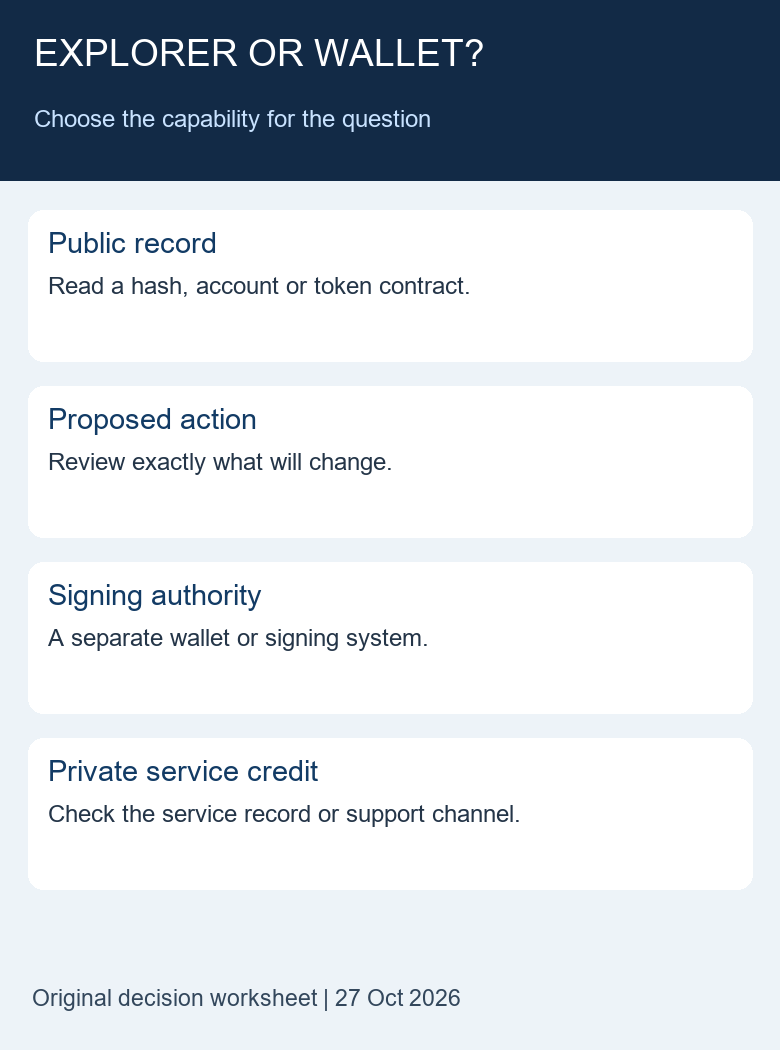
Table of Contents
Explorer vs wallet: four questions to ask first
- What question am I answering? Write a sentence such as “Find the public execution result for this hash” or “Prepare a new token transfer.” These tasks require different capabilities. A vague instruction to “verify the wallet” does not identify the record or action involved.
- What information is enough? A public lookup starts with a public hash or address and the correct network. A private exchange-credit question requires the service’s own account record. A signing request requires reviewing its specific contents and authority, not simply obtaining a successful explorer search.
- Will the next step change or authorize anything? Looking at a page, establishing a connection, signing and broadcasting are separate steps. Do not allow the fact that you started with a read-only question to become blanket permission for all subsequent prompts.
- How will I recognize completion? For a lookup, preserve the matched record and its limitations. For a wallet action, distinguish preparation, authorization, broadcast and eventual execution. For service credit, look for the service’s own confirmation rather than substituting an on-chain success badge.
The explorer vs wallet decision table
This original table classifies tasks rather than brands. It is meant to help a reader select the next evidence source. It does not certify the safety of a particular site, wallet, contract or signing request.
| Your task | First useful source | What remains separate |
|---|---|---|
| Read a public transaction | Explorer on the stated network | Ownership of its addresses and private account credit |
| Read a token balance | Account and token-contract record | Authority to spend, wallet display settings and value |
| Send a new transfer | A verified wallet or service sending workflow | Review, signing, broadcast and execution |
| Review an approval | Public allowance evidence and the specific contract | Any change to spending authority |
| Check an exchange deposit credit | Your verified exchange account record | The public transfer that may support the inquiry |
| Explain an unfamiliar prompt | Exact prompt contents and official product guidance | No automatic authorization from a familiar logo |
What reading a public explorer record establishes
A transaction lookup gives you a record to interpret. Begin by matching the network and complete transaction hash. Then identify the relevant asset and recipient inside the movement you intended to inspect. A valid record for another payment does not answer your question merely because its quantity looks familiar.
The TRONSCAN record-selection guide provides the general routes for transaction, account, token and block questions. This article adds the capability decision before those routes: are you collecting evidence, or are you being asked to authorize a change? Knowing where to search is different from deciding whether to sign.
A public account page does not demonstrate that the person showing it controls that account. A balance may be visible even when no signing authority has been established. Conversely, a wallet can display an address in a watch-only or read-only context. Treat the visibility of a balance and the authority to spend as different observations.
This explorer vs wallet distinction also helps when looking at a contract. Public source verification, transaction history and token metadata may help explain a record. They do not independently approve the next interaction. A request to grant an allowance or change permissions needs its own review, even if the earlier information was retrieved from a familiar explorer.
What a wallet contributes to the workflow
A wallet provides an interface for managing account access and reviewing or authorizing actions. The exact arrangement varies: a hardware device, browser extension, mobile application or service account can involve different control and confirmation steps. This guide does not rank these options or claim that one design removes the need to inspect a request.
Record the address and network relevant to your task, but keep recovery phrases, private keys and authentication codes out of an ordinary public-record lookup. These are not transaction identifiers. If a page asks for a secret while you are merely trying to inspect an existing public transfer, that request is outside the workflow described here.
Do not assume that one displayed address implies one unrestricted signing key. TRON account permissions can assign authority to different operations and signers. For that narrower question, use the owner and active permission guide. A public permission view and a wallet’s ability to satisfy a specific operation are distinct checks.
When making an explorer vs wallet decision, keep the requested outcome visible. If the task is “read an account balance,” installing a new wallet or importing a key is not part of that evidence-gathering task. If the task is “authorize a transfer,” a public balance page cannot perform the review and authorization decision for you.
An explorer can also offer wallet-connected functions
It would be misleading to describe an explorer website as incapable of interactive actions. The TRONSCAN sending guide, dated 23 June 2022, describes a send workflow involving wallet signing. We cite it for the distinction between browsing and acting; we have not retested that dated interface sequence for this article.
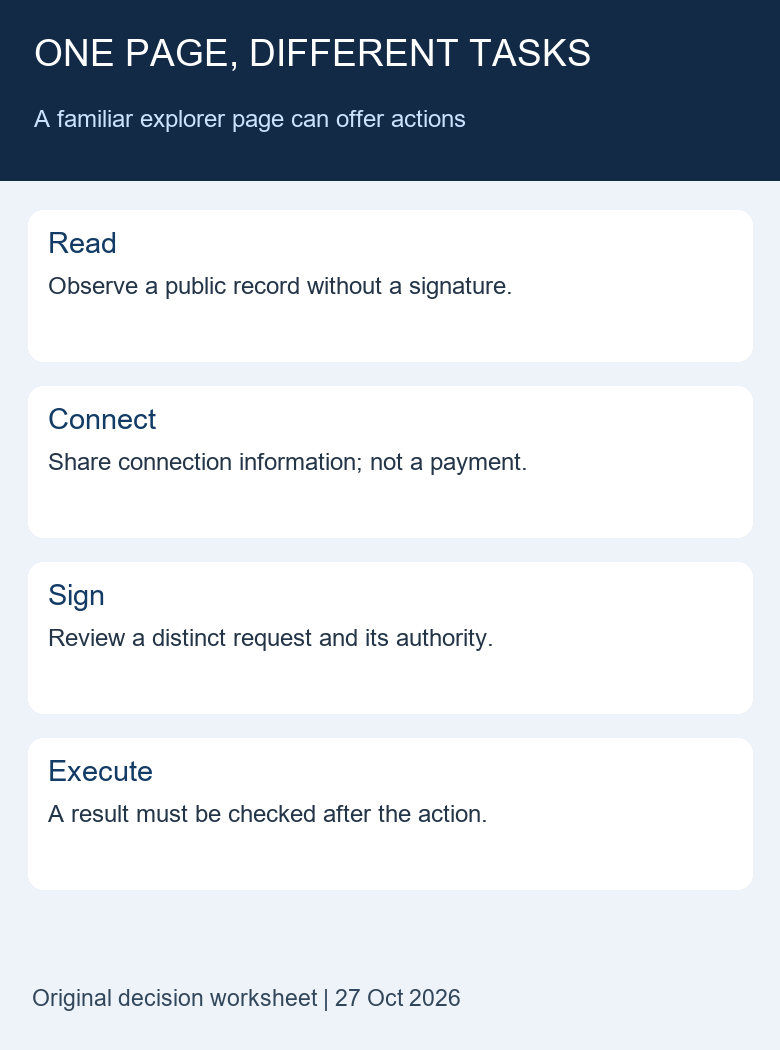
The important boundary is the operation you are performing. A site can provide a public lookup and separately request a wallet connection or signature. Moving from one capability to another changes the decision. Do not treat the success of the first lookup as validation of the second request.
A familiar domain is one input to destination verification, not a complete action review. The explorer-link inspection worksheet helps separate the destination from the record and the next action. It does not prove that every external link, embedded application or signing request reached from a page is appropriate.
Connection, signature and execution are separate
In the explorer vs wallet workflow, a connection is not itself proof that a transfer executed. Do not write “payment completed” merely because an interface now shows an address. Likewise, a signature prompt is a request to inspect, not evidence of a successful network outcome. The contents and implications of the requested signature need separate consideration.
A prepared transaction is another intermediate stage. It may contain parameters for an action without proving that the action was signed, broadcast, included or successfully executed. Preserve the stage you actually observed. If you only saw a proposed transaction, do not manufacture an on-chain hash or a confirmation count.
After an authorized action, a matching execution receipt is a different piece of evidence. The TRON transaction-receipt reference distinguishes the post-execution record from the submitted transaction body. Keep those stages separate when explaining an error or waiting state.
None of these distinctions requires you to perform a transaction as a test. For a public-record investigation, stop at the observation you need. This article deliberately uses local task examples rather than asking readers to connect a wallet, sign an unfamiliar message or send a small payment to prove that the comparison is correct.
A synthetic handoff: success on-chain, exchange credit unresolved
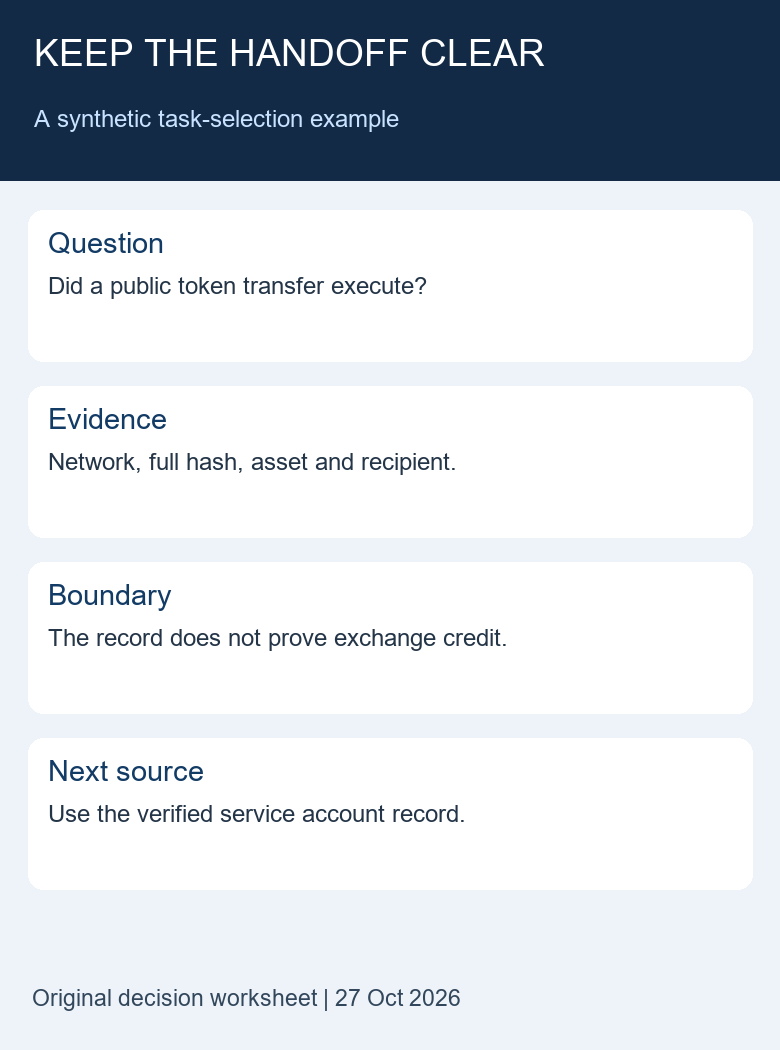
Imagine a reader has a complete public hash and asks whether a deposit arrived. In the fictional exercise, the network, token contract and full recipient match the sending record, and the relevant movement has a successful execution result. Those observations support a statement about that on-chain movement.
The next question is whether the receiving service associated the deposit with the correct customer account. The explorer does not show that private ledger decision. The reader should check the verified exchange account record or use its official support route, retaining the public evidence that supports the inquiry.
This explorer vs wallet example does not require a new wallet, a second transfer or another signature. It requires selecting a different evidence source for a different question. A wallet displaying the same public address would not establish service credit either. Adding more interfaces does not fill a missing private record.
A useful handoff note might read: “Synthetic example: public movement matched on TRON Mainnet; asset and recipient checked; service account credit not observed; next step is the service’s transaction history.” It records the limit without claiming a loss, blaming a platform or promising a recovery.
An original ten-task classification exercise
We built a small offline fixture to check whether our written decisions stay consistent. It contains four public-record tasks, three wallet-action tasks, two private-service tasks and one unresolved prompt. These categories are an editorial aid, not a software classifier that readers should trust with account access.
| Synthetic task | Classification | Reason for the next step |
|---|---|---|
| Read a public transaction | Public record | Start with the network and complete hash. |
| Read a public balance | Public record | Identify the account and asset. |
| Identify a token contract | Public record | Compare an authoritative asset reference. |
| Compare two public records | Public record | Keep identifiers and scope aligned. |
| Send tokens | Wallet action | Review the specific proposed transfer. |
| Change account permissions | Wallet action | Review the intended authority change separately. |
| Approve token spending | Wallet action | Review the spender, contract and scope. |
| Confirm private exchange credit | Service record | Read the verified customer-account history. |
| Recover an exchange password | Service record | Use that service’s own account process. |
| Follow an unexplained signing prompt | Unresolved | Clarify the request before authorizing anything. |
On 27 October 2026, four local assertions checked the number of tasks and the counts in the first three categories. The authored labels themselves were reviewed against the task definitions above. This tests internal consistency only. It does not test a wallet’s implementation, demonstrate exploit resistance or establish that an unfamiliar prompt is safe.
Explorer vs wallet failure branches
The explorer finds nothing. Recheck the full identifier and network. An empty result, unavailable service or incomplete page is not proof that the wallet lost the assets. Keep the error and the time checked, then return to the original sending record rather than creating a replacement transfer.
The wallet and explorer display different balances. Confirm the same account, asset and network before comparing numbers. Distinguish the wallet’s selected display from the relevant on-chain record. A service balance may describe a private customer ledger rather than the whole public address. Record the exact discrepancy instead of treating one screenshot as a universal balance statement.
A public lookup asks for a connection. First determine whether you selected an interactive feature rather than the public record. You can leave that action flow and use a verified public lookup route. A request that appears on-screen is not evidence that it is necessary for your original task.
The interface reports a signed or submitted action. Preserve that status precisely. Do not equate it with confirmed execution. If there is no complete public hash, keep a service reference separate and use the relevant product’s official support guidance for the stage actually reached.
You cannot explain the prompt. Mark the action unresolved. Record its purpose and visible fields without exposing secrets. This guide cannot approve an unseen request on the basis of the site’s name or the fact that a wallet opened. Do not guess a permission’s scope to finish a comparison table.
Keep the comparison reproducible on a phone
Use three short lines in a local note: question, evidence source and observed stage. For example: “Read a public token movement / verified explorer / matching record found.” If a later step asks for a signature, start a new line describing that different task rather than silently appending authorization to the original lookup.
Compare full identifiers in a view that does not truncate them. A title, icon or abbreviated address is a label, not the complete reference. If the phone cannot show the necessary detail, preserve the unresolved result for a later review. An inconvenient interface does not justify treating a partial match as complete.
Keep account login and wallet connection distinct as well. A website may require an account for an export or another optional feature without requiring a blockchain signature for a basic public lookup. Document the particular feature and access condition instead of generalizing from it to every public page.
For an explorer vs wallet comparison shared with another reader, state the product versions or interfaces actually tested. Here we tested only the authored offline task fixture and the article’s own layout. We have not compared current wallet signing screens, installed extensions or measured how each provider handles a particular request.
To audit the explorer vs wallet worksheet, ask a second reader to classify a task before seeing our label. If the task spans stages, split it: inspecting an existing approval is a public-record question, while changing that approval is an action. A disagreement may reveal an ambiguous task description rather than an error in the underlying blockchain record.
Frequently asked questions
1. In an explorer vs wallet comparison, where are the assets?
The account’s asset record is on-chain. A wallet manages the access and interaction workflow; an explorer presents public information. A custodial service may additionally maintain a private customer ledger.
2. Does finding my address prove that I can spend from it?
No. Public visibility and signing authority are different. Check the actual account-permission and wallet-control situation for the intended operation.
3. Can an explorer website offer a send feature?
Yes. A site can combine browsing with wallet-connected actions. Judge the specific operation and keep any authorization separate from reading a public record.
4. Must I import a private key to check an existing transaction?
No. The public-record workflow described here uses a network and public identifier. A private key or recovery phrase is not a transaction hash.
5. Does wallet connection prove an exchange deposit was credited?
No. Connection, public transfer execution and private exchange credit answer different questions. Use the verified service account record for crediting status.
Sources, test scope and editorial note
Prepared by the Tronscan News editorial team with AI assistance and official-source review on 27 October 2026. The diagrams and ten-task fixture are original explanatory materials. No wallet was connected, no secret was imported and no transaction was signed for this comparison. The dated sending guide is not presented as a newly tested interface.
Browse the Tronscan News homepage for independent guides. We are not affiliated with TRONSCAN, TRON or a wallet provider. Corrections can be raised through About & Standards with a specific claim and source; never include wallet secrets or private authentication details.
Leave a Reply